Here's the one-sentence answer: your domain is your website's address, and your hosting is the actual house where your website lives. They're two separate things you usually buy separately, they're often paid to two different companies, and you need both to put a real website online. Confusing the two is the single most common mix-up I see from people building their first site — and it leads to paying twice for the same thing, or wondering why a domain they bought shows a blank page.
I've set up hundreds of sites for clients and walked countless beginners through this exact question. Once the house-and-address analogy clicks, the whole thing makes sense and you'll never be upsold on something you don't need. Let me break down what each one actually is, how they work together, and what you do and don't need to buy.
The simplest analogy: address vs house
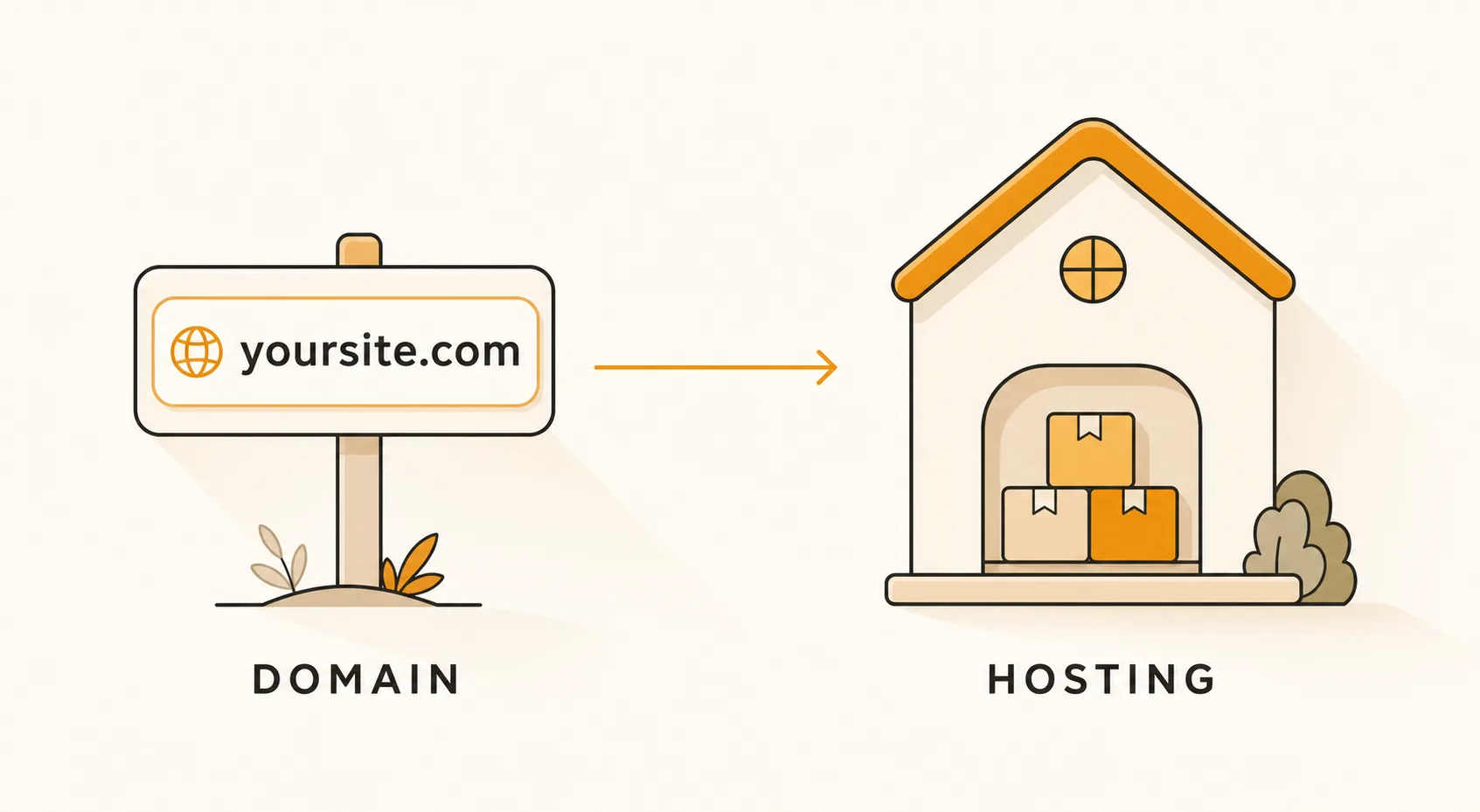
Think of putting a website online exactly like opening a physical shop.
- The domain is your street address — "123 Main Street." It's how people find you. It doesn't hold anything itself; it just points to a location.
- The hosting is the actual building — the floor space, shelves, and storage where your products (your website's files, images, and pages) physically sit.
You can own an address with no building on it (a domain you bought but haven't connected to anything — that's the blank page people get confused by). And you can have a building with no memorable address (hosting reachable only by a string of numbers). To run a real shop, you need both: an address people can find, and a building behind it holding your stuff.
That's the entire concept. Everything below is just detail.
What is a domain name?
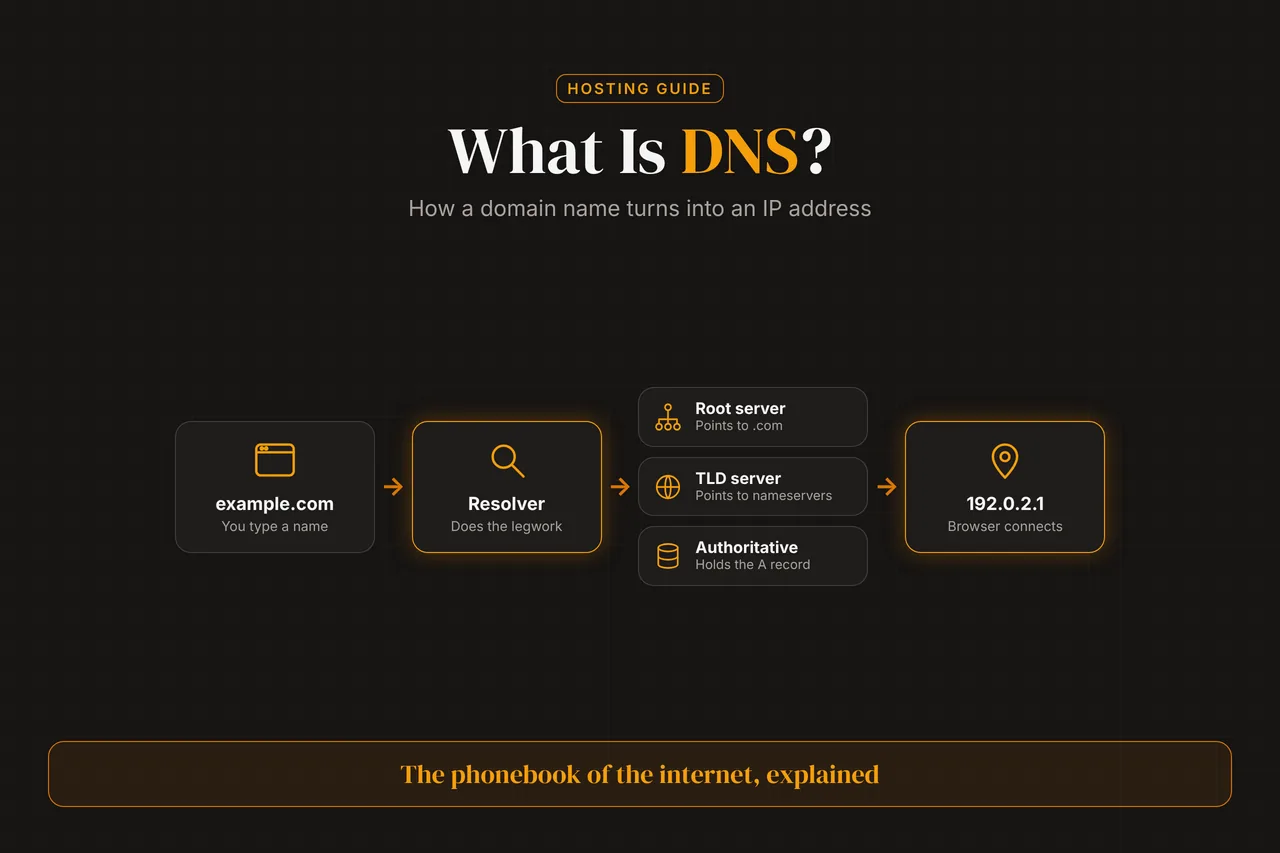
A domain name is the human-friendly address people type to reach your site — yourbusiness.com, myblog.net, and so on. Computers don't actually use names; they use numeric IP addresses like 192.0.2.45. The domain name system (DNS) is the internet's phonebook that translates your easy-to-remember name into that number behind the scenes.
A few key things about domains:
- You rent, not own. Domains are registered yearly (or for several years at once) through a registrar. Stop paying and the name goes back on the market.
- The ending matters. ".com" is the most trusted and memorable, but ".io," ".co," ".org," and country endings like ".co.uk" all work.
- It's just the address. A domain on its own displays nothing — it has to be pointed at hosting to show a website.
- It's portable. You can move a domain between hosts or registrars; you're not locked to wherever you bought it.
A domain typically costs somewhere around $10–15 per year for a standard ".com." Companies that sell you domains are called registrars.
What is web hosting?
Web hosting is the rented space on a server — a powerful, always-on computer in a data center — where your website's actual files live. When someone types your domain, their browser is directed to your host's server, which delivers your pages back to them. Because that server is online 24/7, your site is available to anyone, anytime.
A few key things about hosting:
- It stores everything. Your pages, images, code, databases, and emails all sit on the host's server.
- It's always on. That's what you're really paying for — a computer that never sleeps so your site never goes dark.
- Performance lives here. How fast your site loads, how much traffic it handles, and how reliable it is are all determined by your host, not your domain.
- There are different types. Shared hosting (cheapest, you share a server), VPS, managed WordPress, and cloud hosting — each a step up in power and price. I compare VPS vs shared vs cloud hosting in a separate guide.
Hosting usually runs anywhere from around $3 per month for entry shared hosting to much more for managed or cloud plans. Companies that sell you this space are called hosts or hosting providers.
Domain vs hosting at a glance
| Domain | Hosting | |
|---|---|---|
| What it is | Your website's address | The space your website lives in |
| Analogy | Street address | The actual building |
| What it does | Points people to your site | Stores and serves your files |
| You pay | A registrar | A hosting provider |
| Typical cost | ~$10–15 per year | ~$3+ per month |
| Billed | Yearly | Monthly or yearly |
| Can you skip it? | No — needed to be found | No — needed to exist online |
Do you need both? (Yes — here's why)
You need both to run a normal website, and here's the logic:
- Hosting with no domain means your site exists but people can only reach it by an ugly IP address or a temporary host-provided URL. Not viable for a real brand.
- A domain with no hosting means you own a nice address that points to nothing — visitors get a blank page or a "parked domain" placeholder. This is exactly the situation that confuses beginners who bought only a domain.
Connect the two and you have a working website: a memorable address that leads to a building full of your content.
How a domain and hosting work together
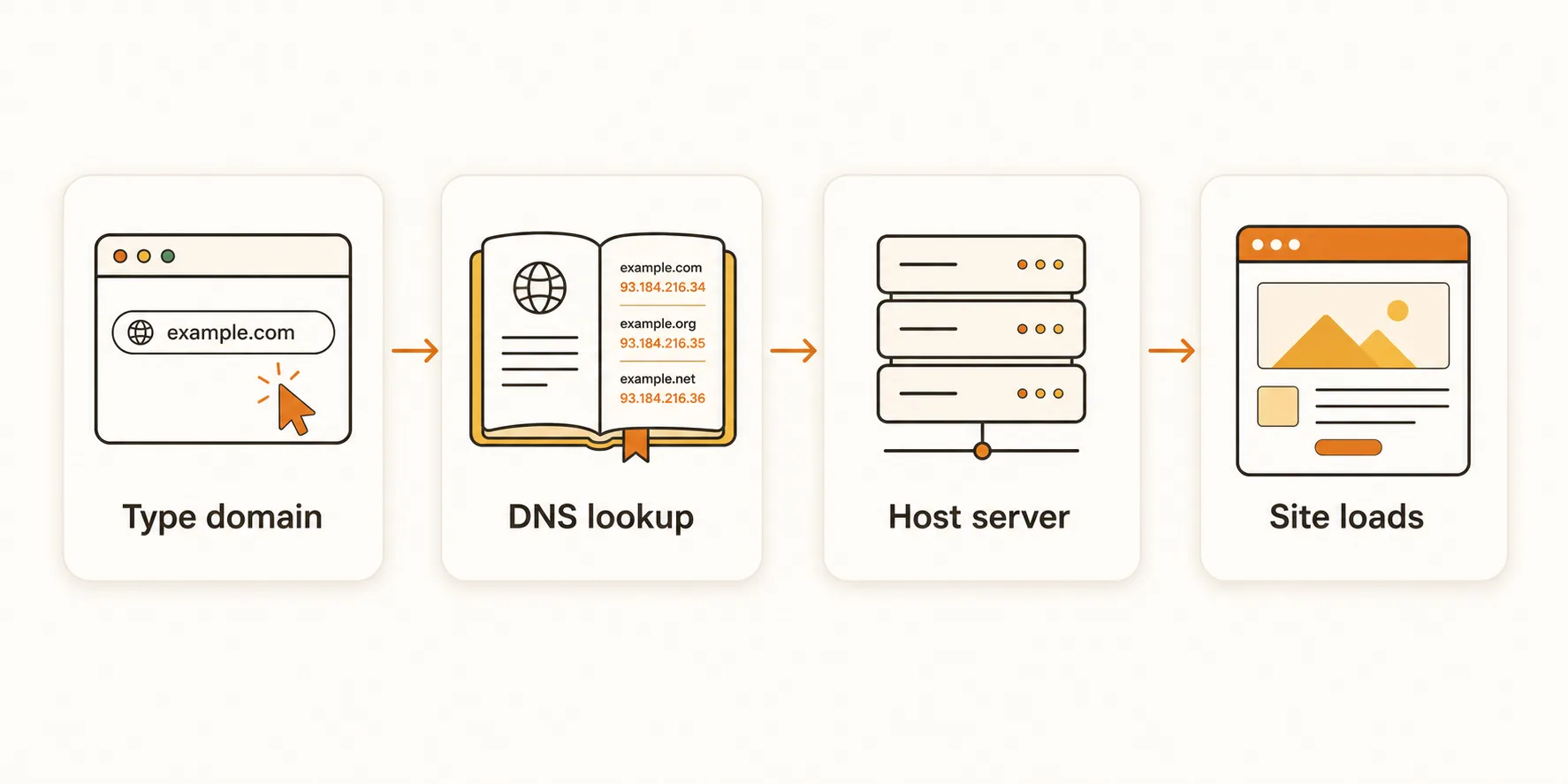
Here's what actually happens, start to finish, when someone visits your site:
- A visitor types your domain (yoursite.com) into their browser.
- DNS — the internet's phonebook — looks up which server that domain points to.
- The domain's DNS records direct the browser to your hosting provider's server (using a record like an A record or nameservers).
- The host's server receives the request and sends back your website's files.
- The visitor's browser assembles those files into the page they see.
The link between the two is DNS. When you "point a domain at your hosting," you're updating the domain's nameservers or DNS records to aim at your host's server. Most hosts give you the exact settings to paste in, and if you buy both from the same company it's often connected automatically.
If you want to see what those records actually do, my guide to what DNS is and how domains resolve walks through the lookup step by step, plus the A, CNAME and MX records you'll edit.
Should you buy them together or separately?
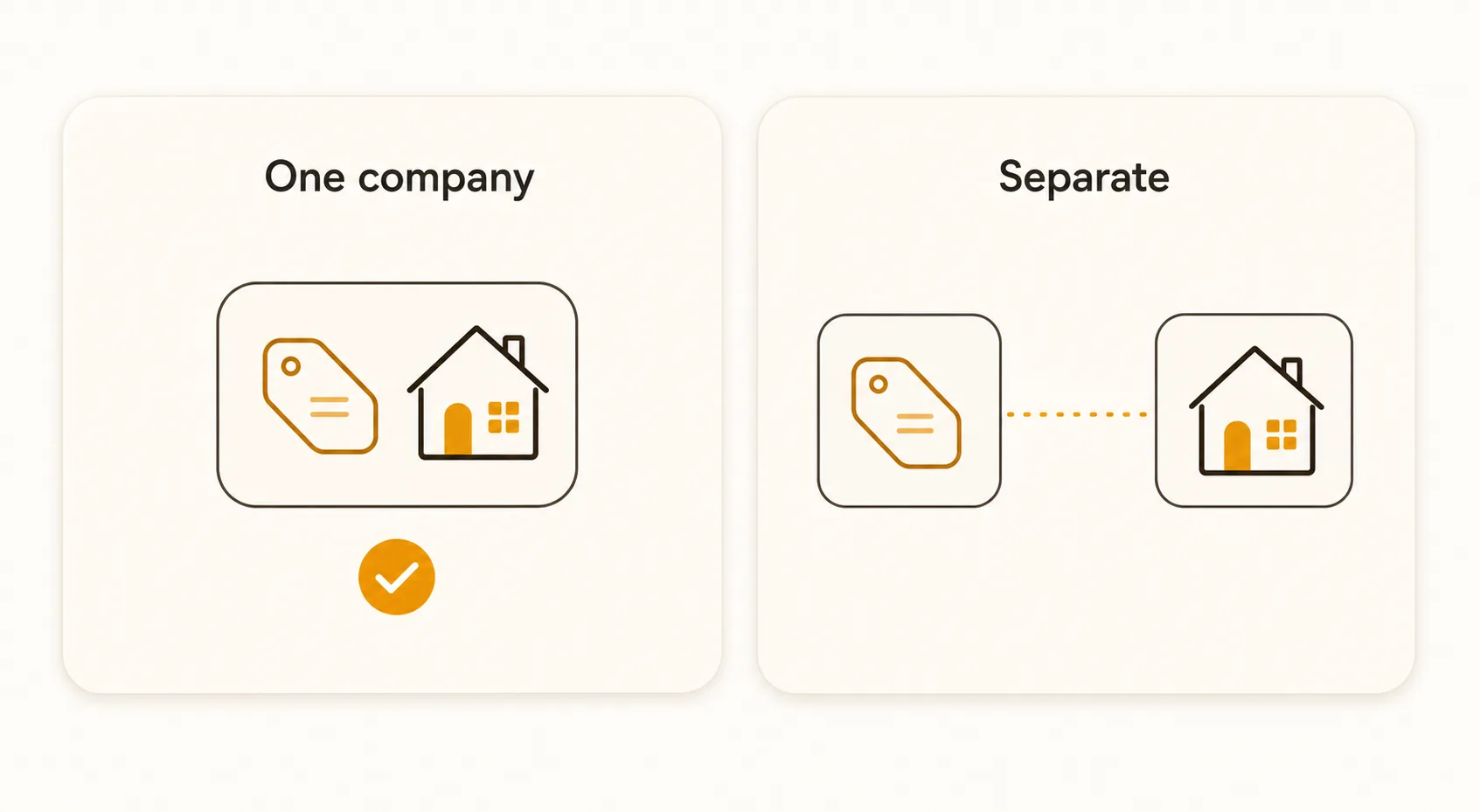
Both approaches work — this is a genuine preference, not a right-or-wrong.
Buying both from one company
Many hosts (Hostinger, Bluehost, and others) sell hosting and throw in a free domain for the first year. This is the simplest path for beginners: one bill, one dashboard, and the domain is connected to your hosting automatically.
- Simpler setup — no manual DNS pointing.
- One company to deal with for support.
- Often a free domain for year one with a hosting plan.
Buying them separately
Experienced users often keep their domain at a dedicated registrar (like Namecheap) and hosting elsewhere. It takes one extra step to connect them, but it keeps things flexible.
- You can switch hosts without moving your domain.
- Dedicated registrars often have cheaper domain renewals.
- Keeps your "address" independent of any one host.
Common questions and mistakes
A few things that trip people up beyond the basics:
- You don't pay for a domain again every month. Domains are yearly; hosting is usually monthly or yearly. Seeing two separate charges is normal — they're two different products.
- Email can come from either. Professional email (you@yoursite.com) is tied to your domain but usually served by your host or a separate email provider. It's a third thing layered on top.
- An SSL certificate is separate again. That's what gives you the padlock and "https." Most good hosts now include it free — it's not part of the domain.
- Letting a domain expire is risky. If you forget to renew, someone else can grab your address. Turn on auto-renew for the domain especially.
Frequently asked questions
The bottom line
A domain and hosting are two different pieces that together make a website: the domain is the address people type, and the hosting is the space that actually holds and serves your site. You need both, they're usually billed differently (domain yearly, hosting monthly), and you can buy them from one company or two — whatever keeps it simple for you.
If you're starting your first site, the easiest path is hosting that includes a free first-year domain, so the two come pre-connected and you skip the DNS step entirely.
Want to keep your domain independent of your host? Register it on its own at a dedicated registrar: