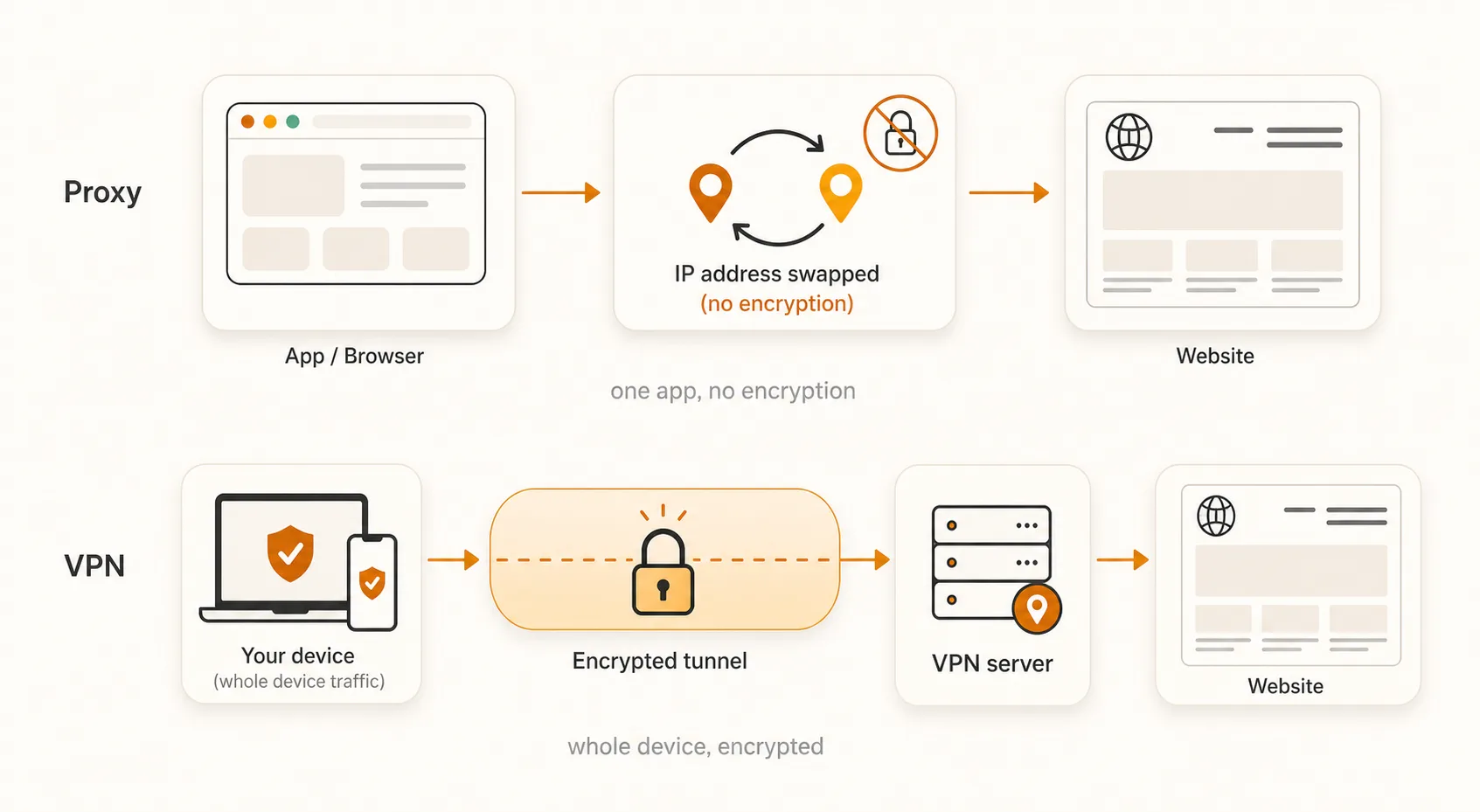
Here's the difference in one sentence: a proxy reroutes a single app's traffic through another IP address, while a VPN encrypts all of your device's traffic and sends it through a secure tunnel. Both hide your real IP, but only one of them actually protects your data — and mixing them up leads people to trust a proxy with things it was never built to do, like banking on public Wi-Fi.
I use both, for completely different jobs: proxies to scrape data and test sites from other countries, and a VPN to keep my everyday traffic private and encrypted. This guide breaks down exactly how each one works, the differences that actually matter (encryption, scope, privacy, speed, price), and a simple rule for which to reach for. By the end you'll never confuse the two again.
The short answer: which one do you need?
Match the tool to the goal, not to which word you've heard more:
- Want privacy and security for your whole device — banking, browsing, public Wi-Fi? You want a VPN. Encryption is the point.
- Want to route one app or task through another IP — web scraping, checking geo-locked prices, running many accounts? You want a proxy. Speed and IP control are the point.
- Want to stream a show from another region on your laptop? A VPN is usually simpler and encrypted.
- Doing high-volume automated requests that must not get blocked? Rotating proxies, every time.
The rest of this guide explains why those answers are what they are.
What is a proxy?
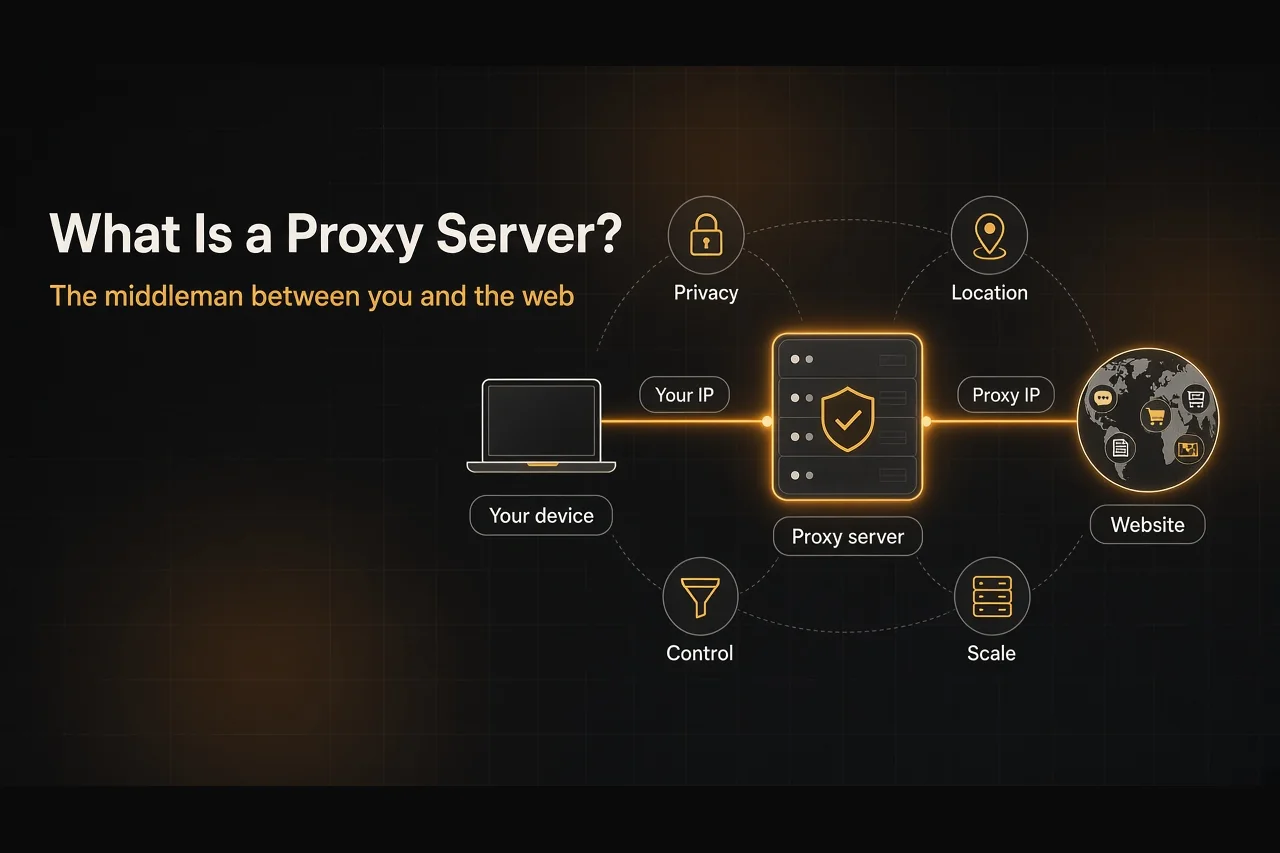
A proxy server is a middleman. Instead of your app connecting straight to a website, it connects to the proxy, and the proxy makes the request on your behalf — so the website sees the proxy's IP address, not yours. For the full picture, with every proxy type and protocol, see my beginner's guide to proxy servers.
The key things to understand about proxies:
- They work at the application level. You configure a proxy in a specific program — one browser, one scraper, one bot. Other apps on your device keep using your real connection.
- Most proxies don't encrypt your traffic. A standard HTTP proxy just forwards requests. Your data isn't scrambled; the proxy (and your network) can still see it.
- They're fast and cheap. With no encryption overhead and often a task-specific setup, proxies are lightweight — which is why they dominate scraping and automation.
- They come in types. Datacenter, residential, and mobile proxies differ in where the IP comes from and how hard it is to detect (more below).
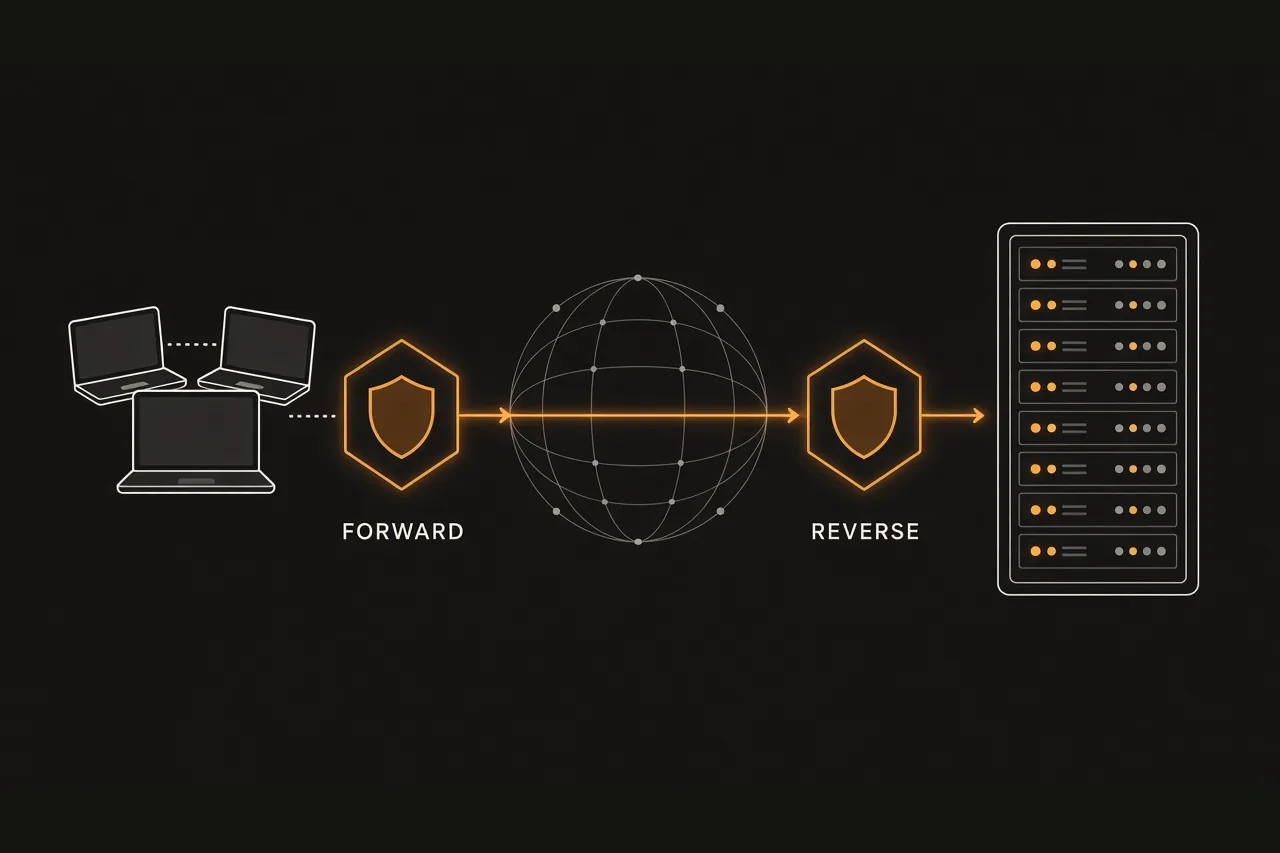
In short, a proxy is a precision tool: it changes the IP for one thing, quickly. It is not a privacy blanket for your whole device. Strictly, this is a forward proxy, one that works for you as the client; websites run the opposite kind, and I explain the difference between a forward and a reverse proxy separately.
What is a VPN?
A VPN (Virtual Private Network) also routes your traffic through a remote server and hides your IP — but it adds the thing proxies usually lack: encryption, applied to everything.
The key things to understand about VPNs:
- They encrypt all your traffic. A VPN builds an encrypted tunnel between your device and the VPN server using protocols like WireGuard or OpenVPN. Anyone in between — your ISP, the coffee-shop Wi-Fi, a snooping network — sees only scrambled data.
- They work device-wide. Once connected, every app on your device goes through the tunnel, not just your browser. You set it once and you're covered.
- They trade a little speed for protection. Encryption and the extra hop add some overhead. On a modern protocol like WireGuard the drop is usually small, but it's not zero.
- Trust moves to the provider. Your traffic is encrypted from everyone except the VPN company itself, which is why a no-logs policy (ideally independently audited) matters so much.
A VPN is a whole-device security tool: private, encrypted, and always-on. That protection is exactly why it's the right choice for everyday use.
Proxy vs VPN: the core differences at a glance
| Factor | Proxy | VPN |
|---|---|---|
| Encryption | Usually none | Yes — all traffic |
| Scope | One app at a time | Entire device |
| Hides your IP | Yes | Yes |
| Speed | Very fast (no encryption) | Slight drop from encryption |
| Best for | Scraping, geo-tasks, automation | Privacy, security, streaming |
| Public Wi-Fi safety | No real protection | Protected |
| Typical cost | Pay per IP/bandwidth | Flat monthly subscription |
| Setup | Per app/tool | Once, device-wide |
The differences that actually matter
The table is the summary; here's the reasoning behind the four differences that decide which you need.
Encryption — the single biggest difference
This is the line that separates them. A VPN encrypts your traffic; a typical proxy does not. That means on an untrusted network — airport, hotel, café — a VPN keeps your passwords and messages unreadable to anyone listening, while a plain proxy leaves them exposed even though your IP is hidden. If your goal includes the word "secure" or "private," you need encryption, which means a VPN.
Scope — one app vs the whole device
A proxy changes the IP for the specific app you configured it in. Your browser might use the proxy while your email client, system updates, and other apps still use your real connection. A VPN covers the entire device at once. This is why proxies are great for isolating a single task and VPNs are great for blanket protection.
Privacy and logging
Neither tool makes you anonymous by itself, but they differ in trust model. With a proxy — especially a free one — the operator can see and log your unencrypted traffic, and free proxies are notorious for it. With a reputable VPN, your traffic is encrypted end-to-tunnel, so the risk narrows to whether you trust the provider not to log. That's why a serious, audited no-logs VPN is worth paying for and free proxies are worth avoiding.
Speed and price
Proxies are usually faster per request because there's no encryption to perform, and you often pay for what you use (bandwidth or number of IPs). VPNs add a little latency for the encryption and extra hop, and typically cost a flat monthly fee for unlimited use across your device. For high-volume automated jobs, proxy economics win; for everyday personal protection, a single VPN subscription is the better deal.
Types of proxies (this trips people up)
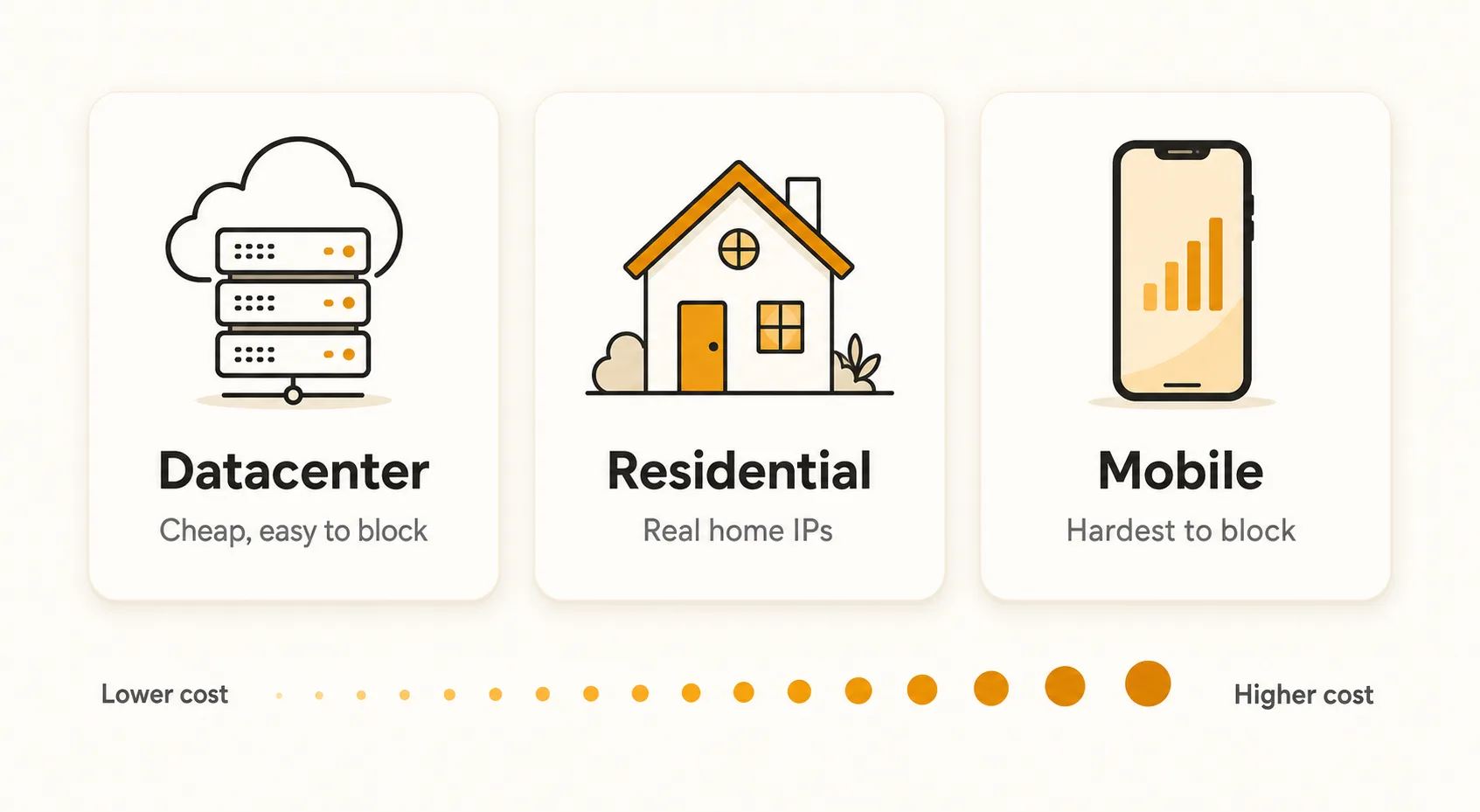
"Proxy" isn't one thing. The type decides how fast, how expensive, and how detectable it is:
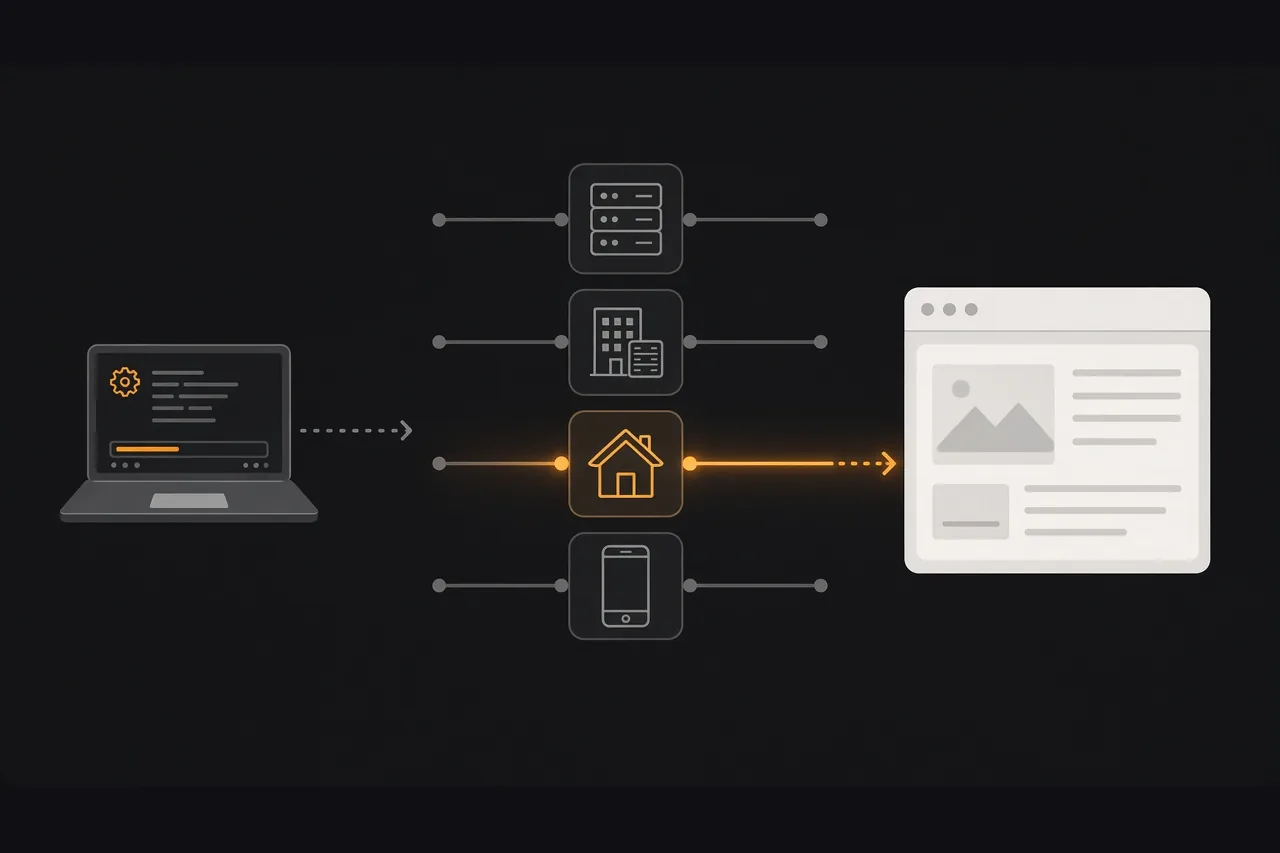
- Datacenter proxies. IPs from cloud/hosting providers. Cheapest and fastest, but easy for sites to spot and block because they clearly aren't home users. Great for high-volume, non-sensitive requests.
- Residential proxies. Real IP addresses from actual home internet connections. They look like genuine users, so they're far harder to block — ideal for serious scraping and geo-targeting. More expensive.
- Mobile proxies. IPs from cellular (4G/5G) networks. The hardest to block since many real users share them, and the priciest. Reserved for the toughest targets.
There's also a protocol distinction: HTTP/HTTPS proxies handle web traffic, while SOCKS5 proxies are more versatile and can route almost any kind of traffic. For scraping and automation, rotating residential proxies are the usual workhorse.
When to use a proxy
Reach for a proxy when the job is a specific, IP-driven task rather than personal privacy:
- Web scraping and data collection at scale, where you need many rotating IPs to avoid bans.
- Checking geo-restricted content or prices — seeing what a user in another country sees.
- Managing multiple accounts that must each look like a different user/location.
- High-volume automated requests (bots, monitoring) where encryption overhead would just slow you down.
In every one of these, you care about the IP and the speed, not about encrypting your whole device.
When to use a VPN
Reach for a VPN when the goal is protecting yourself, not powering a task:
- Everyday privacy — stopping your ISP and network from seeing your browsing.
- Public Wi-Fi safety — encrypting your traffic on untrusted networks so nobody can snoop.
- Streaming geo-locked libraries on your own devices, with encryption included.
- General security — one setting that shields every app on your phone or laptop.
If you want a single, set-and-forget layer of protection for normal life, that's a VPN.
Can you use a proxy and a VPN together?
Yes, and advanced users sometimes do. You can run a VPN for device-wide encryption and route a specific tool (like a scraper) through a proxy on top of it, so that app gets both the VPN's encryption and the proxy's rotating IP. It adds latency and complexity, so it's overkill for most people — but for privacy-conscious automation it's a valid stack. For everyday use, one or the other is plenty.
Common misconceptions
Clearing up the myths that cause bad decisions:
- "A proxy makes me anonymous." No. Most proxies don't encrypt, and free ones may log everything you do. Hiding your IP is not the same as being private.
- "A VPN and a proxy are basically the same." They overlap only on hiding your IP. Encryption and device-wide scope make a VPN a fundamentally different, more protective tool.
- "Free proxies are fine." Free proxies are the riskiest option online — slow, unreliable, and frequently harvesting the very data you're routing through them.
- "A VPN makes me completely untraceable." It shifts trust to the provider and stops network-level snooping, but it isn't magic invisibility. Pick an audited no-logs provider and understand what it does and doesn't do.
How to choose: a simple rule
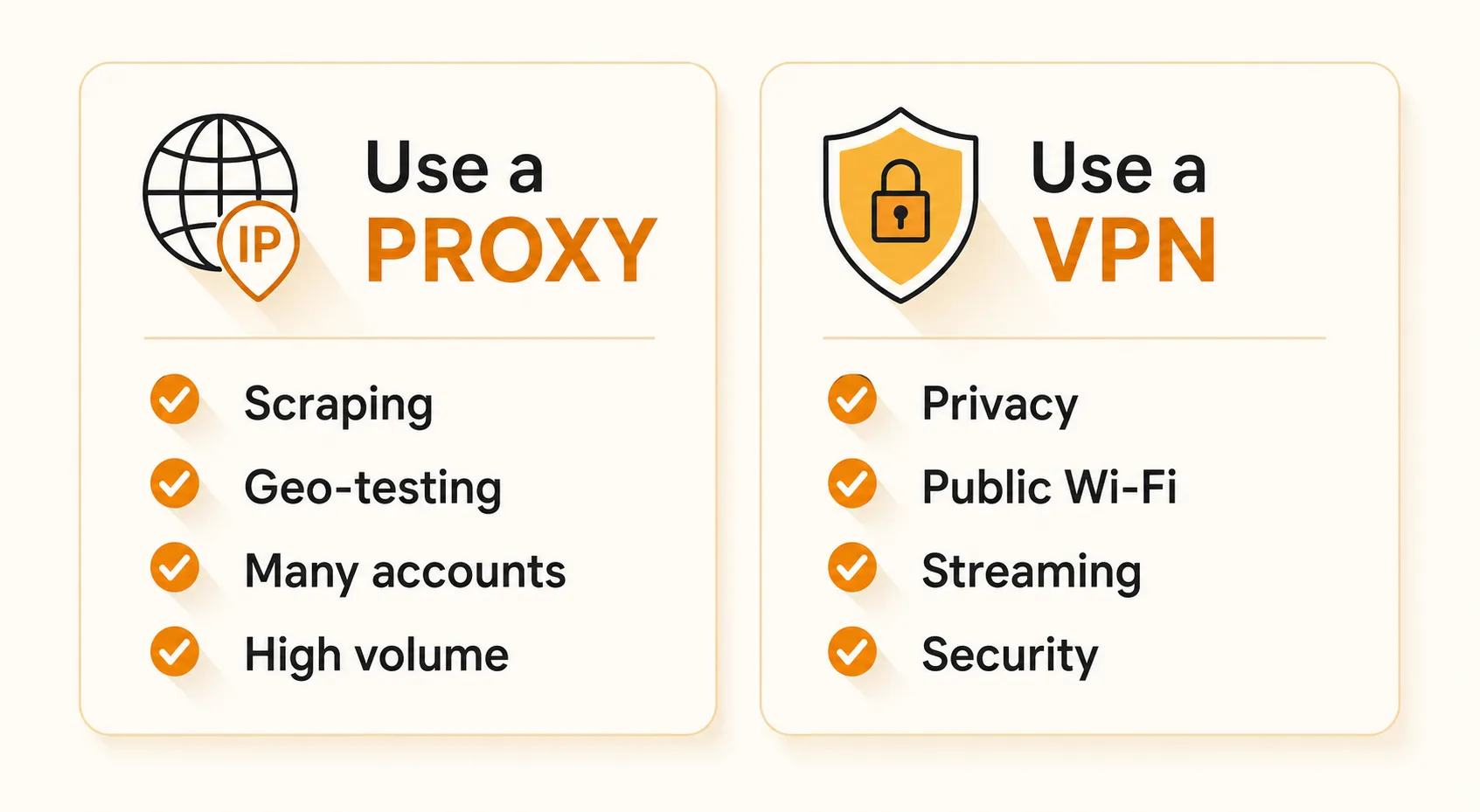
When you're unsure, ask one question: am I protecting myself, or powering a task?
- Protecting yourself (privacy, security, public Wi-Fi, everyday browsing) → VPN. You need encryption and whole-device coverage.
- Powering a task (scraping, geo-testing, many accounts, high-volume requests) → proxy. You need IP control and speed for one app.
Get that distinction right and the choice is obvious almost every time. The people who struggle are usually trying to use one tool for the other's job — a proxy for privacy (unsafe) or a VPN for large-scale scraping (slow and easily blocked).
Frequently asked questions
The bottom line
A proxy and a VPN both hide your IP, but that's where the similarity ends. A proxy reroutes one app's traffic through another IP — fast, cheap, and perfect for scraping, geo-tasks, and automation, but with no encryption. A VPN encrypts your entire device's traffic through a secure tunnel — the right choice for privacy, security, and anything you do on an untrusted network.
Decide with one question — protecting yourself or powering a task? — and you'll pick correctly every time. For everyday privacy, get a solid VPN; for IP-driven tasks, get a proper proxy.
Need proxies for scraping or automation instead? Here's the exact setup I use: