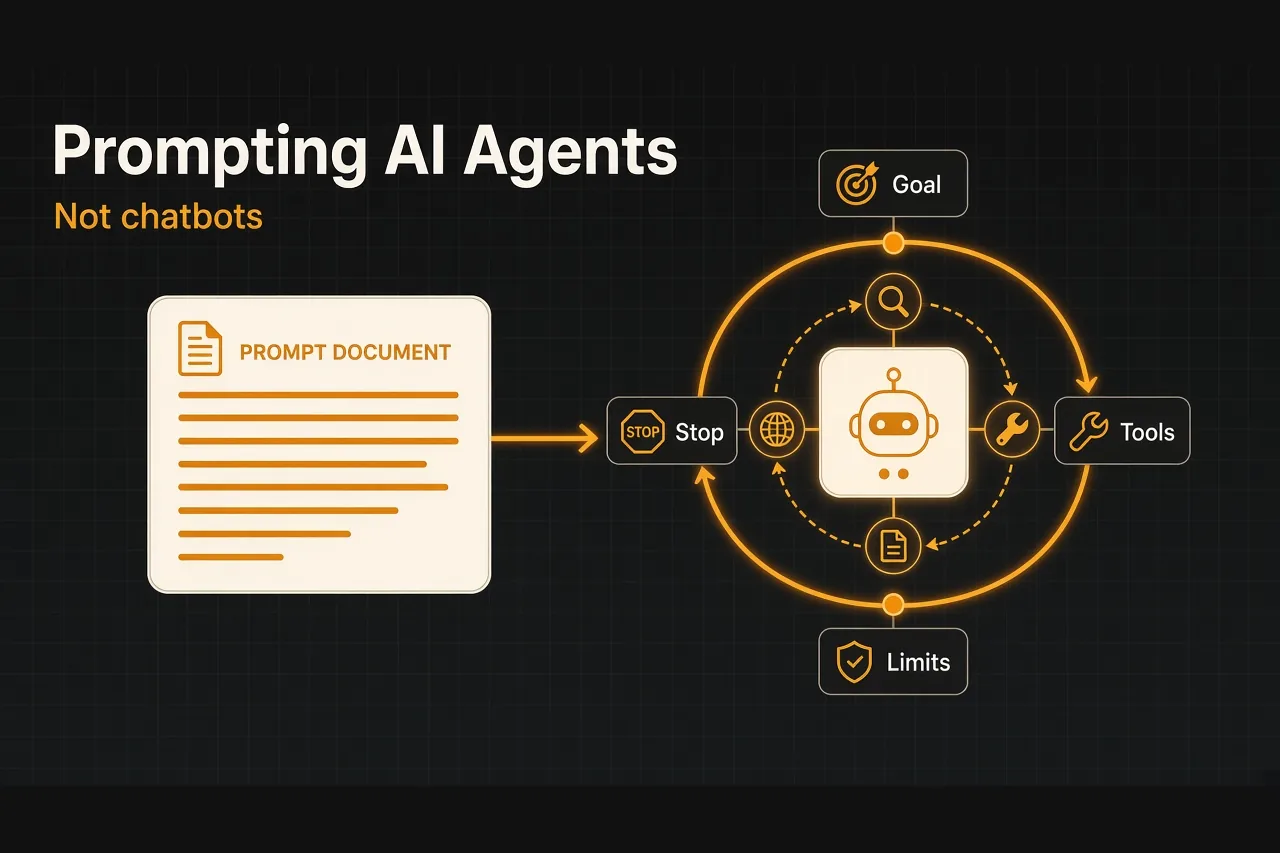
On 18 June 2026, Gemini CLI stopped answering free users and Google AI Pro subscribers. If an older "Claude Code vs Gemini CLI vs Codex CLI" comparison told you Gemini is the free option, that advice is out of date.
Benchmarks won't tell you that. The models change every few months, and so do the rules about who can use which CLI on which plan. Benchmark charts track the first and miss the second.
So this guide skips the leaderboard. It compares what each terminal AI agent does, what you pay to get in the door, which config file it reads, and how much it can do before it asks you.
Everything comes from Anthropic's, Google's and OpenAI's own docs and pricing pages. I haven't run timed tests for this post, on purpose.
Some links here are affiliate links. They don't change your price.
What are Claude Code, Gemini CLI and Codex CLI?
All three are AI coding agents that live in your terminal. You open a project folder, describe a task, and the agent reads your files, edits them and runs commands to check its own work.
That loop of reading, acting and checking is what makes them agents rather than chatbots. I break the cycle down in my guide to the agent loop behind AI tools.
Here's who makes what:
- Claude Code is Anthropic's agent. It runs in the terminal, VS Code, JetBrains, a desktop app and the browser.
- Gemini CLI is Google's open-source terminal agent for Gemini models. In 2026 Google moved most individual users to a new tool, Antigravity CLI (more on that below).
- Codex CLI is OpenAI's open-source agent that "runs locally on your computer", in OpenAI's words. On a ChatGPT plan, it draws from the same Codex allowance as the IDE extension and Codex cloud.
Claude Code vs Gemini CLI vs Codex CLI at a glance
This is the whole comparison on one screen. Every row is explained further down.
| Feature | Claude Code | Gemini CLI | Codex CLI |
|---|---|---|---|
| Maker | Anthropic | OpenAI | |
| Licence | Proprietary, all rights reserved | Apache 2.0 open source | Apache 2.0 open source |
| Cheapest subscription that includes it | Claude Pro | Gemini Code Assist Standard (business licence) | ChatGPT Plus |
| Pay-as-you-go option | Claude Console API key | Paid Gemini API key or Vertex AI | OpenAI API key |
| Instruction file | CLAUDE.md (reads AGENTS.md if no CLAUDE.md) | GEMINI.md (configurable) | AGENTS.md |
| MCP support | Yes | Yes | Yes |
| Sandbox on by default | No, turn on with /sandbox | No, turn on with --sandbox | Yes, network off by default |
| Scripted mode | claude -p | gemini -p | codex exec |
| Editor integrations | VS Code, Cursor, JetBrains | VS Code companion, JetBrains and Zed via ACP | VS Code, Cursor, Windsurf, Xcode, JetBrains |
Two rows matter most for a beginner: how you get access, and how safe the defaults are. Let's start with access, because one of these tools changed more than the others.
What happened to Gemini CLI in 2026?
On 19 May 2026, Google announced that it was "transitioning Gemini CLI to Antigravity CLI". Antigravity CLI became available to everyone that day.
On 18 June 2026, Gemini CLI and the Gemini Code Assist IDE extensions stopped serving requests for three groups, per Google's announcement:
- Free users of Gemini Code Assist for individuals
- Google AI Pro subscribers
- Google AI Ultra subscribers
Gemini CLI itself didn't disappear. The repository is still open source and still ships weekly releases. Google says access stays unchanged for organisations on a Gemini Code Assist Standard or Enterprise licence, and the CLI "will remain accessible via paid Gemini and Gemini Enterprise Agent Platform API keys".
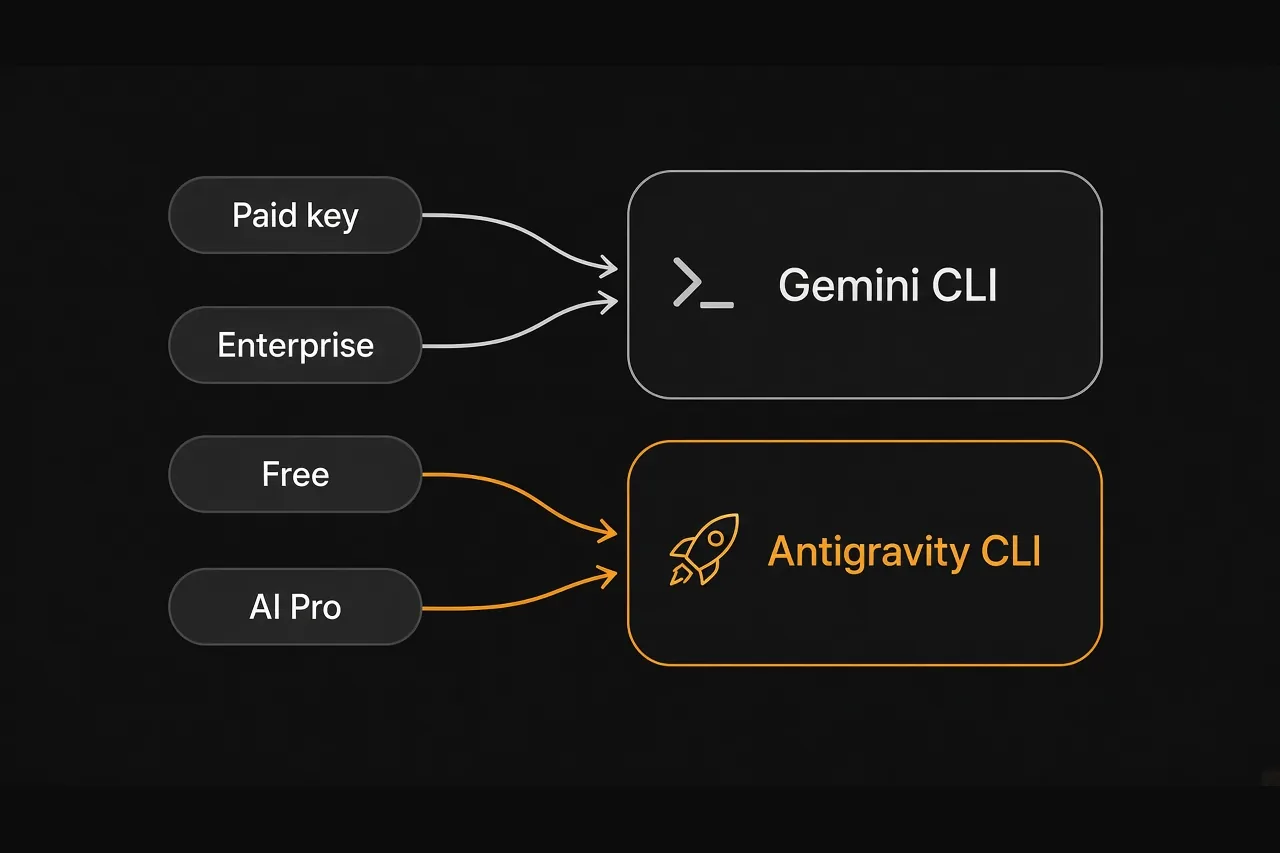
Here's the catch for anyone reading an older tutorial. Google's own quota page still lists the old individual tiers, while the README banner says the unpaid tier "was replaced by Antigravity CLI". Trust the banner and the announcement, not the table.
There's a second note in the README worth reading: Google says Gemini CLI "is not optimized for the latest Gemini models" and points to Antigravity CLI instead. Google built Antigravity CLI in Go and kept Agent Skills, Hooks, Subagents and Extensions (now Antigravity plugins), though it warned there wouldn't be one-to-one feature parity at launch.
My take: if you're an individual developer on a free Google account or Google AI Pro, Gemini CLI is no longer your tool. Antigravity is. The exception is a paid Gemini API key, which Google says keeps working. If you already use the Antigravity editor, my list of Antigravity IDE settings covers the safety switches worth changing first.
Which plan do you need for each one?
This is where most readers get stuck, so here are the plan pages side by side. Prices are in US dollars, as listed on each vendor's pricing page on 27 October 2026.
| Tier | Claude Code | Codex CLI | Gemini CLI |
|---|---|---|---|
| Free plan | Not included | CLI not listed (Free lists desktop app access only) | Retired for free individual users on 18 June 2026 |
| Low-cost plan | No equivalent | Go, $8/month, desktop app only | Google AI Pro and Ultra no longer served since 18 June 2026 |
| Main individual plan | Pro, $20 monthly or $17/month billed annually ($200 up front) | Plus, $20/month, includes the CLI | Not available for individuals |
| Heavy-use plan | Max, from $100/month, 5x or 20x Pro usage | Pro, from $100/month ($100, $200 or $500 plans) | Not available for individuals |
| Team plan | Team Standard seat, $20/seat/month annual or $25 monthly | Business, $20/user/month annual or $25 monthly | Gemini Code Assist Standard or Enterprise licence |
| Pay as you go | Claude Console, API rates | API key, API pricing, no cloud features | Paid Gemini API key or Vertex AI |
A few details change the real cost.
Claude Code shares one usage pool with everything else on your Claude plan. Anthropic says limits reset on a rolling five-hour window, and paid plans add weekly limits on top. A long coding session and your chats draw from the same bucket.
Codex works the same way inside ChatGPT. OpenAI measures Plus and Business usage per five-hour period, and says Pro plans "currently have no five-hour limit". An API key gets you the CLI, SDK and IDE extension, but not cloud features like GitHub code review or Slack.
Gemini CLI's paid routes are business ones. Google's quota page lists 1,500 requests per user per day on Code Assist Standard and 2,000 on Code Assist Enterprise.
Want Claude Code's interface without a Claude bill? There's an open-source proxy that points it at free model backends, which I covered in running Claude Code with free models. You lose Anthropic's models, so read the trade-offs first.
CLAUDE.md, GEMINI.md and AGENTS.md: which file does each read?
Each agent reads a Markdown file of standing instructions at the start of a session: your build commands, coding rules and "never touch this folder" notes. Get this file right and you repeat yourself far less.
| Agent | Default file | Where it looks | Reads AGENTS.md? |
|---|---|---|---|
| Claude Code | CLAUDE.md | Project root or .claude/, plus ~/.claude/CLAUDE.md | Yes, when no CLAUDE.md exists |
| Gemini CLI | GEMINI.md | Searched hierarchically from your working directory | Yes, if you add it to context.fileName |
| Codex CLI | AGENTS.md | ~/.codex, then project root down to your folder | Yes, it's the default |
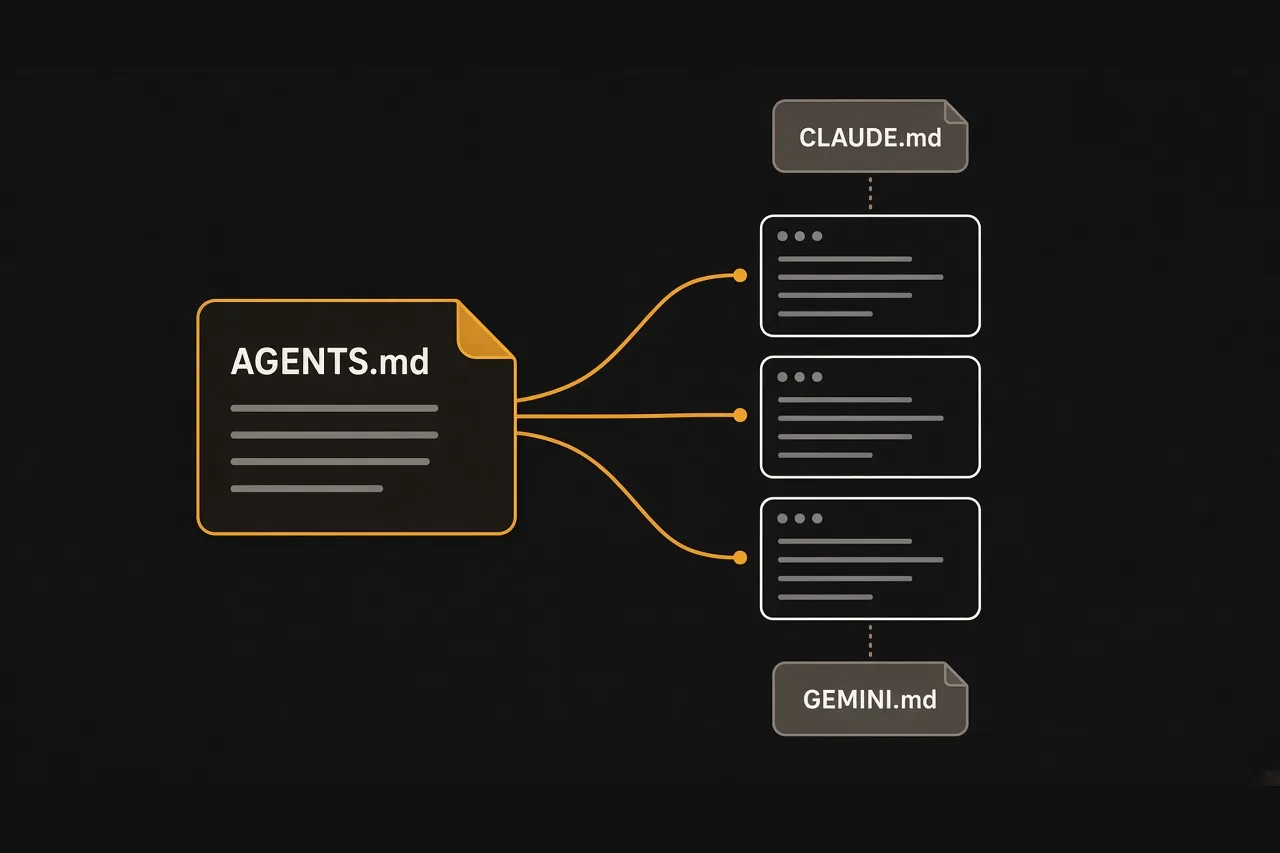
So here's the practical move if you switch between tools: write one AGENTS.md. Codex reads it by default. Claude Code reads it when there's no CLAUDE.md in your folder or above it (Anthropic says this needs version 2.1.277 or later). Gemini CLI reads it once you add it to settings.json:
Codex has one limit to know: it stops adding instruction files once they total 32 KiB by default. Keep the file short and specific.
How much can each agent do without asking you?
This is the safety question, and the three tools answer it differently. Two separate controls are in play. A permission or approval mode decides when the agent asks. A sandbox decides what a command can reach even after you say yes.
| Control | Claude Code | Gemini CLI | Codex CLI |
|---|---|---|---|
| Most cautious mode | Manual (default): only reads run without asking | default: prompts for approval | read-only sandbox |
| Plan without editing | plan mode | plan approval mode (read-only) | read-only via /permissions |
| Auto-approve edits | acceptEdits | auto_edit | workspace-write with on-request approvals |
| Hands-off mode | auto (a classifier reviews actions) | yolo (command line only) | --dangerously-bypass-approvals-and-sandbox |
| OS sandbox | Bash sandbox, off by default, macOS, Linux, WSL2 | Off by default, Seatbelt, Docker or Podman | On by default, network off |
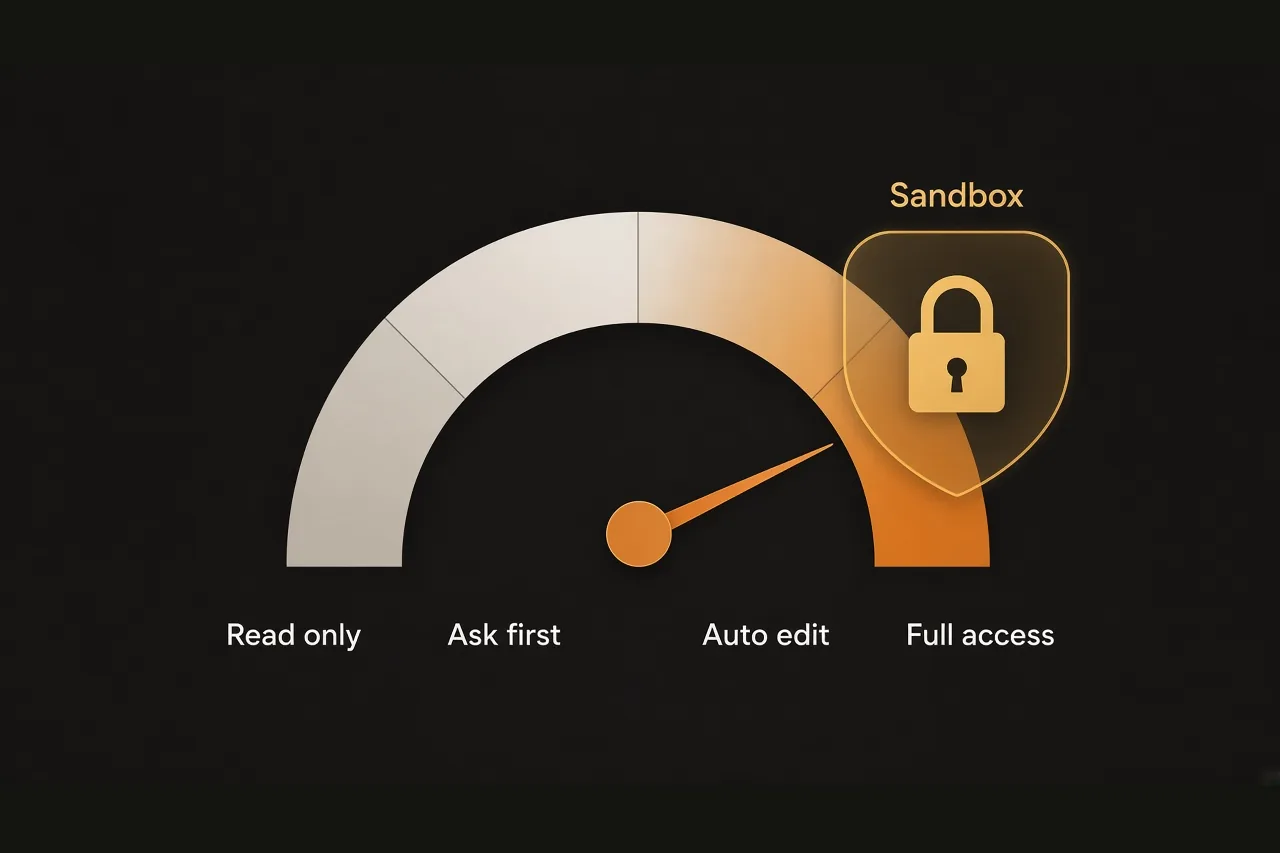
Codex has the strictest defaults of the three. In its Auto preset it can edit and run commands inside your working folder, but it asks before touching files outside it or using the network. It also protects folders like .git and .codex as read-only.
Claude Code gives you the most modes. From version 2.1.283, auto mode is the starting mode for interactive terminal and VS Code sessions, with a second model reviewing actions instead of you. Its Bash sandbox is off until you run /sandbox, and on native Windows commands run unsandboxed.
Gemini CLI's sandbox is also off by default, but Google's docs say it switches on automatically when you use yolo mode.
That risk has a name, and my guide to prompt injection shows how it reaches coding agents.
Do all three support MCP?
Yes. All three can connect to MCP servers, the open standard that lets an agent use outside tools like GitHub, a database or your ticketing system. If MCP is new to you, start with my plain-English guide to what MCP is.
The setup differs only in where the server list lives:
Treat every MCP server like a new dependency. It gets the same access to your machine that you give the agent.
Can you run them in scripts and CI?
Yes. Each CLI has a non-interactive mode that takes a prompt, does the work and exits, which is what you want in a pipeline:
A few differences matter in CI. Claude Code has a --bare flag that skips hooks, skills, MCP servers and CLAUDE.md, so every machine gets the same result. Bare mode needs an API key, not your subscription login. Codex prints progress to stderr and only the final answer to stdout, which makes piping clean.
For locked-down CI, Claude Code's dontAsk mode only runs tools you pre-approve. Codex can run with a read-only sandbox and approvals set to never.
How do you install each CLI?
All three install with one command. Claude Code and Codex CLI now ship native installers, so you don't need Node.js for them unless you install through npm.
Each one also has a Homebrew route: brew install --cask claude-code, brew install --cask codex and brew install gemini-cli. Windows users get PowerShell installers for Claude Code and Codex, plus WinGet for Claude Code.
One detail to watch: Anthropic says native installs update themselves in the background, while Homebrew and WinGet installs don't. If you go the Homebrew route, run the upgrade yourself.
How does each one sign you in?
The first launch opens a browser for sign-in on all three. The options behind that screen differ.
- Claude Code: a Claude Pro, Max, Team or Enterprise account, a Claude Console account, an ANTHROPIC_API_KEY environment variable, or a cloud provider (Amazon Bedrock, Google Cloud's Agent Platform or Microsoft Foundry).
- Codex CLI: Sign in with ChatGPT for subscription access, or an OpenAI API key for usage-based billing. Codex cloud needs the ChatGPT sign-in.
- Gemini CLI: Sign in with Google (with a Google Cloud project for a Code Assist licence), a Gemini API key, or Vertex AI.
The sign-in choice also decides which data rules apply. OpenAI spells this out: ChatGPT sign-in follows your workspace's retention settings, while an API key follows your API organisation's settings.
Which editors do they plug into?
If you'd rather stay in your editor, all three have a route in:
- Claude Code: a VS Code extension (it also installs in Cursor), a JetBrains plugin that needs the CLI installed, a desktop app on paid plans, and a web version at claude.ai/code.
- Codex CLI: one extension for VS Code, Cursor and Windsurf, with Xcode and JetBrains offering Codex through their own AI features. Codex cloud takes longer tasks off your machine.
- Gemini CLI: the Gemini CLI Companion extension for VS Code-compatible editors, including Antigravity, plus the Agent Client Protocol for JetBrains and Zed.
Does open source matter here?
Two of the three are open source. Gemini CLI and Codex CLI are both under the Apache 2.0 licence, so you can read the code, audit what it sends and fork it.
Claude Code isn't. Its GitHub licence file reads "All rights reserved", and use falls under Anthropic's terms. Its sandbox, though, is built on an open-source package, @anthropic-ai/sandbox-runtime.
Here's what open source doesn't change: with their standard sign-ins, all three send your prompts and code context to the vendor's models (or your cloud provider's). An open client is easier to audit. It isn't a private one.
Which one should you pick?
The short answer depends on which account you already pay for. Here's how I'd decide:
- Pick Claude Code if you already pay for Claude Pro or Max, or you want the widest choice of permission modes, from Manual to auto.
- Pick Codex CLI if you already pay for ChatGPT Plus or Business, you want an open-source client, or you want the strictest sandbox defaults out of the box.
- Pick Gemini CLI if your company has a Gemini Code Assist Standard or Enterprise licence, or you bill through a paid Gemini API key or Vertex AI.
- Look at Antigravity CLI instead if you're an individual on a free Google account or Google AI Pro.
Skip all three if you only want autocomplete while you type. These are agents that edit files and run commands. That's a different job, and it needs Git checkpoints and a review habit.
Where each one falls short
None of these is a clear winner, and each has a catch you should know before you sign up.
- Claude Code: no access on the free Claude plan, a closed-source client, and a Bash sandbox you have to turn on yourself. Your coding also draws from the same limit as your chats.
- Gemini CLI: free and Google AI Pro/Ultra access ended in June 2026, some official docs still show the retired free tiers, and Google itself says it isn't optimised for its newest models.
- Codex CLI: the Free and Go plans don't list CLI access, an API key loses the cloud features, and OpenAI retired the "untrusted" approval setting, so old config files can stop it from starting.
Frequently asked questions
Start with the account you already pay for, write one AGENTS.md, and keep the agent in a cautious mode until you trust it with your repo. When you're ready to give it real tools, MCP is the next step.