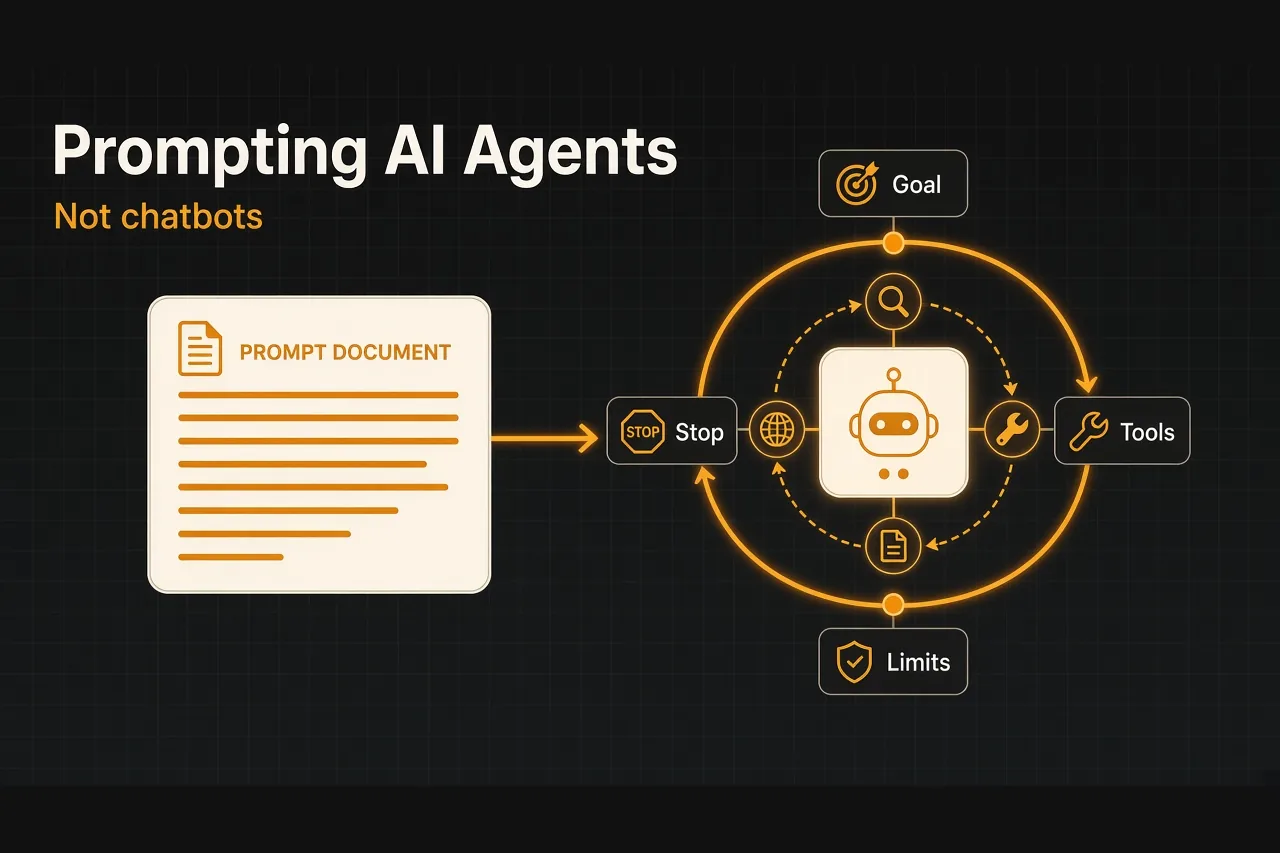
You keep seeing "now with an MCP server" in tool launches, and nobody stops to explain it. MCP (Model Context Protocol) is one open standard that lets AI apps like Claude, ChatGPT and Cursor plug into outside tools and data.
Ten AI apps and ten tools used to mean up to 100 custom integrations. With MCP, it's ten servers and ten apps that all fit together.
Here's what most explainers miss. The current spec, version 2026-07-28, changed how MCP works under the hood. The opening handshake is gone, and two features many guides still teach as core, Sampling and Roots, are now deprecated.
I'll walk through the moving parts, show the real JSON a server sends, compare MCP with APIs and function calling, and cover the risks. Everything comes from the official spec and vendor docs. New to APIs? Start with what an API is and how it works.
What is MCP, in plain English?
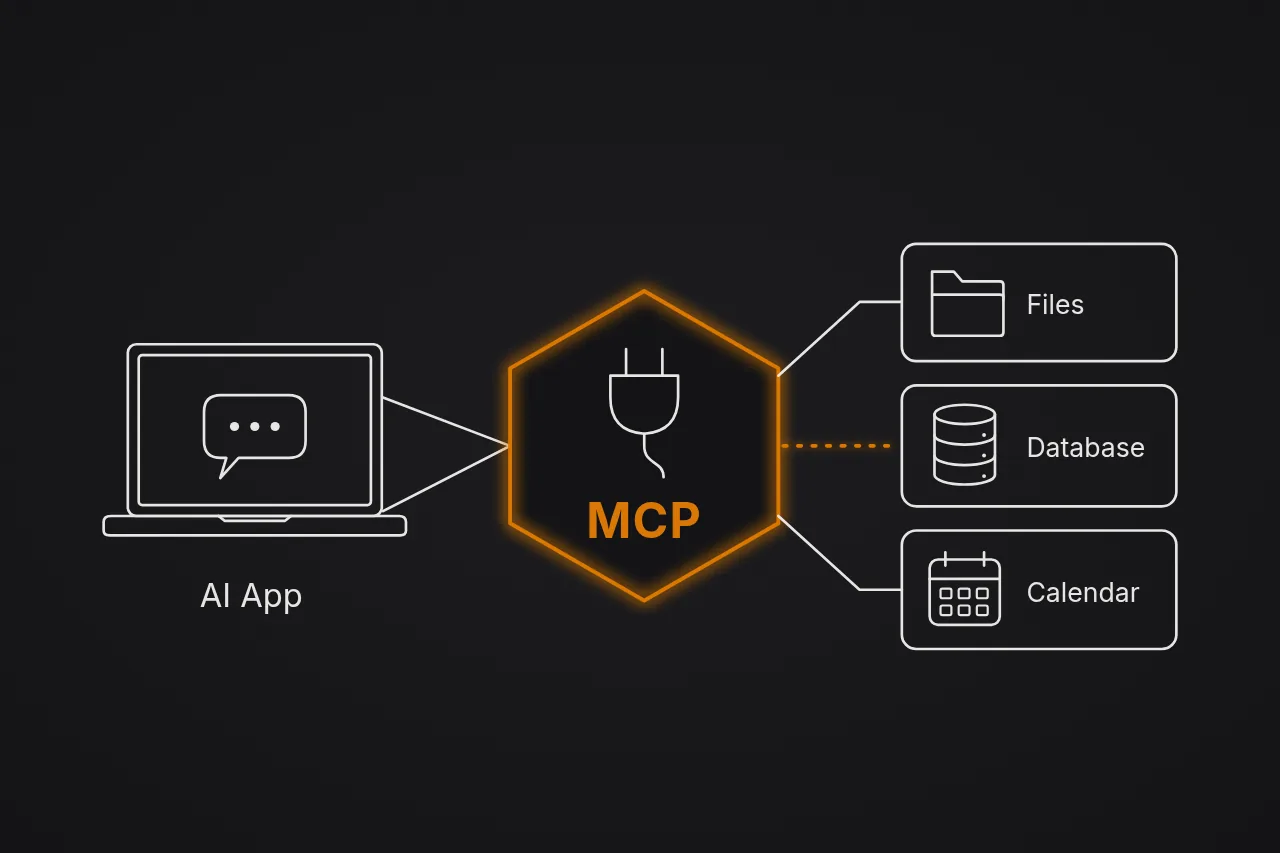
MCP is a shared language that AI applications and outside systems use to talk to each other. The official docs call it "an open-source standard for connecting AI applications to external systems", and compare it to a USB-C port for AI.
The analogy works because of the problem it solves. Before MCP, every AI app needed its own custom code for every tool. A tool maker had to build one connector for Claude, another for ChatGPT and another for each code editor.
MCP flips that. The tool maker builds one MCP server, the app maker adds MCP support once, and any supporting app can use any server.
Here's what that looks like in practice. You ask your assistant to check tomorrow's calendar and draft a reply to the first meeting invite. The assistant can't see your calendar by itself. With a calendar MCP server connected, it can ask the server which tools exist, call the right one and get your events back as text it can reason about.
Anthropic open-sourced MCP on 25 November 2024, with SDKs, local server support in Claude Desktop and a set of ready-made servers for Google Drive, Slack, GitHub, Git, Postgres and Puppeteer. It no longer belongs to Anthropic alone, which I'll come back to further down.
How does MCP work? Hosts, clients and servers
MCP has three roles, and the names trip people up because "client" doesn't mean what it usually means.
- Host: the AI application you use, such as Claude Desktop, Claude Code or VS Code.
- Client: a connector the host creates inside itself, one for each server it talks to.
- Server: the program that offers tools or data, whether it runs on your laptop or in the cloud.
The one-to-one rule matters. The architecture docs give the example of VS Code connecting to the Sentry MCP server and to a local filesystem server. VS Code is the host, and it creates two separate client objects, one per server. Each keeps its own dedicated connection.
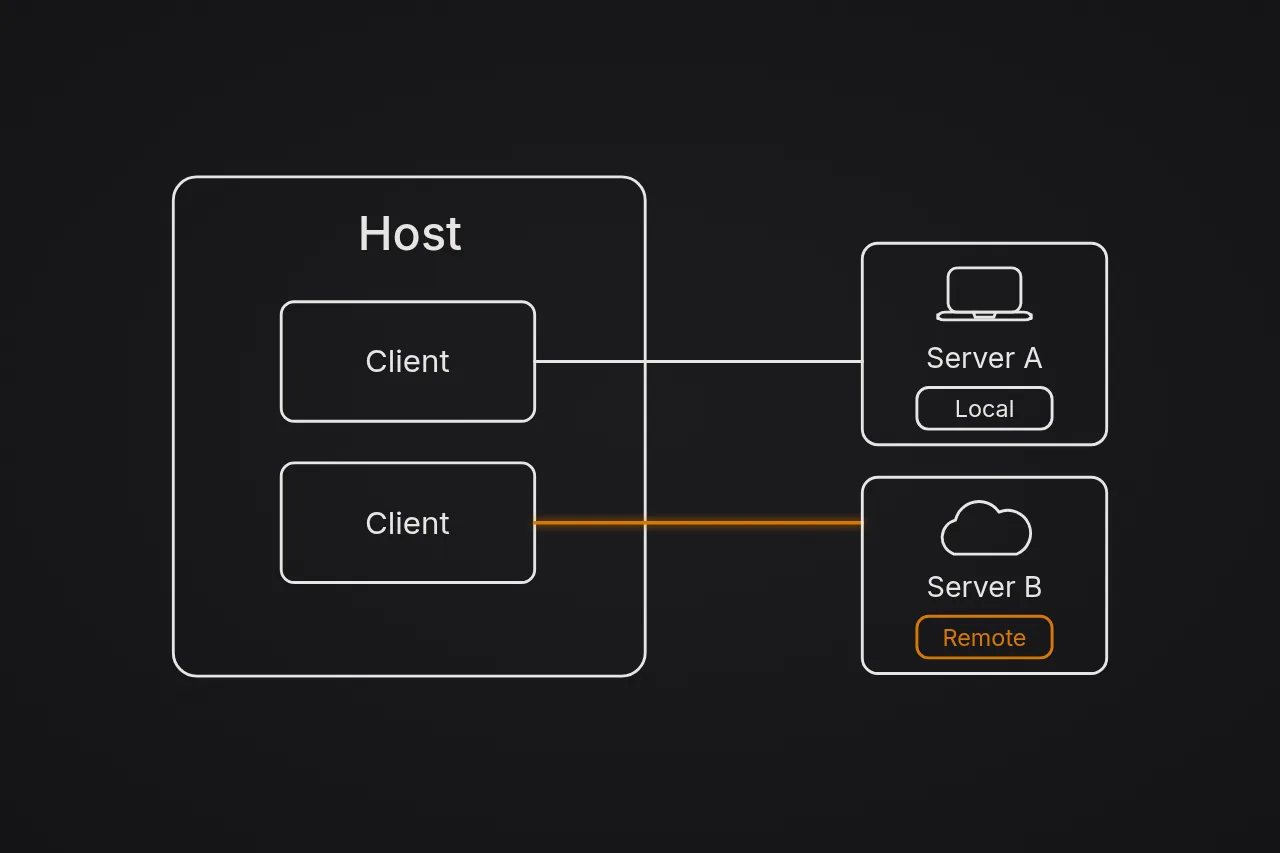
Under that sits a split into two layers:
- The data layer defines the messages: JSON-RPC 2.0 requests and responses for discovering a server, listing and calling tools, reading data and sending notifications.
- The transport layer defines how those messages travel: through a local process or over HTTP, plus authorization.
Where does the AI model fit in? It never speaks MCP itself. The model decides it wants a tool, the host routes the call to the right server, and the result goes back into the conversation.
That's the same think, act, observe cycle I described in my guide to the agent loop behind AI agents. MCP standardises the "act" step.
The spec says it plainly: MCP "does not dictate how AI applications use LLMs or manage the provided context." It moves the context. What the app does with it is the app's business.
What can an MCP server offer? Tools, resources and prompts
An MCP server can expose three kinds of things, called primitives. The difference between them comes down to who decides when they're used.
| Primitive | What it is | Who controls it | Examples from the docs |
|---|---|---|---|
| Tools | Functions the AI can call to do something | The model | Search flights, send messages, create calendar events |
| Resources | Read-only data the app can pull in as context | The application | File contents, database schemas, API documentation |
| Prompts | Ready-made instruction templates | The user | Plan a vacation, summarise my meetings, draft an email |
Tools are where the action is. They can write to databases, call APIs or edit files, which is also why they carry most of the risk.
Resources are passive. Each one has an address, such as file:///path/to/document.md, and the app decides whether to show it, search it or hand it to the model.
That search option is where MCP meets retrieval-augmented generation (RAG): the app indexes the data and hands the model only the passages that match the question, instead of whole files.
Prompts are shortcuts you trigger yourself, often as a slash command or menu item. The model doesn't fire them on its own.
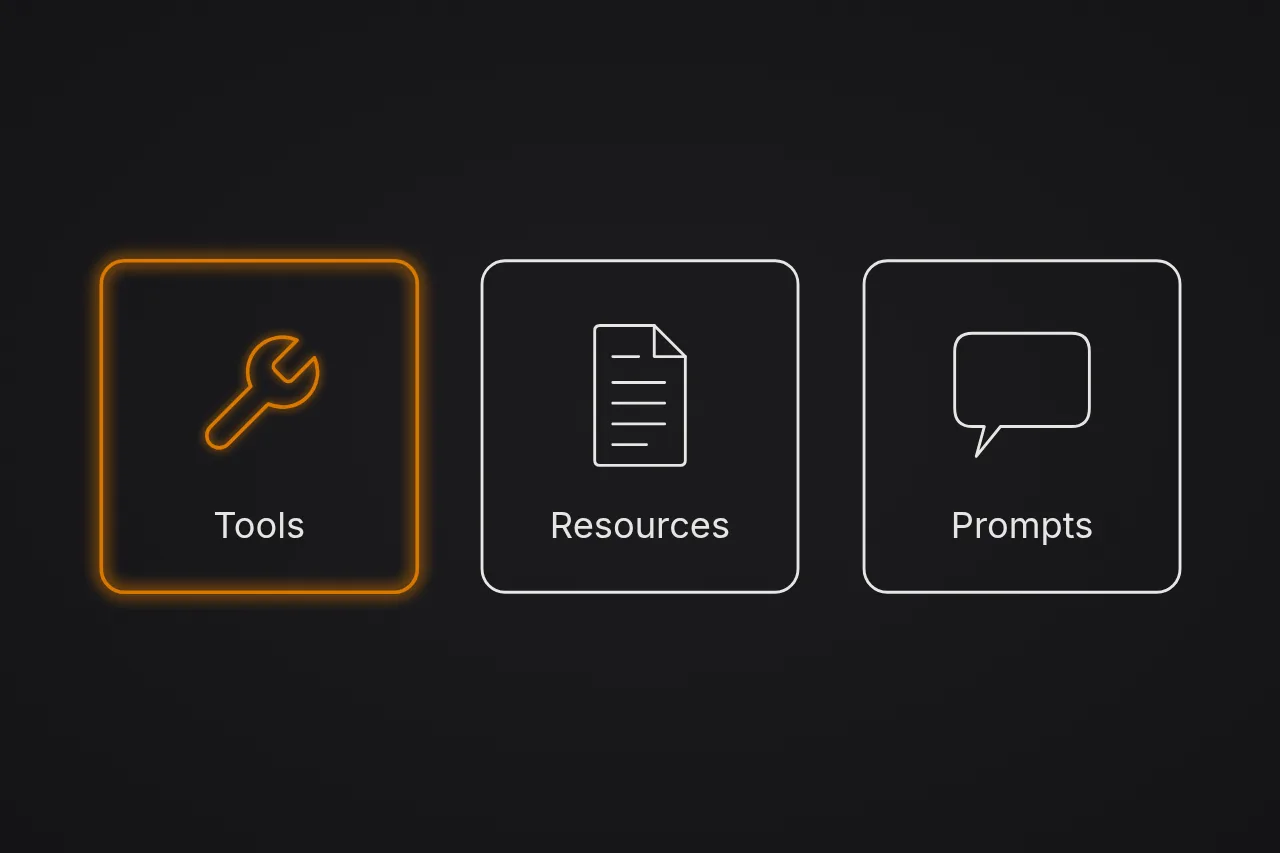
The architecture docs give a tidy example of all three working together. A database MCP server can expose tools for running queries, a resource holding the database schema, and a prompt with worked examples of how to use those tools.
Servers can also ask things of the client. The one that matters now is elicitation, where a server asks you for missing details or a confirmation mid-task. Sampling (a server borrowing the app's AI model) and Roots (the app telling a server which folders to focus on) were deprecated in the 2026-07-28 spec. They still work during the deprecation window, but new servers shouldn't rely on them.
What does an MCP request actually look like?
It's plain JSON. Every message follows JSON-RPC 2.0, so a request has a method name, an id and parameters. The response comes back with the same id.
First, the client asks what tools the server has. This is the tools/list exchange from the official architecture guide. I've trimmed the metadata block that every request carries and kept one of the two example tools:
The description is the important line. The model reads it to decide when the tool is useful, and the inputSchema tells it which arguments to send. The ttlMs value says the client can cache this list for five minutes.
When you ask about the weather, the model picks that tool and the host sends tools/call (metadata trimmed again):
That text lands in the model's context, and the model writes its answer from it. The weather numbers are the docs' sample data, not a live reading.
One thing you won't see here is an opening handshake. Older versions of MCP started every connection with an initialize exchange. In version 2026-07-28, every request carries its own protocol version and capabilities instead.
A client that wants to look before it leaps can send a server/discover request first. Every server must answer it with its supported versions, capabilities and name.
Local or remote? stdio vs Streamable HTTP
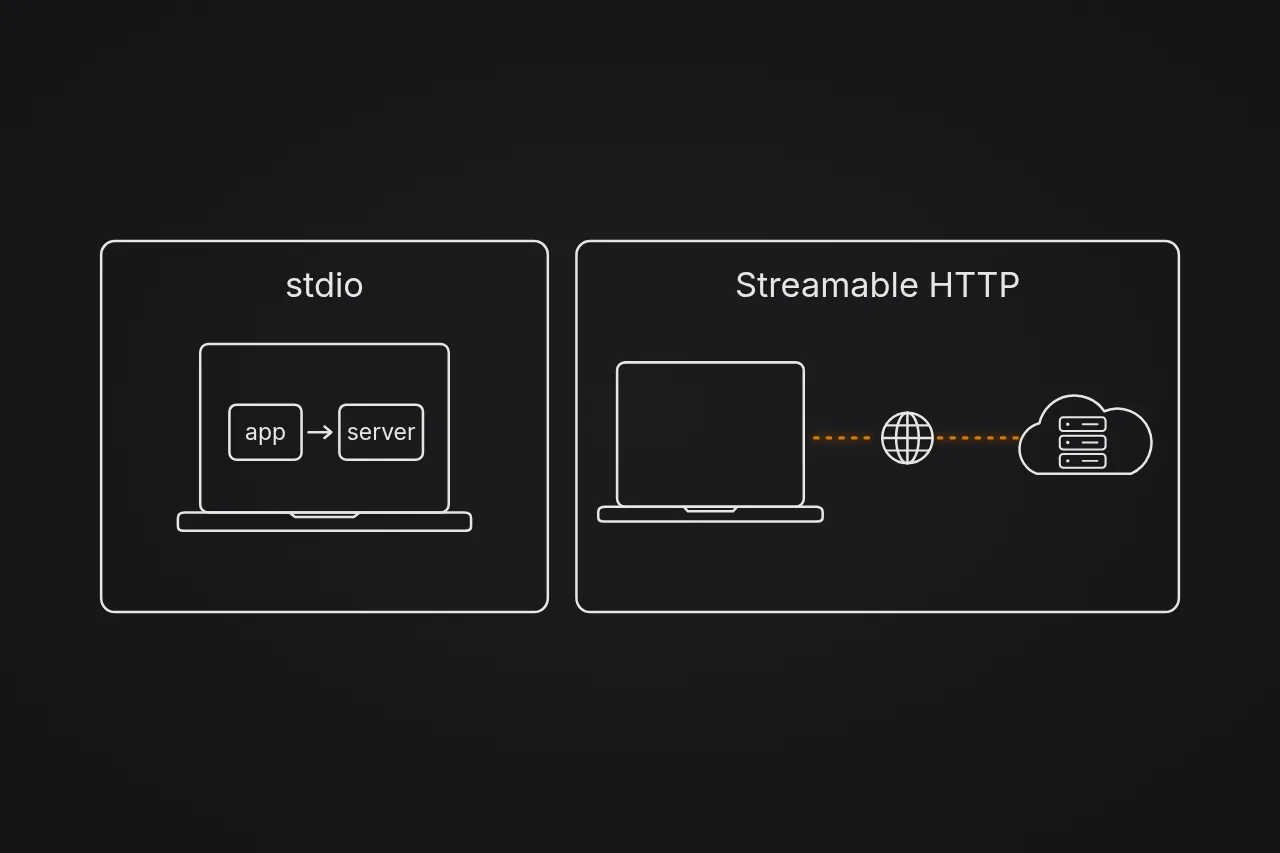
MCP defines two standard ways to carry those messages, called transports. The messages are identical on both. Only the delivery changes.
| stdio | Streamable HTTP | |
|---|---|---|
| Where the server runs | On your machine, launched by the app | Anywhere reachable over the network |
| How messages travel | Standard input and output of a local process | HTTP POST to one endpoint, replies as JSON or a stream |
| Typical clients per server | One | Many |
| How it gets credentials | From environment variables | OAuth is recommended, or tokens and API keys |
| Good for | Files, local databases, dev tools | SaaS products, team-wide servers |
A local filesystem server is the classic stdio case. The app starts it as a child process on your machine, with no network hop between the two.
Remote servers suit SaaS products. The Sentry MCP server is the docs' example, and my Zernio review covers another: Zernio's hosted MCP server, which you connect with an OAuth sign-in instead of pasting a key.
Authorization is optional in the spec. For HTTP servers that use it, MCP follows OAuth 2.1, with the server acting as the protected resource. stdio servers are told not to use that flow and to read credentials from the environment instead.
You may also see "SSE" in older setup guides. The old HTTP+SSE transport has been deprecated since the 2025-03-26 version, and the spec points everyone to Streamable HTTP.
How do you connect an MCP server to Claude, ChatGPT, Cursor or VS Code?
For a local server, you usually edit a JSON config file that tells the app what command to run. This is the official example for Claude Desktop, which starts the filesystem server with access to two folders:
On a Mac the file lives at ~/Library/Application Support/Claude/claude_desktop_config.json. On Windows it's in %APPDATA%\Claude\. The paths at the end of args are the only folders the server can touch, and the docs say every action needs your approval before it runs.
Other apps use nearly the same shape. Here's what each one's official docs say, as of 17 October 2026:
| App | How you add a server | Transports in its docs |
|---|---|---|
| Claude apps | claude_desktop_config.json for local servers, connectors for remote ones | stdio, Streamable HTTP, legacy SSE |
| Claude Code | The claude mcp add command, or a .mcp.json file | stdio, HTTP, SSE |
| ChatGPT and Codex | Remote servers through plugins, deep research and company knowledge | Remote servers |
| OpenAI Agents SDK | Code: hosted MCP tools or a server object | Hosted, Streamable HTTP, stdio |
| Cursor | mcp.json | stdio, SSE, Streamable HTTP |
| VS Code (Copilot chat) | .vscode/mcp.json with a servers object | stdio, HTTP |
| Gemini CLI | mcpServers in settings.json | stdio, SSE, Streamable HTTP |
Choosing between the terminal agents in that table? My guide to Claude Code vs Gemini CLI vs Codex CLI compares their plans, instruction files and approval modes.
Remote servers are often a one-liner. Claude Code's docs use this to add Notion's hosted server:
The Antigravity editor works the same way through its Manage MCP Servers panel, which I cover in my list of Antigravity IDE settings. And MCP isn't only for coding tools, either. Novamira, for example, is a WordPress plugin that hands an AI agent PHP, WP-CLI and database access over MCP.
Want to try the filesystem example yourself? Claude Desktop is the app the official quickstart uses.
MCP vs APIs, function calling and plugins: what's the difference?
MCP doesn't replace APIs. Many MCP servers are a thin layer over an existing API, and the server calls that API for you.
| Plain API | Function calling | App-specific plugin | MCP | |
|---|---|---|---|---|
| Who it's for | Any program | One AI model in your code | One AI app | Any app that supports MCP |
| How tools are described | Docs a human reads | Schemas you write per model | That app's format | Server describes itself via tools/list |
| Reuse across AI apps | You write glue each time | Rewrite per provider | None | Build once, connect anywhere |
| Who runs the call | Your code | Your code | The app vendor | The MCP server |
| Best for | Normal software | A single app you control | That app's users | Tools you want many AI apps to use |
Function calling and MCP work together. Function calling is how a model asks for a tool. MCP is how the app finds tools and runs them. An MCP app gathers the tools from every connected server into one list its model can call.
My take on when to use which:
- Writing your own script that calls one service? Use the API directly. MCP adds a moving part you don't need.
- Building one AI feature in your own app with a handful of tools? Function calling is enough.
- Want the same tools to work in Claude, ChatGPT, Cursor and whatever comes next? Build or install an MCP server.
- Using a SaaS product with an AI angle? Check whether it ships an official MCP server before you write glue code.
What changed in the 2026-07-28 MCP spec?
MCP version names are dates. Each one marks the last time backwards-incompatible changes were made, and the official versioning page lists 2026-07-28 as current. The previous version was 2025-11-25.
The official changelog lists these major changes:
- MCP is now stateless. The initialize handshake is gone, and every request carries its protocol version and the client's capabilities.
- Servers must answer a new server/discover request that lists their versions, capabilities and identity.
- Protocol-level sessions and the Mcp-Session-Id header are gone from Streamable HTTP.
- A single subscriptions/listen stream replaces the old ways of getting change notifications.
- Servers no longer send requests to the client. When they need input, they return an "input required" result and the client retries with the answer.
- Tasks, for long-running jobs, moved out of the core and into an official extension.
- Roots, Sampling, Logging and OAuth Dynamic Client Registration are deprecated.
Deprecated doesn't mean broken. A new lifecycle policy keeps deprecated features for at least twelve months, and the registry says these become eligible for removal no earlier than the first revision released on or after 28 July 2027.
What does this mean for you? If you only use MCP servers in Claude, Cursor or VS Code, nothing changes. If you build servers, update to a current SDK and stop designing around Sampling or Roots. The docs suggest passing folders as tool parameters or config, and calling an LLM provider's API directly.
Is MCP safe? The risks to know before you connect a server
MCP is as safe as the servers you connect. The spec is blunt that tools "represent arbitrary code execution", and that MCP "cannot enforce these security principles at the protocol level". Your client and your choices do that job.
These are the four risks worth knowing by name:
- Prompt injection through tool output. A tool returns text the model reads, and that text can contain instructions. OpenAI's MCP docs give the example of an attacker sending a customer-support request with an injection inside, which a support MCP server then hands to the model. Claude Code's docs warn that servers fetching outside content carry the same risk.
- Tool poisoning. Security firm Invariant Labs showed hidden instructions planted in a tool's description, which the model reads but the user usually doesn't see. Their demo add tool told the agent to read SSH keys and the MCP config file. A related trick, the "rug pull", changes a tool's description after you've approved it.
- Malicious local servers. The spec's security guide shows how a one-click install could hide a harmful startup command, and says clients must show the full command and get your approval before running it.
- Over-broad tokens. A token with files:*, db:* or admin:* scopes turns one leak into access to everything. The spec recommends starting with minimal scopes and asking for more only when needed. It also forbids "token passthrough", where a server forwards a token that wasn't issued to it.
The habits that follow from this:
- Install servers from the vendor's own docs or official repositories, not random links.
- Read a local server's command before you approve it.
- Keep the approval prompts on. The spec says there should always be a human who can deny a tool call.
- Give each server the narrowest access that works: specific folders, read-only tokens, one project.
- Be extra careful mixing a server that reads untrusted content (web pages, inboxes, tickets) with one that can send or delete things.
That last point is why AI browser agents need the most care. They read pages written by strangers and can click buttons for you.
The spec's own security best practices page covers every attack in detail if you're building a server.
Who owns MCP now?
Not Anthropic alone. On 9 December 2025, the Linux Foundation announced the Agentic AI Foundation (AAIF), with MCP as a founding project alongside Block's goose and OpenAI's AGENTS.md.
Anthropic describes the AAIF as a directed fund under the Linux Foundation, co-founded by Anthropic, Block and OpenAI, with support from Google, Microsoft, AWS, Cloudflare and Bloomberg. It also said MCP's governance model would stay the same.
The MCP governance page backs that up. The project runs as a series of LF Projects, LLC, the code and spec are Apache 2.0 licensed, and maintainer seats belong to people, not companies.
Why should you care? A neutral home lowers the risk that the standard gets locked to one vendor's products. My read: that neutrality makes it far easier for rival AI companies to build on it.
Where MCP falls short
MCP is useful, but it isn't magic. Here's the catch list:
- It moves context, nothing more. Whether the model picks the right tool still depends on the model and on how well the server describes its tools.
- Too many tools can crowd the model. The docs now suggest clients load tools progressively when they connect lots of servers.
- Security is mostly on the client and on you. Authorization is optional, and servers are only as careful as the people who wrote them.
- It's still moving fast. The 2026-07-28 release made breaking changes, so tutorials from even a year ago can mislead you.
Skip MCP if you're wiring one service into your own script or a single app you control. A direct API call or plain function calling has fewer moving parts.
Frequently asked questions
So, what is MCP in one line? It's the common socket that lets any AI app use any tool that ships a server, and as of spec version 2026-07-28 it's simpler and stateless.
If you just use AI apps, connect servers from official sources and keep the approval prompts on. If you build, start with an official SDK on the current version. Want to see a real product's MCP server, warts and all?