Zernio says your first two social accounts are free, with no card required. The first thing this Zernio review turned up is the exception: connect an X account and Zernio asks for a card, even inside the free tier.
That's typical of this tool. The headline is simple and honest: $0 for two accounts, then $6, $3 and $1 per account a month. The fine print decides whether it fits you.
Below: what Zernio does, what you really pay, the limits that bite before the price does, and who should skip it.
I use Zernio through Grok Bot, my AI assistant, with two social accounts connected, and it has been free for me so far. Everything else here comes from Zernio's docs, pricing page and public information.
Some links here are affiliate links. They don't change your price or my verdict.
What is Zernio?
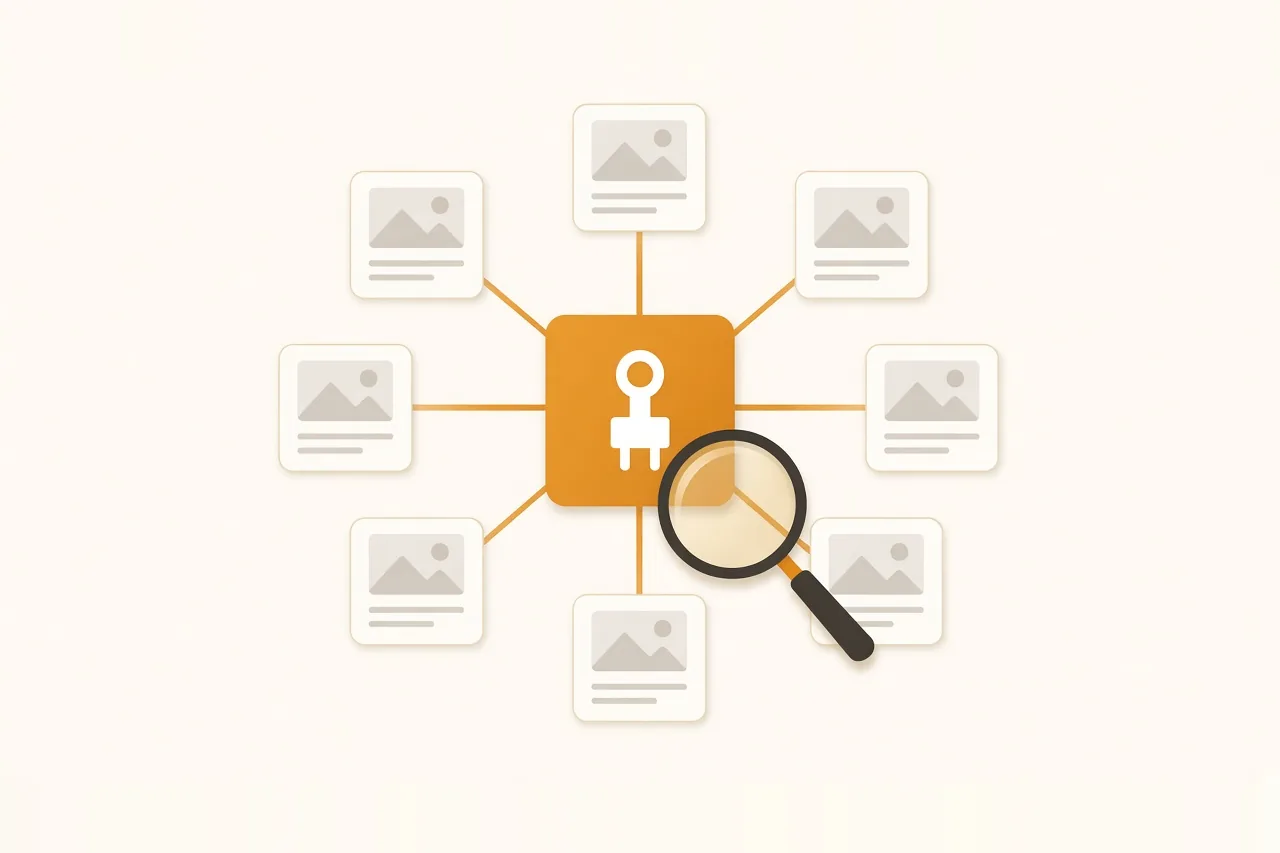
Zernio is a hosted social media API: one connection that lets your code, an AI agent or a person in a dashboard post to many networks. If "API" feels fuzzy, here's what an API does in plain English. Zernio used to be called Late (getlate.dev), and the rebrand kept the same API, team and infrastructure.
You can reach it four ways: a web dashboard with a drag-and-drop calendar, a REST API, a hosted MCP server for AI assistants, and a command-line tool.
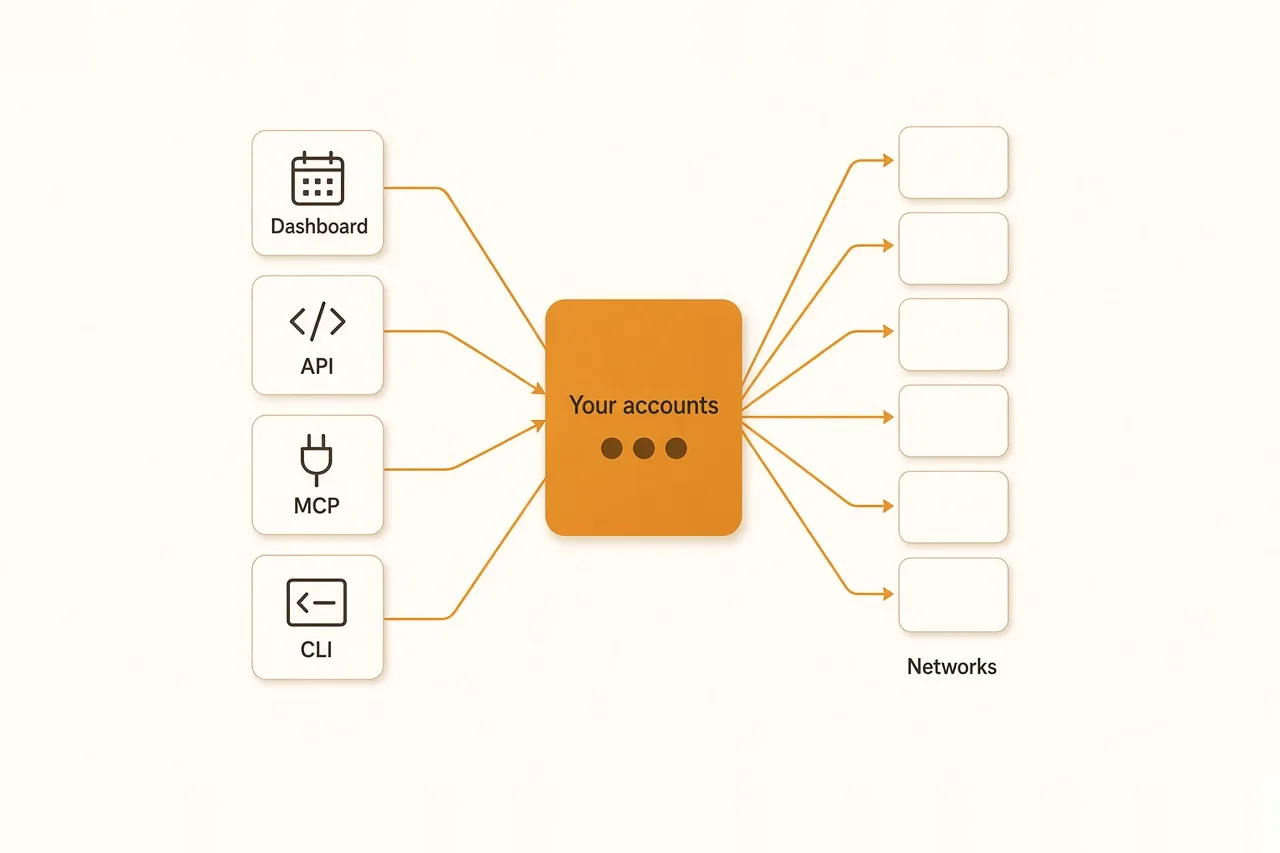
Its docs list 16 posting platforms: Instagram, TikTok, YouTube, X, LinkedIn, Facebook, Threads, Pinterest, Reddit, Bluesky, Google Business, Telegram, Snapchat, WhatsApp, Discord and Slack. WordPress and Shopify connect separately, for blog articles only. Seven ad networks sit on top: Meta, Google, TikTok, LinkedIn, Pinterest, X and OpenAI's ChatGPT ads.
Don't get stuck on the headline count. The features page says 17 networks, the MCP server card says 15+, and Snapchat is still a closed beta. Check that the two or three networks you need are on the docs list.
If you're weighing Zernio against an open-source scheduler, I put them side by side in my Postiz vs Zernio comparison. This review goes deeper on Zernio alone.
Who is Zernio for, and who should skip it?
Zernio says it in its own FAQ: it's "built for developers and teams with technical resources". That's the first filter, and it's an honest one.
Best for:
- AI agent setups where Claude, ChatGPT, Cursor or Grok Bot does the posting
- Developers adding social posting to their own app, for their own customers
- Automation builders on n8n, Make or Zapier
- One creator or brand with two accounts who wants a free API with unlimited posts
Skip it if:
- You want the tool to write captions or make images. Zernio publishes what you give it; it has no AI writing or image features.
- A non-technical team lives in the calendar all day and needs client approval screens.
- You'll connect dozens of accounts and want a fixed monthly bill.
What can Zernio actually do?
A lot more than scheduling. According to the pricing page, all of this comes with every connected account.
Publishing, queues and bulk scheduling
One request can post to several accounts, with custom text or media per network. Posts go out now, at a scheduled time in any timezone, or sit as drafts. Threads on X and on Threads, first comments, Instagram Stories and Reels, YouTube Shorts and LinkedIn PDF posts are all supported.
Queues give each profile recurring slots, like Monday, Wednesday and Friday at 9:00. Each new post drops into the next free slot, so you can feed in 50 posts without picking 50 times. Bulk upload from CSV has a dry-run mode that checks every row before anything is scheduled.
Each network succeeds or fails on its own. If a caption is too long for Bluesky, the X and LinkedIn copies still publish, and the failed one is flagged for a retry.
Inbox: DMs, comments and reviews
This is the part most schedulers skip. Zernio reads and sends DMs on Instagram, Facebook, X, WhatsApp, Telegram, Bluesky, Reddit and Slack. It replies to comments on Instagram, Facebook, Threads, X, YouTube, Bluesky, Reddit and LinkedIn, and handles Facebook and Google Business reviews.
The gaps come from the networks' own APIs. LinkedIn comments work for company pages only, Threads and YouTube have no DMs, and Pinterest and Snapchat have no inbox at all. On top of the inbox, there are comment-to-DM automations for keyword campaigns.
Analytics
Zernio returns post metrics for 11 networks: Instagram, Facebook, X, LinkedIn, TikTok, YouTube, Threads, Bluesky, Reddit, Pinterest and Snapchat. It adds endpoints for best time to post, content decay and posting frequency.
Two catches. Telegram, Discord, Slack and WhatsApp return no analytics, and Google has dropped per-post stats for Business Profiles. And the numbers aren't live: post analytics are cached for an hour, follower counts refresh daily, and YouTube daily views arrive two to three days late.
Ads, phone numbers and webhooks
Zernio can boost posts and run campaigns on its seven ad networks. The first 500 active ads are free, then it's $0.01 per active ad a month, with no cut of your ad spend. It also sells phone numbers for calls, SMS and WhatsApp, from $3 a month.
Most readers won't need either. The more useful extra is webhooks: Zernio pings your app when a post publishes or fails, or when a message or comment arrives, so nothing has to poll.
How good is the Zernio MCP server for AI agents?
This is Zernio's strongest feature, and it's how I use it: through Grok Bot.
The MCP server is hosted at mcp.zernio.com. You point an MCP client at it and sign in with OAuth, so there's no key to paste. Zernio documents setup for Claude, Claude Code, ChatGPT, Codex, Cursor and VS Code, and it even has a setup page for Grok Bot. This is the line from its docs for Claude Code:
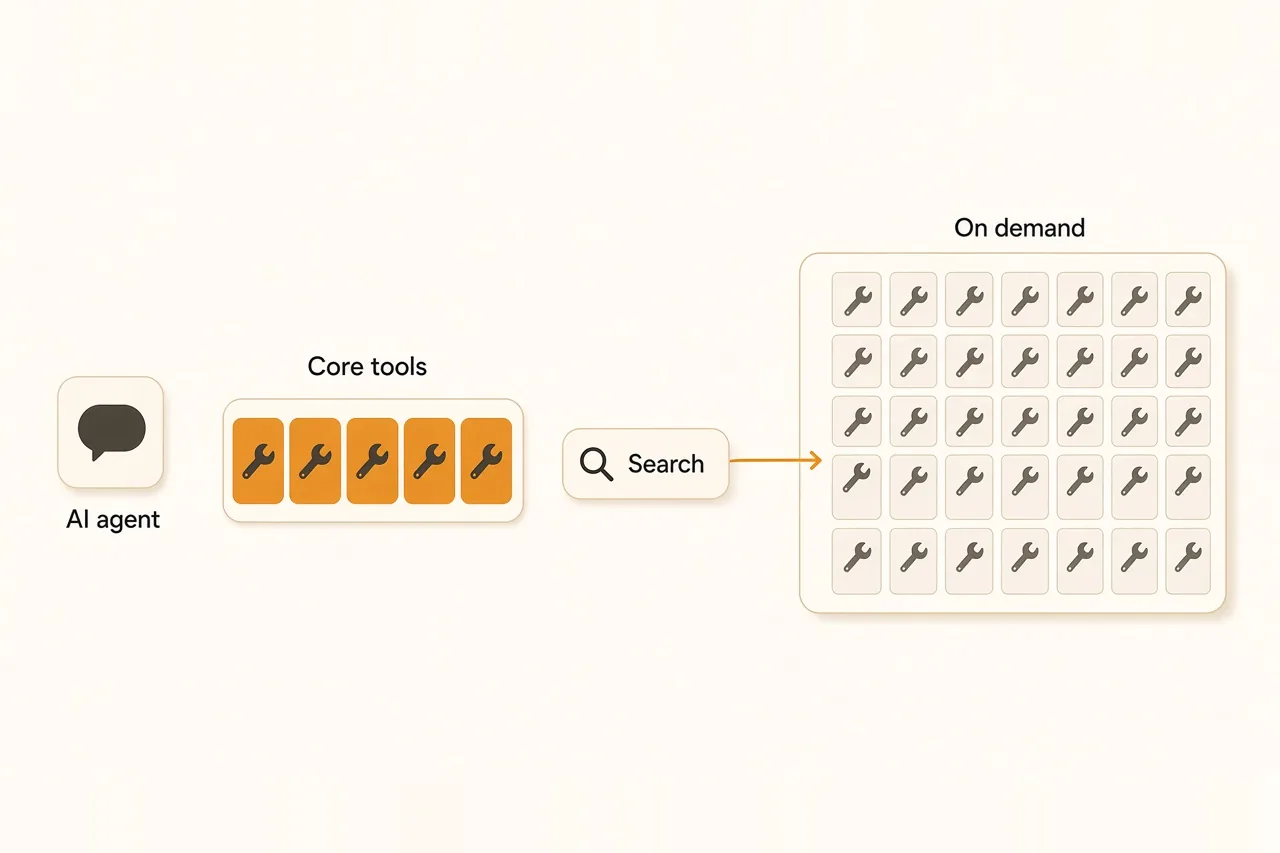
The design respects the agent's context window. There are 20 hand-written core tools plus one generated tool for every API endpoint, 496 in total by Zernio's count. Your client sees about 50 of them. The rest stay hidden until the agent asks a search tool for one, so they cost nothing until then.
Two details show it was built for agents. If you have two accounts on one network and the agent doesn't say which, the posting tools refuse and list the options instead of guessing. And a post with no timing instruction is scheduled 60 minutes out, not published on the spot, which leaves a window to catch mistakes.
Media is the clunky part. An AI chat can't read files on your computer, so the agent hands you an upload link that expires in 30 minutes, and you drop the file in a browser. Fine for one image. Tedious for a week of content.
Outside MCP, there's a CLI that prints JSON, official SDKs for Node.js, Python, Go, Ruby, Java, PHP, .NET and Rust, and support for n8n, Make and Zapier. So it also slots into the n8n workflows you may already run.
How much does Zernio cost in 2026?
Zernio has no plans. You pay per connected social account per month, and each price band applies only to the accounts inside it.
| Connected accounts | Price per account a month |
|---|---|
| 1 to 2 | Free |
| 3 to 10 | $6 |
| 11 to 100 | $3 |
| 101 and up | $1 |
So 10 accounts cost $48 a month, 20 cost $78 and 100 cost $318. Those are Zernio's own examples, from its pricing page on 28 September 2026. Ad accounts count as accounts, and so do connected WordPress or Shopify sites.
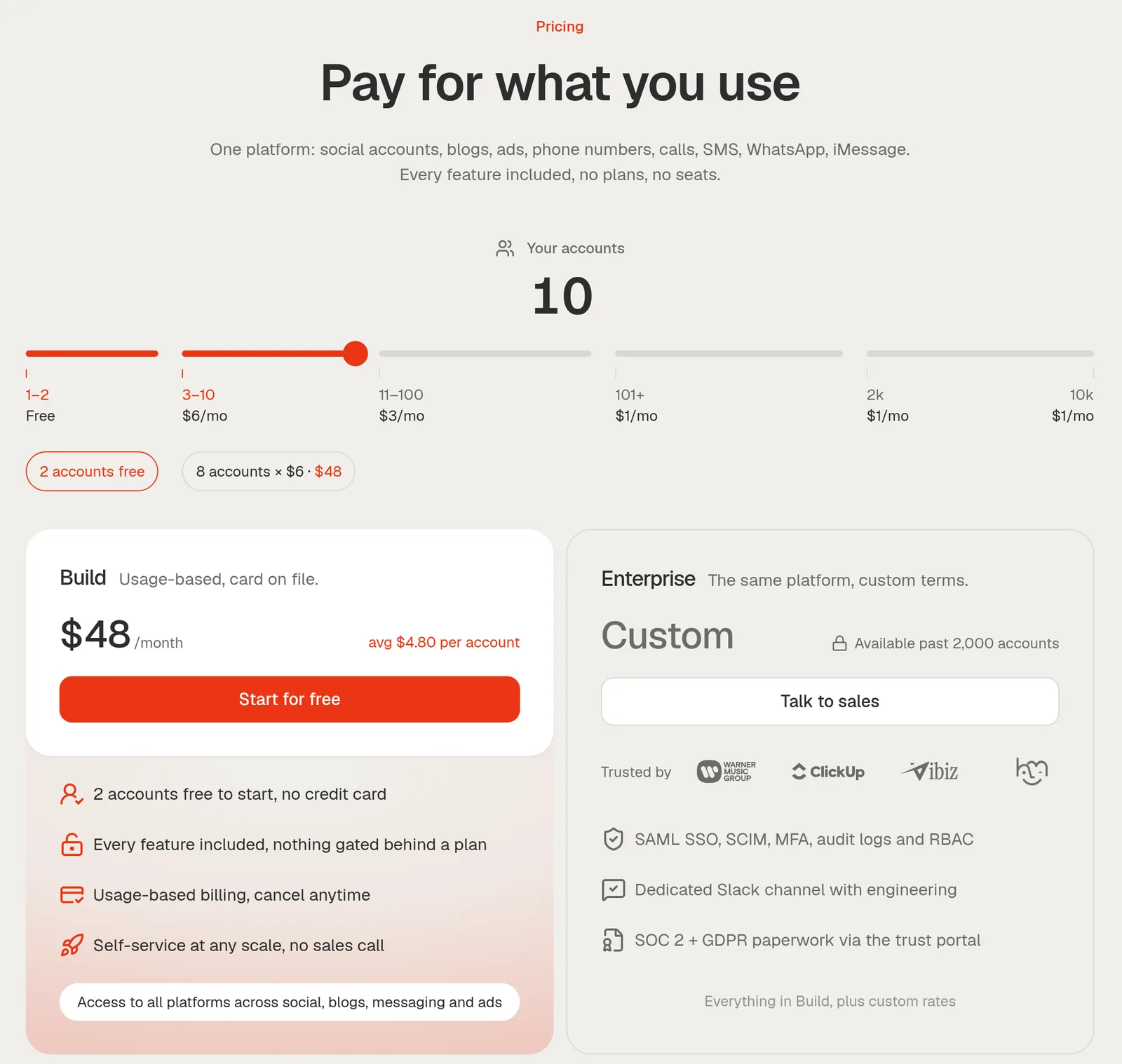
Every account gets every feature: unlimited posts, analytics, the inbox, the API and the MCP server. Team seats are unlimited, and there's no setup fee or contract.
Billing is daily. Zernio counts the days each account was connected, divides by 30, and runs the total through the bands. An account you connect for a week costs about a quarter of its monthly rate.
The per-account model wins small and loses big. Against Postiz Cloud's flat plans, Zernio is cheaper up to 8 accounts, and I worked through that crossover in the Postiz vs Zernio cost breakdown.
What does "free" really include?
Here's the catch. Zernio's free tier isn't a separate plan. It's a $12 monthly credit against the accounts line, which is exactly two accounts at $6. Everything else runs on its own meter, outside that credit.
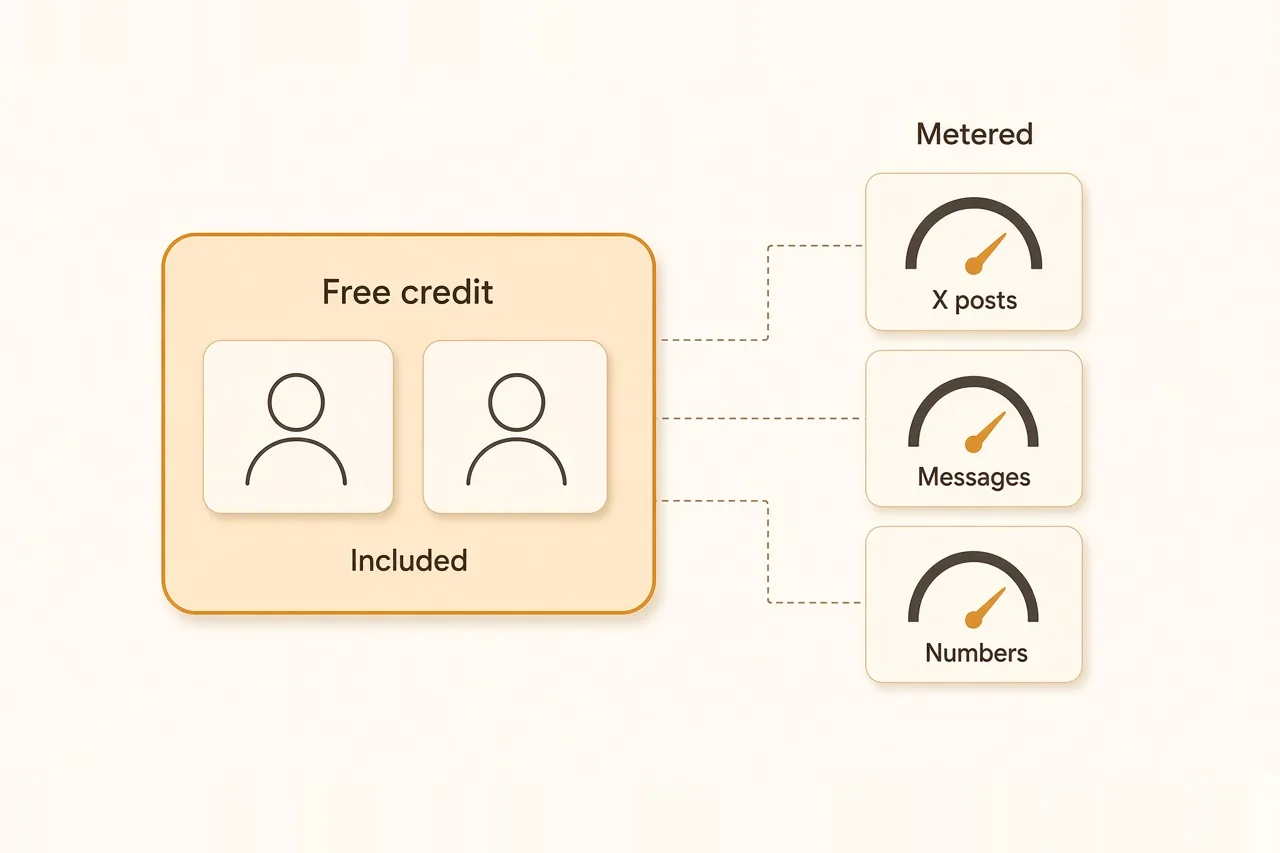
- X posts: X charges per API call, and Zernio passes that on at cost. A post is $0.015, a post with a link is $0.200, and a read is $0.005. Thirty link posts to X in a month add $6.
- A card for X: connecting your first X account needs a card on file, even inside the free tier.
- Sent messages: from 1 October 2026, the first 10,000 messages you send each month are free, then $1 per 10,000. Messages you receive and comment replies never count.
- Phone numbers, and managed ads past 500, bill separately.
For a normal free-tier user, this adds up to very little. X analytics and inbox sync are opt-in, so an X account doesn't quietly run up read charges.
But if "no card" was the reason you picked Zernio, X ends that. My two accounts have cost me nothing so far.
What limits should you know before building on it?
The price is rarely what stops a Zernio setup. The limits are.
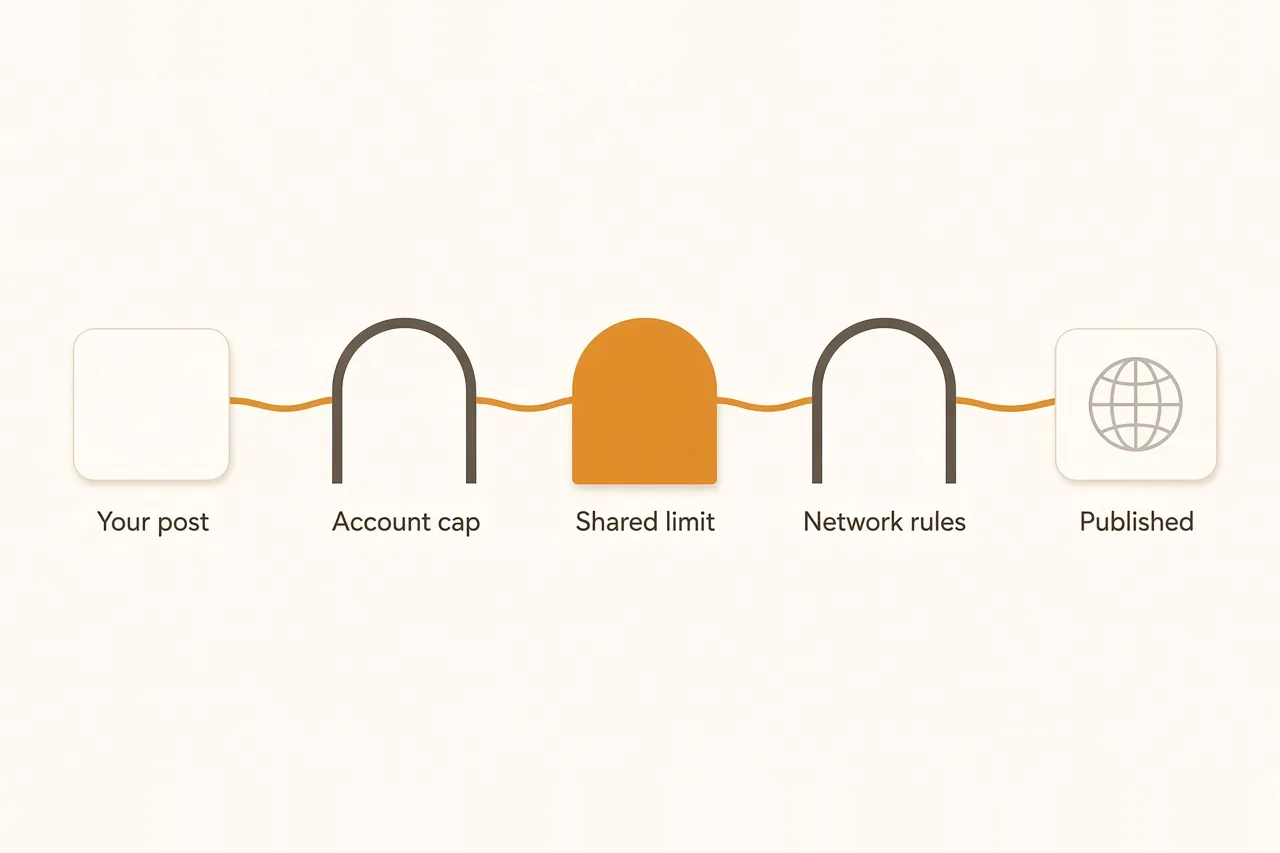
API requests: 60 a minute on the free tier, 600 once you connect a third account, and 1,200 past 2,000 accounts. Analytics endpoints use a per-second window instead.
Posting caps: each account can publish 25 posts an hour. Daily caps sit on top: 100 for Instagram and Facebook, 250 for Threads, 50 for X, 25 for Pinterest, and 15 videos plus 15 photo posts for TikTok. A normal brand never gets close. A bulk-posting bot will.
Shared budgets: Zernio talks to some networks as a single app, so all its customers share one quota. Reddit's rate limit, Google Ads' daily API quota and TikTok's cap on direct-posting accounts work this way. Your account can hit a Reddit limit because other customers used it up.
Profile slots: each profile holds one account per network. Connect a second Instagram account into the same profile and it replaces the first, deleting that slot's analytics, inbox and DM history. Use one profile per brand or client; profiles are free.
Network rules still apply. Instagram needs a Business account, TikTok videos on new connections post as public only (or go to TikTok drafts), and Snapchat needs beta approval.
Is Zernio safe for team and client accounts?
Mostly, yes. Teams get five roles, from Owner down to a read-only Viewer. A member can be limited to specific profiles, so a freelancer only sees their own client's accounts.
API keys can be scoped to profiles too. That matters when an AI agent holds the key. Sign-in supports two-step verification, and team changes land in an audit log. SSO and SCIM are for enterprise contracts, which start at 2,000 accounts.
What's missing is a client approval step. Buffer's Team plan has approval workflows; Zernio has nothing like it.
Where does Zernio fall short?
- No AI writing, images or video. You need a separate tool or agent for the content; my list of AI tools for content creators covers that side.
- The dashboard comes second. The calendar works, but the docs, SDKs and MCP get the attention.
- Costs rise with every account. Past about 8 accounts, a flat-price tool like Postiz Cloud gets cheaper.
- Extra meters: X pass-through, sent messages from October 2026, and a card for your first X account.
- Hosted only. You can't self-host it, so you depend on its uptime and pricing decisions. Zernio claims 99.7%+ uptime and runs a public status page.
- Mixed signals on its own site. The features page still tags analytics and DMs as "Add-on" and says 17 networks, while the pricing page includes everything and the docs list 16.
How does Zernio compare with Postiz, Buffer and Ayrshare?
| Zernio | Postiz | Buffer | Ayrshare | |
|---|---|---|---|---|
| Built for | Developers and AI agents | Teams working in a calendar | Creators and small teams | SaaS products |
| Free option | 2 accounts, unlimited posts | Self-host; cloud has a 7-day trial | 3 channels, 10 queued posts each | 28-day trial |
| Paid pricing | $6, $3, then $1 per account | $29 to $99 a month, flat | From $6 per channel | From $149 a month |
| 10 accounts, monthly | $48 | $39 | $60 (Essentials) | $149 if one brand on 10 networks |
| Built-in AI | None | Copilot, images, video | AI Assistant | Not compared |
| Inbox | DMs, comments, reviews | No DM inbox | Comment replies | Comments, DMs, reviews |
Prices from each vendor's pricing page on 28 September 2026, monthly billing, in US dollars.
Pick Postiz if a team plans content in a calendar, wants built-in AI, or wants to self-host. It's also cheaper than Zernio past 8 accounts.
Pick Buffer if you want a polished scheduler with an AI assistant and approvals. Its Essentials plan is also $6 a channel, but on monthly billing Zernio came out cheaper at every size I checked: $48 against $60 for 10 accounts, $168 against $195 for 50. Buffer's yearly billing narrows that, and at 50 channels ($163) it edges ahead.
Pick Ayrshare if you're building a SaaS product whose customers each connect many networks. It bills per customer profile, not per account. For anyone else, the $149 entry price is steep: 14 accounts on Zernio cost $60.
My Zernio review verdict: is it worth it?
For an agent-driven setup like mine, the case is strong. Two accounts cost nothing, the MCP server reaches the whole API without flooding the agent's context, and the inbox and analytics come included.
It's worth paying for when code or an AI agent does the posting and you'll stay under about 10 accounts, or when you're building social posting into your own product.
It's the wrong pick if a human team plans content in a calendar all day, if you need the tool to write the posts, or if you'll run 30 or more accounts and want a flat bill. Postiz Cloud or Buffer fits those cases better.
Frequently asked questions
If an AI agent or your own code will do the posting, start with the two free accounts. Connect the networks you really use, run a week of posts, and check the itemized usage page before you add a card.