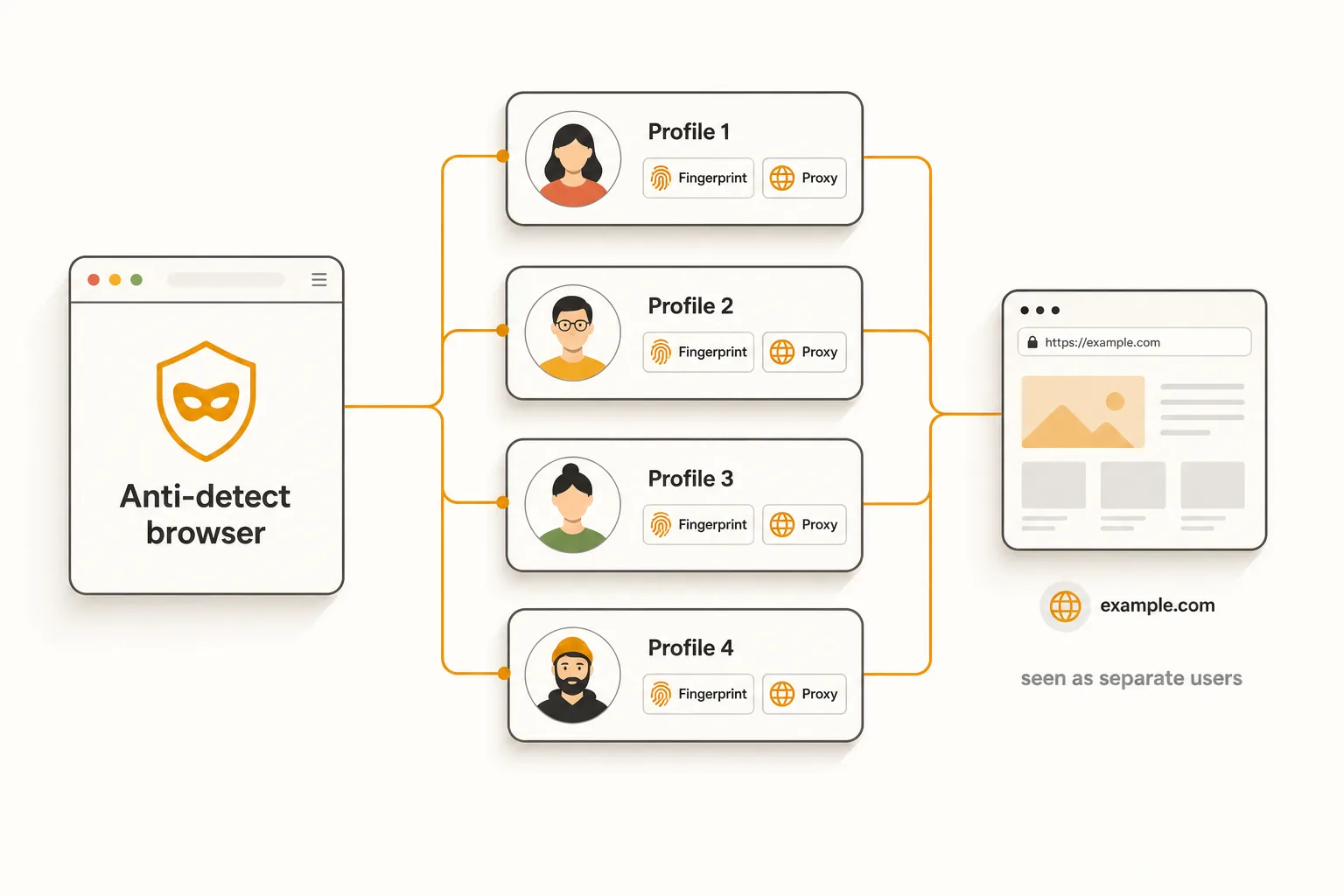
Run more than one account on Facebook, Amazon, or almost any platform from the same browser and there's a good chance they'll get linked — and banned together. The reason is browser fingerprinting: sites read dozens of tiny signals from your device and match them, so a proxy alone won't save you. An anti-detect browser is the fix. It gives every account its own isolated, believable fingerprint and its own proxy, so ten profiles look like ten different people on ten different computers.
I've run multi-account setups for ad buying and marketplace work, and tested the major players over the last two years. The short version: Multilogin is the industry-standard pick for serious teams, GoLogin is the best all-round value, and AdsPower is the one I hand beginners and e-commerce sellers because it's cheap and automates well. Below are the eight best anti-detect browsers for 2026 — what each costs, who it's for, and where it wins.
The short answer: which anti-detect browser should you pick?
Match the tool to what you're actually doing:
- Running a serious operation or an agency team? Multilogin. It's the most trusted, most stable fingerprinting on the market — you pay for reliability.
- Want the best balance of price, features, and ease? GoLogin. Cloud profiles and a friendly interface make it the safe all-rounder.
- Selling on Amazon/eBay/Shopify or automating repetitive tasks? AdsPower. It's the cheapest capable option and its no-code automation is excellent.
- Doing affiliate or media buying on a budget? Dolphin{anty}, thanks to a genuinely generous free plan.
- Need mobile device fingerprints or a developer-first API? Kameleo.
Every link below routes through my redirect — some are affiliate links, and they never change your price.
How anti-detect browsers work
An anti-detect browser isn't a single private window — it's a manager for many isolated browser profiles. Each profile gets its own container: separate cookies, storage, and — critically — its own spoofed but internally consistent fingerprint (user-agent, canvas, WebGL, fonts, timezone, and the rest), plus its own assigned proxy.
Because each profile presents a complete, believable, and different identity, the sites you visit can't tell they belong to one person. The two signals that normally link accounts — your IP and your fingerprint — are both unique per profile, and they agree with each other (a US proxy paired with a US timezone and locale, not a mismatch that screams "fake").
If you're fuzzy on why the fingerprint matters as much as the IP, it's worth understanding the tracking technique these tools defeat:
Who actually needs one
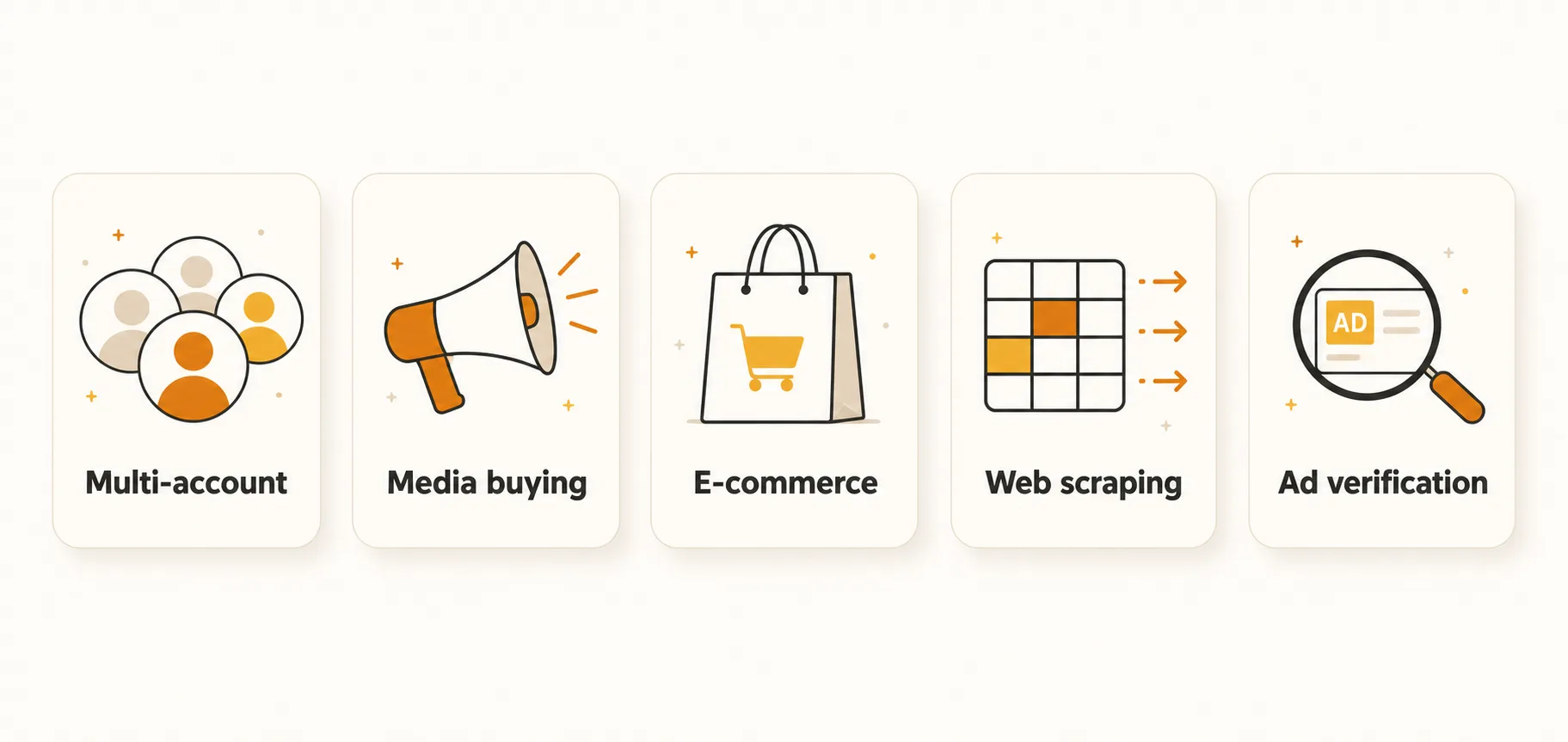
Anti-detect browsers are a professional tool, not something most people need for everyday privacy. The common legitimate use cases:
- Multi-account management — agencies and sellers running many social or marketplace accounts for different clients or brands.
- Affiliate and media buying — running multiple ad accounts without a single ban cascading across all of them.
- E-commerce — managing several Amazon, eBay, or Shopify stores that platforms would otherwise flag as one operator.
- Web scraping and automation — pairing profiles with rotating proxies so large-scale data collection isn't trivially linked and blocked.
- Ad verification and market research — checking how ads and prices appear to different users and regions.
What to look for in an anti-detect browser
After testing these on real accounts, here's what actually separates a good one from a risky one:
- Fingerprint quality. This is everything. The spoofed fingerprint must be complete and internally consistent — a mismatch (say, a Windows user-agent with a Mac canvas) is more suspicious than no spoofing at all.
- Proxy integration. Easy per-profile proxy assignment (HTTP/SOCKS5) is non-negotiable, since IP and fingerprint must line up.
- Team features. Profile sharing, roles, and transfer matter the moment more than one person is involved.
- Automation. A Selenium/Puppeteer API or built-in no-code automation saves enormous time at scale.
- Pricing model. Usually priced by number of profiles and team seats — the right plan depends on how many identities you run.
The 8 best anti-detect browsers for 2026
Ranked by overall value for a typical multi-account user. The first three are the ones I highlighted above.
1. Multilogin — the industry standard
Multilogin, launched in 2015 in Estonia, essentially created this category and remains the reference against which the others are judged. It ships two separate browser engines — Mimic (Chromium-based) and Stalker (Firefox-based) — and its fingerprint management is the most battle-tested on the market. It's the choice for agencies and serious operators who treat account bans as real financial risk and want the most reliable masking money can buy.
Standout features:
- Two browser cores (Chromium and Firefox) for maximum flexibility
- The most mature, trusted fingerprinting engine in the space
- Strong team collaboration — roles, profile sharing, and transfer
- Automation API for Selenium and Puppeteer
| Pros | Cons |
|---|---|
| Most reliable fingerprinting available | Among the priciest options |
| Two independent browser engines | Overkill for a casual single user |
| Excellent team and API support | Steeper learning curve |
2. GoLogin — best all-round value
GoLogin is the all-rounder I recommend most often. It stores profiles in the cloud (so you can pick up a session from any device), runs its own Orbita browser (Chromium-based), and wraps everything in an interface that beginners actually find approachable. A free tier with a few profiles and a mobile app round out a package that's hard to beat for the money.
Standout features:
- Cloud profile storage — access your profiles anywhere
- Free plan with 3 profiles to start
- Clean, beginner-friendly interface
- Windows, macOS, Linux, plus an Android app
| Pros | Cons |
|---|---|
| Excellent balance of price and features | Fingerprinting a notch below Multilogin |
| Cloud sync across devices | Heavy users may outgrow lower tiers |
| Genuinely easy to learn | — |
3. AdsPower — best for e-commerce and automation
AdsPower is the one I put in front of beginners and online sellers, because it's cheap, capable, and its automation is a standout. It offers two browser cores (SunBrowser and FlowerBrowser) and a genuinely useful no-code RPA tool for automating repetitive tasks — logging in, warming up accounts, posting — without writing scripts. It's especially popular with dropshippers and Amazon sellers.
Standout features:
- Free starter plan to test the waters
- No-code RPA automation for repetitive workflows
- Two browser cores plus a full API
- Very popular for e-commerce multi-store setups
| Pros | Cons |
|---|---|
| One of the cheapest capable options | Interface can feel busy at first |
| Excellent built-in automation | Support is largely English/Chinese |
| Great free tier | — |
4. Dolphin{anty} — best free plan for media buyers
Dolphin{anty} earned a loyal following among affiliate and Facebook-ads media buyers, largely on the strength of a genuinely generous free plan — up to ten profiles at no cost, which is more than most rivals give away. It's Chromium-based, has solid automation and team features, and is tuned for the workflows of people running lots of ad accounts.
Standout features:
- Free plan with up to 10 profiles
- Built specifically with media buyers in mind
- Automation and team collaboration included
- Handy account-management extensions
| Pros | Cons |
|---|---|
| One of the most generous free tiers | Paid plans jump up for larger volumes |
| Great for affiliate/ad workflows | Chromium only (no Firefox engine) |
| Active development and community | — |
5. Octo Browser — fast, with realistic fingerprints
Octo Browser has grown fast by focusing on two things: speed and authentic, real-device fingerprints rather than randomly generated ones. That realism makes profiles harder to flag, which is why it's popular with traffic-arbitrage and media-buying teams who live or die by account longevity. It's Chromium-based with a clean interface and a solid API.
Standout features:
- Real, non-synthetic device fingerprints
- Fast, responsive profile management
- Team features and an automation API
- Regular fingerprint database updates
| Pros | Cons |
|---|---|
| Very convincing fingerprints | No permanent free plan |
| Quick and stable in daily use | Chromium only |
| Strong for media buying | Newer than the veterans |
6. Incogniton — best free option for beginners
Incogniton is the easiest on-ramp if you're just getting started and don't want to pay yet. Its free plan covers up to ten profiles, the interface is simple, and it supports Selenium automation for when you're ready to scale. It won't match Multilogin's fingerprint depth, but for learning the workflow and running a handful of accounts, it's excellent value.
Standout features:
- Free plan with up to 10 profiles
- Beginner-friendly profile management
- Selenium automation support
- Bulk profile creation and import
| Pros | Cons |
|---|---|
| Great free tier for learning | Fingerprinting is mid-tier |
| Simple and approachable | Fewer advanced team features |
| Solid automation options | — |
7. Kameleo — best for mobile fingerprints and developers
Kameleo, out of Hungary, stands out for two things: strong mobile fingerprint spoofing (real Android and iOS profiles, not just desktop) and a developer-first design. It exposes a robust API and plays nicely with external automation frameworks, making it the pick for teams that need to emulate mobile devices or build custom tooling around their profiles.
Standout features:
- Genuine mobile (Android/iOS) fingerprint profiles
- Powerful API for custom automation
- Works with Selenium, Puppeteer, and Playwright
- Frequent fingerprint updates
| Pros | Cons |
|---|---|
| Best-in-class mobile emulation | More technical to set up |
| Developer-friendly API | Pricier entry point |
| Flexible automation integration | Less beginner-oriented |
8. Undetectable — budget pick with a fingerprint marketplace
Undetectable rounds out the list as an affordable alternative with a distinctive feature: a marketplace of ready-made "warmed" fingerprint profiles you can buy, plus a cookie-collection robot to age accounts. It's a practical, lower-cost choice for users who want a large number of profiles without paying premium prices, and it includes a free tier to trial.
Standout features:
- Marketplace of ready-to-use fingerprint configs
- Cookie Robot for automated account warming
- Free plan to get started
- Generous profile counts on paid tiers
| Pros | Cons |
|---|---|
| Affordable for high profile counts | Brand is less established |
| Unique fingerprint marketplace | Fingerprinting solid, not elite |
| Free tier available | Smaller community |
Anti-detect browsers compared
The whole list side by side. Prices are starting rates as of mid-2026 — always confirm current pricing before you buy.
| Browser | Starts at | Free plan | Best for | Browser core |
|---|---|---|---|---|
| Multilogin | $19/mo | No | Serious teams & agencies | Chromium + Firefox |
| GoLogin | $24/mo | 3 profiles | Best all-round value | Chromium |
| AdsPower | $5/mo | Yes | E-commerce & automation | Chromium + Firefox |
| Dolphin{anty} | Free+ | 10 profiles | Media buyers on a budget | Chromium |
| Octo Browser | $29/mo | Trial only | Realistic fingerprints | Chromium |
| Incogniton | $30/mo | 10 profiles | Beginners | Chromium |
| Kameleo | $59/mo | Trial only | Mobile fingerprints & devs | Chromium + Firefox |
| Undetectable | $49/mo | Yes | Budget, many profiles | Chromium |
How I'd choose between them
The decision usually comes down to three questions:
- How serious is the operation? For an agency or anything where a ban costs real money, pay for Multilogin's reliability. For personal or small-scale use, GoLogin or AdsPower deliver most of the value for far less.
- Do you want to start free? Dolphin{anty} and Incogniton both give you up to ten profiles at no cost — the best way to learn the workflow before spending.
- What's the specialty? E-commerce and automation lean AdsPower; media buying leans Octo or Dolphin{anty}; mobile emulation and custom tooling lean Kameleo.
For most people reading this, the honest path is to start free on Dolphin{anty} or AdsPower, then move up to GoLogin or Multilogin once the accounts are making enough to justify it.
Don't forget the proxies
An anti-detect browser is only half the setup — each profile needs its own proxy so the IP matches the fingerprint. Pairing quality residential proxies with your profiles is what makes them genuinely undetectable; a great fingerprint behind a flagged datacenter IP still gets caught.
Frequently asked questions
If you want one pick and you're done reading: start free on AdsPower or Dolphin{anty} to learn the ropes, and step up to GoLogin for the best value or Multilogin when reliability genuinely pays for itself. Whichever you choose, pair it with good residential proxies — that combination is what makes multiple accounts truly undetectable.