Here's the unsettling one-liner: browser fingerprinting identifies you by quietly collecting dozens of small details about your device and browser — screen size, fonts, graphics card, timezone, language — and combining them into a near-unique ID, all without a single cookie. Delete your cookies, open an incognito window, switch on a VPN: your fingerprint can still recognize you, because none of those things change the details it measures.
Fingerprinting is how a site can tell two visits apart even when you've done everything "right" for privacy. It's used for good (blocking fraud and bots) and for tracking (following you across the web with no consent prompt). In this guide I'll show exactly what data goes into a fingerprint, how the technique works with real code, why it so reliably makes you unique, and — honestly — what does and doesn't stop it. Tables and examples throughout, no hand-waving.
The core idea: a fingerprint made of settings
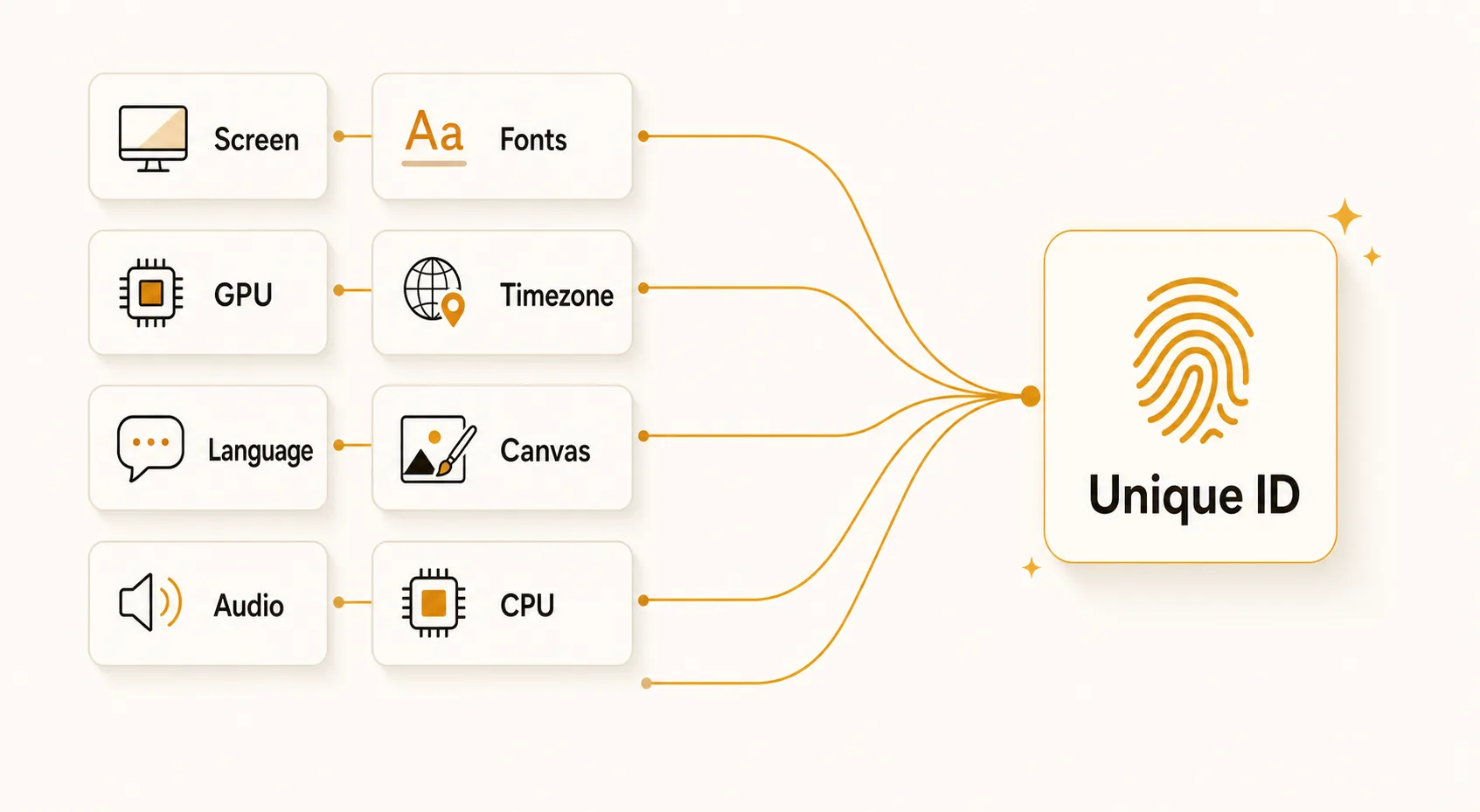
Think about a crowd. Knowing someone wears glasses barely narrows it down. But "glasses, red jacket, left-handed, size-11 shoes, Boston accent, carrying a blue umbrella" quickly points to one person. Each clue is common; the combination is rare.
Browser fingerprinting works the same way. On its own, your screen resolution is shared by millions. So is your timezone, your language, your browser version. But combine enough of these attributes and the odds that another person matches all of them at once drop to almost nothing. That combined, computed value is your fingerprint.
Crucially, this needs no cookie and no login. A script just reads properties your browser already exposes, mixes them together, and produces an identifier — one that stays the same across sites and sessions as long as your setup doesn't change.
How browser fingerprinting works, step by step
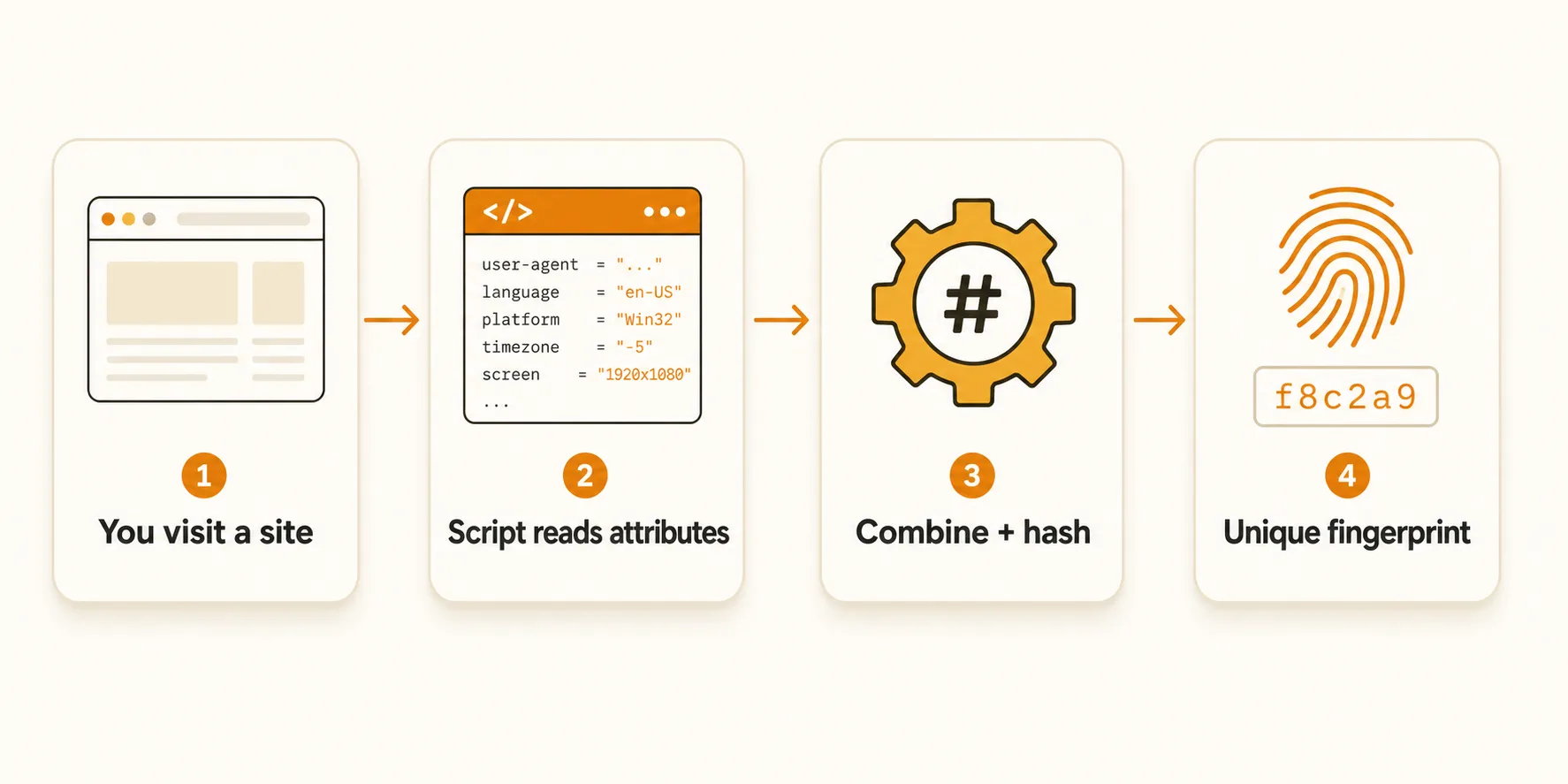
Every fingerprinting system follows the same pipeline:
- You visit a page that includes a fingerprinting script (often bundled into analytics, ads, or fraud-prevention tools).
- The script reads dozens of attributes from your browser — some sent automatically in HTTP headers, others actively probed with JavaScript.
- It combines those attributes into one long string and runs it through a hash function, producing a compact ID like `f8c2a91d…`.
- That ID is stored server-side and matched against future visits. Same attributes in, same ID out — so you're recognized, even with cookies cleared.
There are two flavors worth naming. Passive fingerprinting uses data your browser sends without being asked (the User-Agent, Accept-Language header, your IP). Active fingerprinting runs JavaScript to probe deeper — drawing to a hidden canvas, querying your GPU, measuring audio. Active signals are far more distinctive, which is why they do the heavy lifting.
What data goes into a fingerprint
Here are the most common signals and why each one varies from person to person. Individually weak; together, decisive.
| Signal | Example value | Why it varies between people |
|---|---|---|
| User-Agent | Chrome 141 on macOS 15 | Browser, version, and OS combo |
| Screen resolution | 2560 × 1440, 30-bit color | Monitor and display scaling |
| Timezone | America/New_York | Your location |
| Language | en-US | System and browser settings |
| Installed fonts | Arial, Menlo, Helvetica Neue… | Apps and OS you've installed |
| CPU cores | 10 | Hardware |
| Device memory | 16 GB | Hardware |
| GPU (via WebGL) | Apple M2 Pro | Graphics hardware and driver |
| Canvas hash | a1b2c3d4… | GPU + driver + OS text rendering |
| Audio hash | e5f6a7b8… | Audio processing stack |
| Touch support | No touch | Device type |
| Platform | MacIntel | Operating system |
Notice the pattern: hardware and rendering signals (GPU, canvas, audio, fonts) are the most distinctive, because they reflect a specific combination of physical device, drivers, and installed software that's genuinely rare in the wild.
The clever techniques (canvas, WebGL, audio)
The passive stuff is easy to understand. The active techniques are where fingerprinting gets ingenious — it turns tiny, invisible rendering differences into a stable ID.
| Technique | What it does | Distinctiveness |
|---|---|---|
| Canvas fingerprinting | Draws hidden text/shapes, reads back the exact pixels | High |
| WebGL fingerprinting | Reads GPU vendor/renderer and renders a 3D scene | High |
| AudioContext | Generates an audio signal and measures how your stack processes it | Medium–High |
| Font enumeration | Detects exactly which fonts are installed | Medium |
| HTTP headers | Reads User-Agent, Accept-Language, etc. | Low–Medium |
Canvas fingerprinting in code
The most famous technique deserves a real example. The trick: ask the browser to draw the same text and graphics to an invisible canvas. Because every combination of GPU, driver, OS, and font-rendering engine produces subtly different pixels, reading those pixels back gives a value that's stable for you but different for most other people.
You never see this canvas — it's never added to the page. The script draws, reads, and discards it in milliseconds. The resulting hash becomes one of the strongest signals in your fingerprint.
Why it works: entropy and uniqueness
The reason fingerprinting is so effective comes down to a simple idea from information theory: entropy, measured in bits. Each bit of entropy roughly halves the number of people who could match. To single out one person among Earth's ~8 billion, you need about 33 bits of identifying information.
Here's the eye-opener: a modern browser leaks far more than that. Watch how fast the crowd shrinks as signals stack up:
| Signals combined | People who still match (illustrative) |
|---|---|
| Timezone only | ~hundreds of millions |
| + Language | ~tens of millions |
| + Screen + OS | ~millions |
| + Fonts + GPU | ~thousands |
| + Canvas + Audio | often just you |
Research by the EFF (their Panopticlick and Cover Your Tracks projects) found that the majority of browsers are outright unique once these signals are combined. That's the whole game: no single attribute identifies you, but the full set almost always does.
A worked example: from attributes to an ID
Concretely, a fingerprinting script gathers something like this object from your browser:
It then serializes that whole object and hashes it into a single, compact identifier:
Return to any site running the same script tomorrow — new session, no cookies, incognito on — and as long as your device and browser are the same, the script recomputes `f8c2a91d…` and knows it's you.
Fingerprinting vs cookies
Fingerprinting is often called "cookieless tracking," and comparing the two shows why it's so hard to escape:
| Cookies | Fingerprinting | |
|---|---|---|
| Stored on your device | Yes | No — computed live |
| Can you delete it | Yes, anytime | No — there's nothing to delete |
| Survives incognito / private mode | No | Yes |
| Survives clearing browser data | No | Yes |
| Usually behind a consent prompt | Yes | Frequently not |
| How to block | Clear or block cookies | Genuinely difficult |
The killer row is "nothing to delete." A cookie is a file you can throw away; a fingerprint is recalculated from scratch on every visit. You can't clear what isn't stored.
Who uses browser fingerprinting, and why
It's not all sinister — fingerprinting is genuinely dual-use:
- Fraud and bot prevention. Banks and stores use it to spot a login from a device that doesn't match your usual fingerprint, or to catch bots creating fake accounts at scale. This is the biggest legitimate use.
- Account security. Flagging "new device" logins relies on fingerprinting.
- Advertising and analytics. Ad-tech uses it to follow you across sites without cookies — the privacy-invasive side.
- Anti-piracy and licensing. Tying access to a device.
So the same technique that protects your bank account also powers cookieless ad tracking. That tension is exactly why it's controversial.
Does a VPN or incognito stop fingerprinting? (Honestly, no)
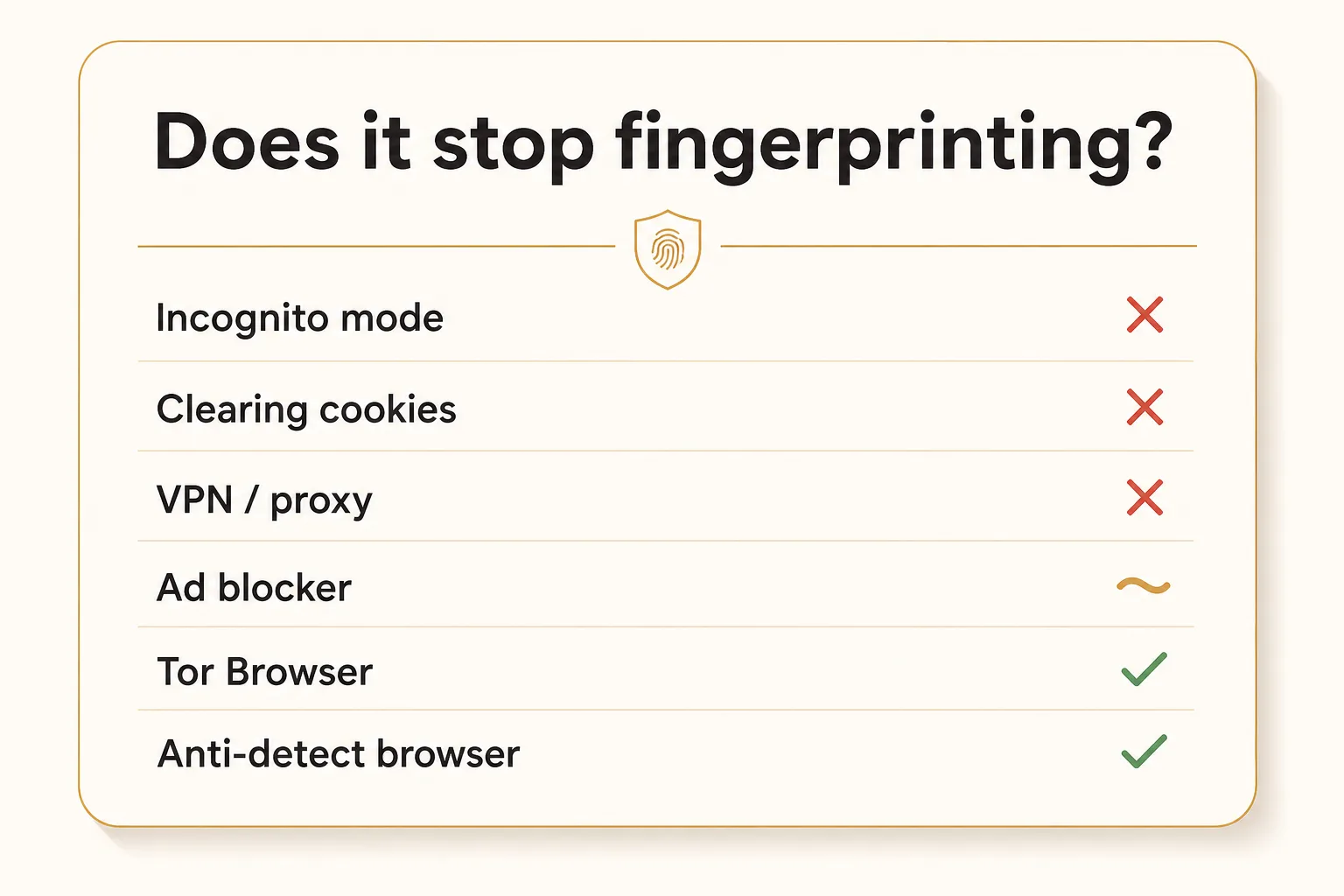
This is the most important myth to kill. People assume privacy tools hide their fingerprint — they mostly don't, because a fingerprint is built from your browser and hardware, not your IP address or your cookies.
| Method | Stops fingerprinting? | Why |
|---|---|---|
| Incognito / private mode | No | Same device, same browser attributes |
| Clearing cookies | No | A fingerprint isn't stored as a cookie |
| VPN or proxy | No | Changes your IP, not your screen, GPU, fonts, or canvas |
| Ad blocker (uBlock Origin) | Partly | Blocks many known fingerprinting scripts, not all |
| Tor Browser | Mostly | Deliberately makes every user look identical |
| Anti-detect browser | Yes (per profile) | Spoofs a complete, consistent fake fingerprint |
A VPN is still worth using — it hides your IP and encrypts your traffic — but understand its limit: it changes where you appear to connect from, not the browser signals that make up your fingerprint. If you want the full picture on that tool, I wrote a dedicated comparison.
How to actually reduce your fingerprint
If minimizing tracking matters to you, these genuinely move the needle:
- Use the Tor Browser for maximum anonymity. Its whole design goal is that every Tor user shares one identical fingerprint, so you blend into the crowd.
- Use a hardened browser. Brave randomizes fingerprintable APIs; Firefox has a "resist fingerprinting" mode; both cut your distinctiveness.
- Run a script blocker like uBlock Origin to stop many fingerprinting scripts from loading at all.
- Disable JavaScript on untrusted sites — it kills active techniques like canvas and WebGL entirely (at the cost of breaking many sites).
- Avoid rare setups. Exotic fonts, obscure extensions, and unusual screen sizes make you more unique, not less.
The flip side: fingerprinting, proxies, and multi-accounting
There's a whole world where people deliberately manage fingerprints — running many social or e-commerce accounts, ad verification, web scraping at scale. Sites detect these by combining IP reputation with fingerprint analysis, so switching proxies alone isn't enough: if ten "different" accounts all share one canvas hash and GPU string, they're obviously one person.
That's why anti-detect browsers exist — they pair each account with its own consistent, believable fingerprint and its own proxy, so the two signals agree. If you're doing legitimate scraping or automation, understanding this is what keeps your requests from being trivially linked.
Frequently asked questions
The bottom line
Browser fingerprinting turns dozens of ordinary details about your device into one extraordinary thing: a near-unique ID that needs no cookie and survives incognito, cache clearing, and even a VPN. Any single attribute is common; the combination is you. That's what makes it both a powerful fraud-fighting tool and a genuinely hard-to-escape tracker.
You can't switch it off with the usual tricks, but you can blend in — with Tor, a hardened browser, script blocking, or (for multi-account work) a proper anti-detect setup. The first step is simply knowing it exists. Now that you do, you'll understand why "I'm in incognito with a VPN" was never quite the shield it felt like.