You want a website that looks designed, and you've narrowed it to Framer vs Webflow. On list prices billed yearly, a bilingual 20-page site with a 300-post blog costs $30 a month on Framer and $34 on Webflow.
Give that blog an authors collection, though, and Framer's price jumps to $50 while Webflow's stays put.
Pick wrong and you rebuild. Neither builder lets you leave with your entire site working. And any comparison still quoting Framer's $100 Scale plan is out of date, since Framer retired it on 16 June 2026.
Before the verdict, I'll ask you one question about your website's next two years, and your answer does most of the choosing.
I build websites for clients, more than 150 so far, and review tools like these. Webflow's prices are as of 21 September 2026 and Framer's as of 24 September, and the cost maths is arithmetic on list prices, not a test build.
Some links here are affiliate links, disclosed in full at the end.
Framer vs Webflow at a glance
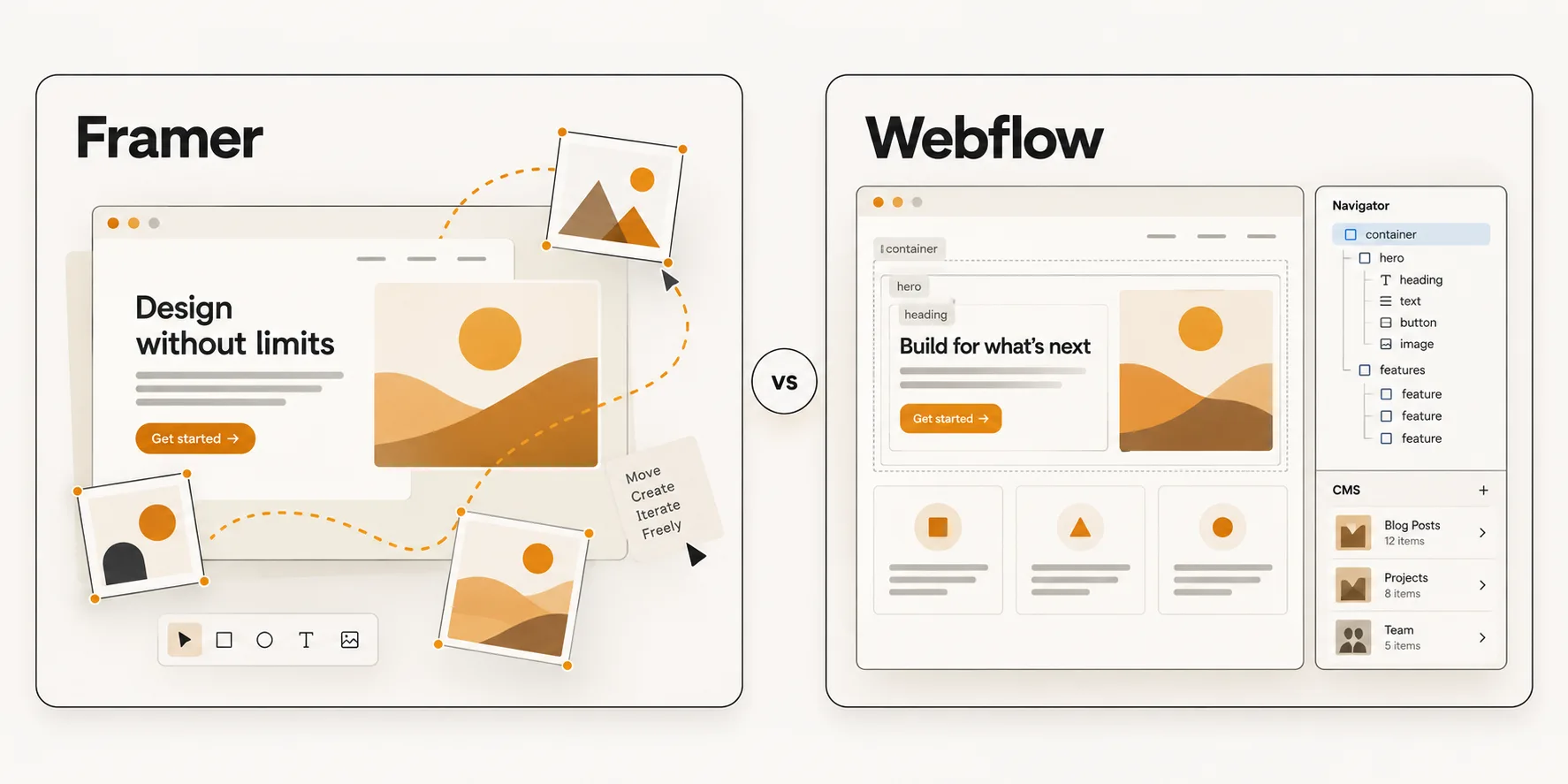
Framer is a design canvas that publishes: you lay out pages much as you would in a design tool, and Framer hosts them.
Webflow is a visual builder for HTML and CSS, with its own CMS, hosting and ecommerce plans.
| Framer | Webflow | |
|---|---|---|
| How you build | Freeform design canvas | Boxes and CSS classes |
| Free plan | Framer domain, Made in Framer banner | webflow.io domain, 2 static pages |
| Cheapest paid CMS plan | Basic, $10/mo ($15 monthly) | Premium, $25/mo ($39 monthly) |
| That plan holds | 30 pages, 2 collections, 1,000 items | 300 static pages, 40 collections, 20,000 items |
| Next plan up | Pro, $30/mo ($45 monthly) | Team, $2,500/mo, annual only |
| Extra languages | $20/mo each, up to 20 | $9/mo each up to 3, $29 up to 10 |
| Extra editors | $20/mo, $10 content-only | $39/mo full, $15 limited |
| Animation | Effects on the canvas | GSAP timeline |
| Online store | Plugins only | Ecommerce plans from $29/mo |
| A/B testing | $50/mo add-on on Pro | Add-on from $299/mo |
| Code export | No official HTML export | HTML, CSS and JS, no CMS content |
| Share of all websites (W3Techs) | 0.2% | 0.8% |
Prices are per site in US dollars, billed yearly unless marked. Framer converts them to local currency with regional adjustments, so your checkout may differ. My Webflow pricing breakdown covers every Webflow plan and add-on in detail.
Canvas or classes: how does each one build a page?
Framer works from the design outward. You draw frames, drop in text and images, and arrange the layout as you go. A team that already designs in Figma will find the canvas familiar.
Webflow works from the structure up. Its Designer is a visual layer over HTML and CSS, where every element is a box with a class, laid out with flexbox or grid. Edit a class once and every element using it updates.
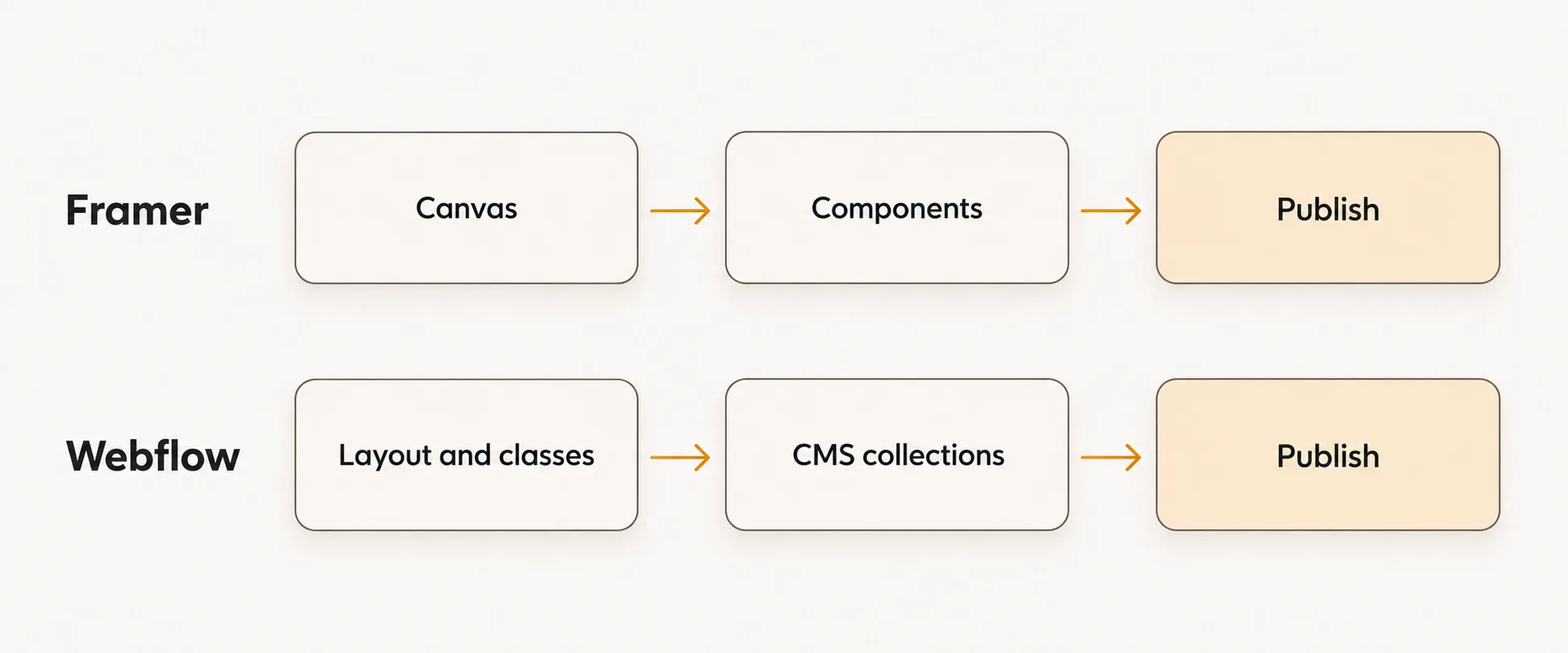
That difference matters most after launch. Framer suits people who think in layouts, while Webflow suits people who think in rules, and its shared classes keep a large website consistent.
Developers can extend both. Framer runs React code components, though its own developer FAQ calls code an escape hatch, while Webflow's DevLink syncs its components with a React codebase.
Who will update this website a year from now? If it's a designer, the canvas keeps them in a tool they already understand. If it's someone who thinks in CSS, Webflow's structure repays the extra learning.
What does each one cost for a real site?
Framer sells two paid site plans, Basic at $10 a month and Pro at $30, both billed yearly. Webflow runs Basic at $15 and Premium at $25, then jumps to Team at $2,500 a month on an annual contract.
If you've seen Framer's Scale plan at $100 a month, it no longer exists. Framer retired it with Framer 3.0, and the same release cut an extra editor from $40 a month to $20. Existing sites keep their older plans unless they switch.
Here's the catch at the bottom of each ladder. Webflow's Basic has no CMS, so any website with a blog begins on Premium. Framer's Basic includes a small one: 2 collections and 1,000 items, on up to 30 pages.
A worked example: a bilingual site with a blog
Take one realistic website, priced on both, with these assumptions:
- 20 pages, plus a 300-post blog in one collection and its categories in a second
- English and one additional language
- One editor, with monthly traffic inside 50 GB of bandwidth
- Posts count as CMS items rather than pages, and a translated post still counts as a single item
So which Framer plan does this website need? Basic, until one ordinary need appears: a third collection such as authors, more than 30 pages, or redirects for the old URLs of a blog you're migrating. Redirects are listed on Pro's plan card, not Basic's, and Basic offers no way to purchase additional collections.
A 300-post blog is rarely new, so if you're migrating one, budget for Pro, which costs $16 a month more than Webflow.
Languages cut both ways. One extra language costs $20 a month on Framer against $9 on Webflow's Localize Essential, but from four extra languages Webflow moves you to Advanced at $29 each. Past ten, Webflow's next step is a custom Enterprise tier, while Framer still sells languages at $20, up to 20.
Translation draws on different allowances, too. Framer's AI translation spends your AI credits, while Webflow's Essential tier includes 10,000 AI-translated words per language each month. That covers about ten new posts a month, assuming 1,000 words each, but the 300 existing posts would take 30 months at that rate.
Drop the second language and the difference turns stark: $10 a month on Framer Basic against $25 on Webflow Premium. Content limits drive those increases, so they come next.
How much content can each CMS hold?
Webflow's CMS holds far more for the money. Premium stores 20,000 items across 40 collections, on up to 300 static pages, while Framer Pro stores 2,500 items across 10 collections, on up to 150 pages.
That's eight times as many items on Webflow, for $5 a month less.
Framer sells additional room on Pro, at $20 a month per 10,000 items and $40 per 10 collections. By my arithmetic on yearly prices, matching Webflow's 20,000 items takes Pro to $70 a month, and matching its 40 collections as well takes it to $190.
Webflow has ceilings too: up to 60 fields per collection, according to its API documentation, and up to 10 reference fields depending on plan, according to its help centre.
Framer's advantage is editing comfort. Clients can change content directly on the live page, even from a phone, and collections can sync with Google Sheets or Airtable.
For automation, Webflow's Data API creates, updates and publishes items at 120 requests a minute on Premium. Framer's Server API can update and publish as well, but it's still in beta: free for now, with usage pricing yet to be announced.
Is your content a blog and a few case studies? Either CMS will carry it. For a directory, a resource library or anything with thousands of entries, Webflow is the safer home.
Which is better for animation and interactions?
Framer builds motion into the canvas. You add an effect to a layer, such as a fade as it scrolls into view or a change on hover, and components animate between their states without code. Since September 2026, its AI Agent can also apply 3D transforms.
Webflow gives you a timeline instead. Interactions with GSAP builds reusable animations on a horizontal timeline, and Webflow, which bought GSAP in autumn 2024, hosts every GSAP plugin for you.
GSAP has been free for everyone, commercial use included, since 30 April 2025, so the library itself isn't exclusive. What Webflow adds is the visual timeline, plus animations that survive a code export.
My take: Framer gets polished, standard motion onto a page faster. Webflow suits choreographed sequences, like a headline that splits into words that arrive in order, built by a designer who wants control over every step.
Want real 3D rather than tilted layers? That means embedding a scene from a tool such as Spline, and my Spline pricing guide covers what it costs and what a scene adds to page weight.
What do the AI features cost in credits?
Framer 3.0, released in June 2026, put AI at the centre. Its Agent designs, writes, organises and translates on the canvas. External Agents, a free preview, let tools such as Claude Code, Cursor and Codex work on a project without setting up an MCP server. Since 22 September 2026, Skills can also teach the Agent your design system and writing style.
Credits pay for it: 1,000 a month on Basic and 3,000 on Pro. Framer's own estimates put a landing page at about 300 credits and a small edit at about 50, so Basic's allowance builds roughly three landing pages a month and Pro's about ten.
Your choice of model changes the rate. Opus 4.8 uses credits 1.8 times as fast as the base rate, but a result you mark as bad gets its credits refunded.
Webflow includes its AI and MCP server on every site plan, including the free one. Its credits belong to the Workspace, though, so every site in it shares 200 a month on the free Workspace, 300 on Core or Freelancer, or 400 on Growth or Agency.
Extra credits cost about a cent each on both, billed yearly, but Webflow doesn't explain what a credit buys. Running ten client sites on an Agency Workspace? They share 400 credits a month, which makes Framer the easier one to budget for AI-heavy work.
Can you run an online store on either?
Webflow can, through Ecommerce plans that sit alongside its site plans:
| Webflow Ecommerce plan | Billed yearly | Billed monthly | Items | Transaction fee |
|---|---|---|---|---|
| Standard | $29/mo | $42/mo | 500 | 2% |
| Plus | $74/mo | $84/mo | 5,000 | 0% |
| Advanced | $212/mo | $235/mo | 15,000 | 0% |
Items count products, variants and categories together, and Standard's 2% comes on top of Stripe or PayPal fees. By my arithmetic, Plus becomes the cheaper plan once a store sells more than about $2,250 a month, billed yearly.
Framer has no store of its own. It never says so directly, but its pricing and feature pages show no cart or checkout, so sellers install Marketplace plugins, and most of the listed store plugins run on Shopify.
Framer Commerce, a third-party plugin, syncs Shopify products and adds Shop Pay. It works, but your store lives on Shopify, with a separate plan and admin.
Selling a few products or a digital download? A Stripe payment plugin on Framer will do. For a catalogue with variants and staff, Webflow keeps everything in one place, with 3 to 15 staff accounts depending on plan.
Which is better for SEO, speed and hosting?
Neither ranks a page for you, so the differences come down to which plan includes which feature.
Framer's list includes automatic sitemaps, canonical URLs, meta tags filled from CMS fields, 301s when you rename a page and an llms.txt file. Site redirects, though, appear only on the Pro plan card.
Webflow builds in titles, descriptions, a sitemap and redirects. With its Localize add-on, the sitemap also carries hreflang tags, which tell search engines what language each page is in.
Framer hosts on AWS CloudFront, but Basic serves from 20 CDN locations and Pro from more than 300. Bandwidth is 50 GB a month on Framer Basic against 10 GB on Webflow Basic, and 100 GB on Pro against 50 GB on Premium.
Both forgive a single heavy month. After a second, Webflow moves you up a bandwidth tier automatically, while Framer says it will ask you to upgrade.
Framer advertises 99.99% uptime but publishes no SLA percentage, even for Enterprise. Webflow's 99.00% is an SLA on its Team plan, so those two numbers don't mean the same thing.
I haven't benchmarked either for this post, so treat the speed features as vendor claims. For a single-language website I'd call SEO a tie, and on Framer Basic, the 20 locations and missing redirects are the weak spot.
Can you export your site and leave?
Not cleanly from either, but Webflow gives you more to walk away with.
Its code export, on paid Workspace plans from $16 a month billed yearly, hands over the HTML, CSS, images and the JavaScript behind your interactions. CMS content, the store, form handling, site search and extra languages stay behind, though collections export as CSV.
Framer's help centre says it "does not offer HTML export for self-hosting", because its sites rely on its pre-rendering, image optimisation and CDN. Yet a second help article, written for the EU Data Act, says your published site is standard HTML, CSS and JavaScript you can download at any time.
Which should you believe? I'd plan around the stricter answer and treat a download as a snapshot, not a project you can keep developing. CMS content leaves through plugins as CSV or JSON, and third-party plugins such as Full Site Export aren't Framer's own.
For heavy logic, Framer's developer FAQ suggests building a normal React app instead. My guide to migrating WordPress to Next.js shows what running your own React front end involves.
If owning every file matters most, self-hosted WordPress keeps your files and database yours. My Webflow vs WordPress comparison weighs that against the upkeep.
What do extra editors and client seats cost?
Framer's seats are cheaper. The workspace owner and comment-only viewers are free, extra editors cost $20 a month billed yearly, and content editors, limited to CMS content, translations and on-page edits, cost $10.
Webflow's seats live in a Workspace plan that includes one full seat. Extra full seats cost $39 a month billed yearly, limited seats $15, and reviewers are free.
For three designers and two content editors, on top of the site plan, my arithmetic on yearly prices gives:
The bigger difference is workflow. Framer puts staging and branching, where you work on a copy of the website and merge it back, on the $30 Pro plan. Webflow reserves page branching and publishing workflows for Team, at $2,500 a month.
Framer caps Basic and Pro at 10 editing seats, with SSO only on Enterprise. For agencies, Webflow's $35 Agency Workspace adds three free client seats per site, plus client payments, while Framer gives its verified Pro Experts free editor access on client projects.
Which is easier to learn, and where do you find help?
Framer is quicker to start. If you can lay out a page in a design tool, most of Framer will make sense immediately.
Webflow asks more up front: the box model, classes, flexbox and grid. That's a short course in how web pages work, slower in week one and worth it as the website grows.
Templates shorten both, and Framer's Marketplace sells templates and components from more than 7,000 creators, who earned $6.5 million in 2025. Since June 2026 it has been moderated rather than reviewed before publishing, so check a template's quality first.
Webflow's Apps marketplace lists 411 apps in more than 20 categories, and Webflow sells templates too.
Help is easier to find for the bigger platform. W3Techs puts Webflow on 0.8% of all websites and Framer on 0.2%, about four times as many, which usually means more freelancers who know the builder.
Who will fix the website the night before a launch? If it's your own designer, Framer is enough. If you'll hire outside help, Webflow gives you more people to contact.
Where each one falls short
Where Framer falls short
- Content runs out early: Pro holds 2,500 items, and matching Webflow Premium's 20,000 costs $70 a month.
- Basic is limited, with 30 pages, 2 collections, 20 CDN locations and no redirects on its plan card.
- There's no built-in store, so selling means a Marketplace plugin, and most of those run on Shopify.
- There's no official export, and two of its help articles disagree about downloads.
- Refund terms are clear only in the EU and Turkey, which get 14 days, while Webflow refunds any new site or Workspace plan within the same window.
Skip Framer if your website will hold thousands of items, sell a catalogue or need an exit that isn't a rebuild.
Where Webflow falls short
- Any site with a CMS on your own domain needs Premium, because Basic includes none.
- Nothing self-serve sits between Premium and Team at $2,500 a month.
- A full seat costs $39 a month against Framer's $20, and Optimize, which handles A/B tests and personalisation, starts at $299 against $50 for Framer's Convert.
- AI credits are shared across the Workspace, with no published rate for what one buys.
- Classes and the box model take real time to learn, especially for designers.
Skip Webflow if your designers want to publish without learning CSS, or if the site is small and every dollar counts.
Skip both if you're building an application with logins and workflows rather than a website. My list of no-code tools for business apps covers that job.
Framer or Webflow: which should you pick?
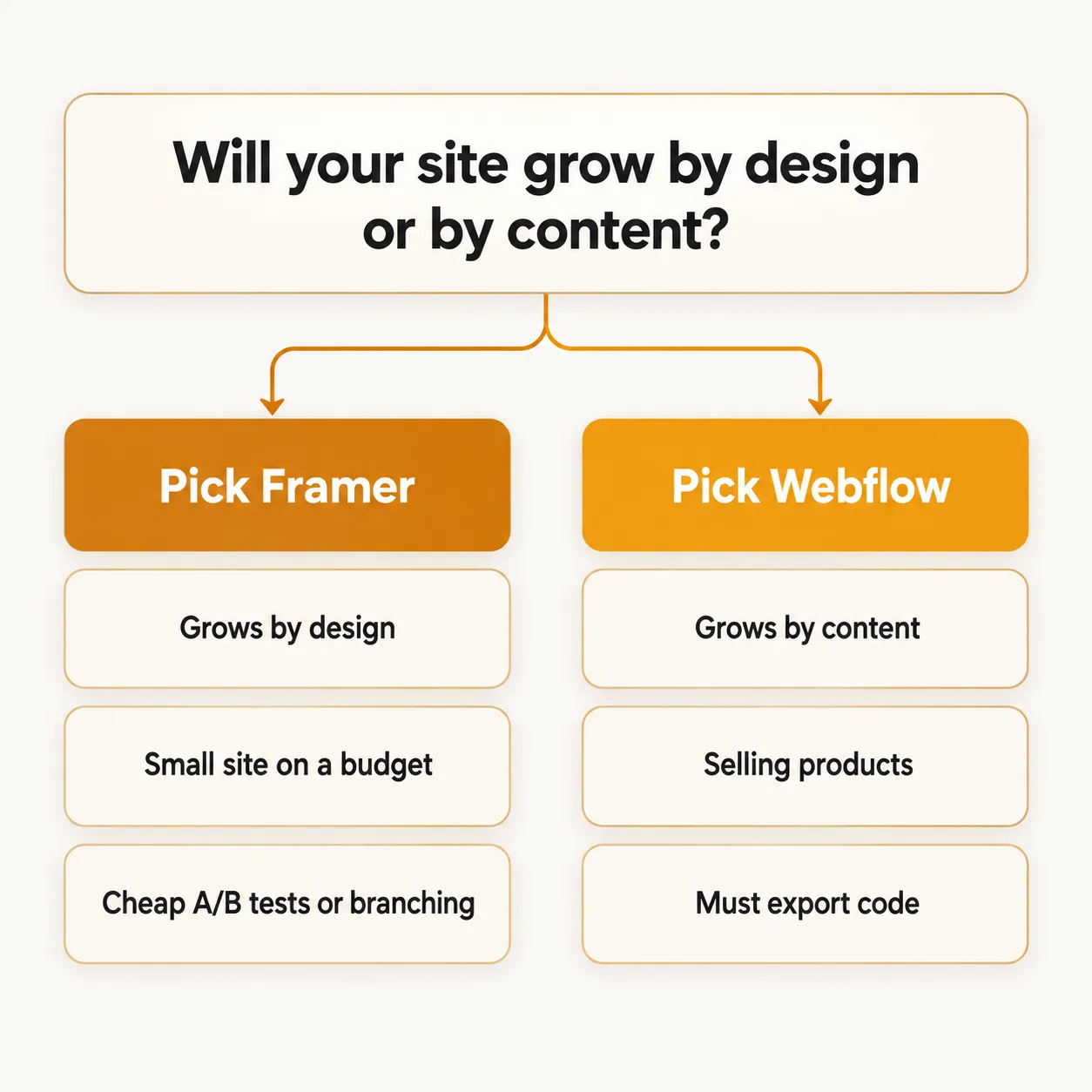
Here's the question I promised: in two years, will your website have grown by design or by content?
Design means new landing pages, campaigns and polish around a modest blog. Content means posts, listings, products and the collections that connect them. Framer is built for the first, and Webflow holds far more of the second for less.
Pick Framer if…
- The site grows by design, and designers who'd rather not learn CSS will keep changing it.
- It's a small site on a budget that fits Basic's 30 pages and 2 collections, at $10 a month billed yearly.
- You want A/B tests or branching without an enterprise contract: Convert costs $50 a month on the $30 Pro plan, which includes branching.
Pick Webflow if…
- The site grows by content, towards thousands of items or many connected collections.
- You're selling products and want the store inside the same builder.
- You need a way out, since code export takes the front end and its animations, and collections leave as CSV.
Frequently asked questions
Before you pay for either, build your homepage on both free plans. Then estimate what your website will hold in two years, in pages, collections, items and languages, and check it against the limits above.
Add-ons are where both bills grow, so favour the builder that fits your content without them.
Some links here are affiliate links. If you buy through one, I may earn a commission at no extra cost to you, and it never changes the verdict. Framer's plans and features are as of 24 September 2026. Webflow's plans, seats and add-ons are as of 21 September 2026, and its ecommerce, export, CMS and app details as of 24 September 2026.