Your workflow runs fine in the editor, then the next node asks for a credential and you're looking at a dropdown with a dozen options: Header Auth, Bearer Auth, Query Auth, OAuth2, Custom Auth. Pick the wrong one and the API answers with a 401, and n8n doesn't tell you which piece was wrong.
The good news is that almost every API fits one of three patterns. It wants a key in a header, a key in the URL, or an OAuth2 login. Once you know which pattern you're dealing with, the right n8n credential picks itself.
This guide covers n8n credentials end to end: the types, when to use each, how OAuth2 actually works inside n8n, and how to keep secrets safe when you share workflows or run your own server. Every setting here comes from n8n's documentation. If you're still deciding what to automate, my list of n8n workflow examples is a good place to start.
What is a credential in n8n?
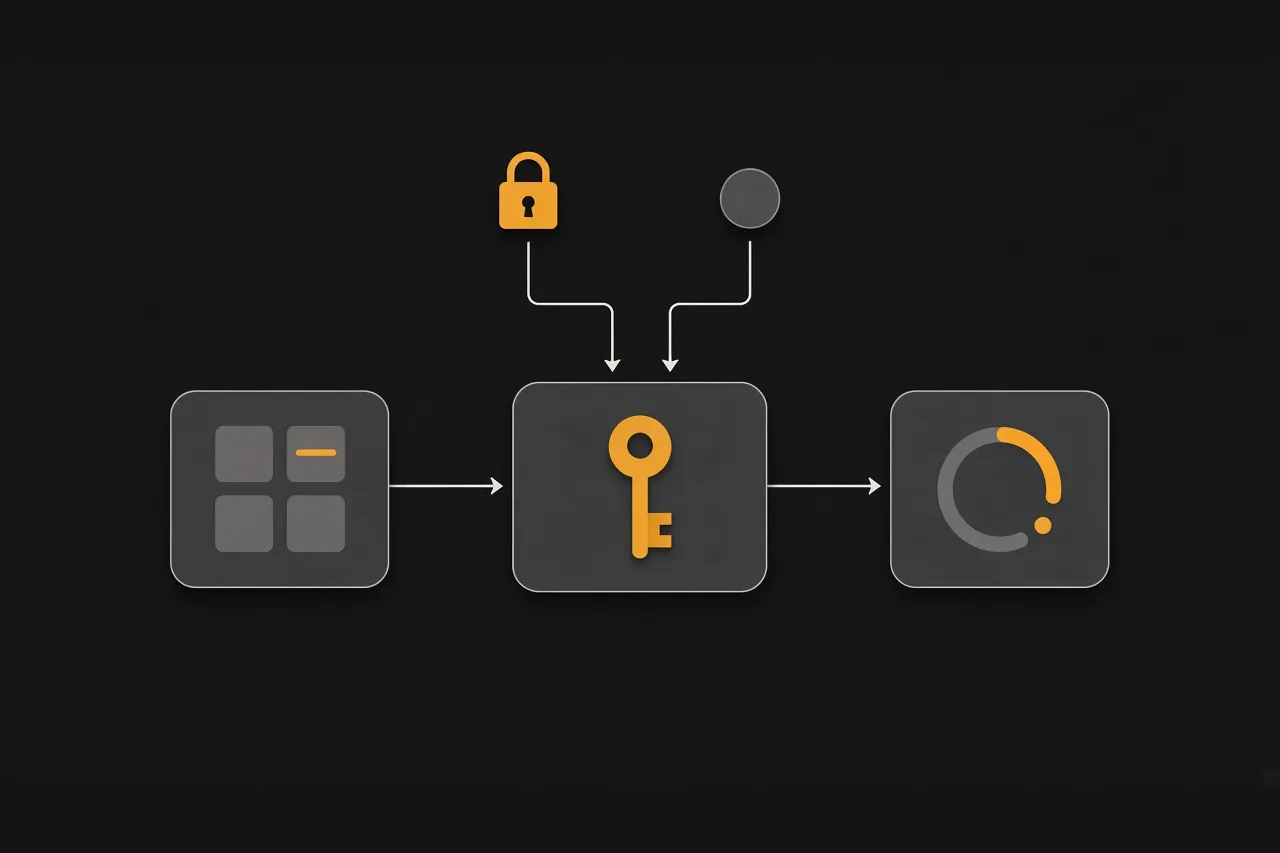
A credential is n8n's saved login for an outside service. It holds the API key, username and password, or OAuth tokens, and nodes reference it by name instead of carrying the secret themselves.
That separation matters in three ways:
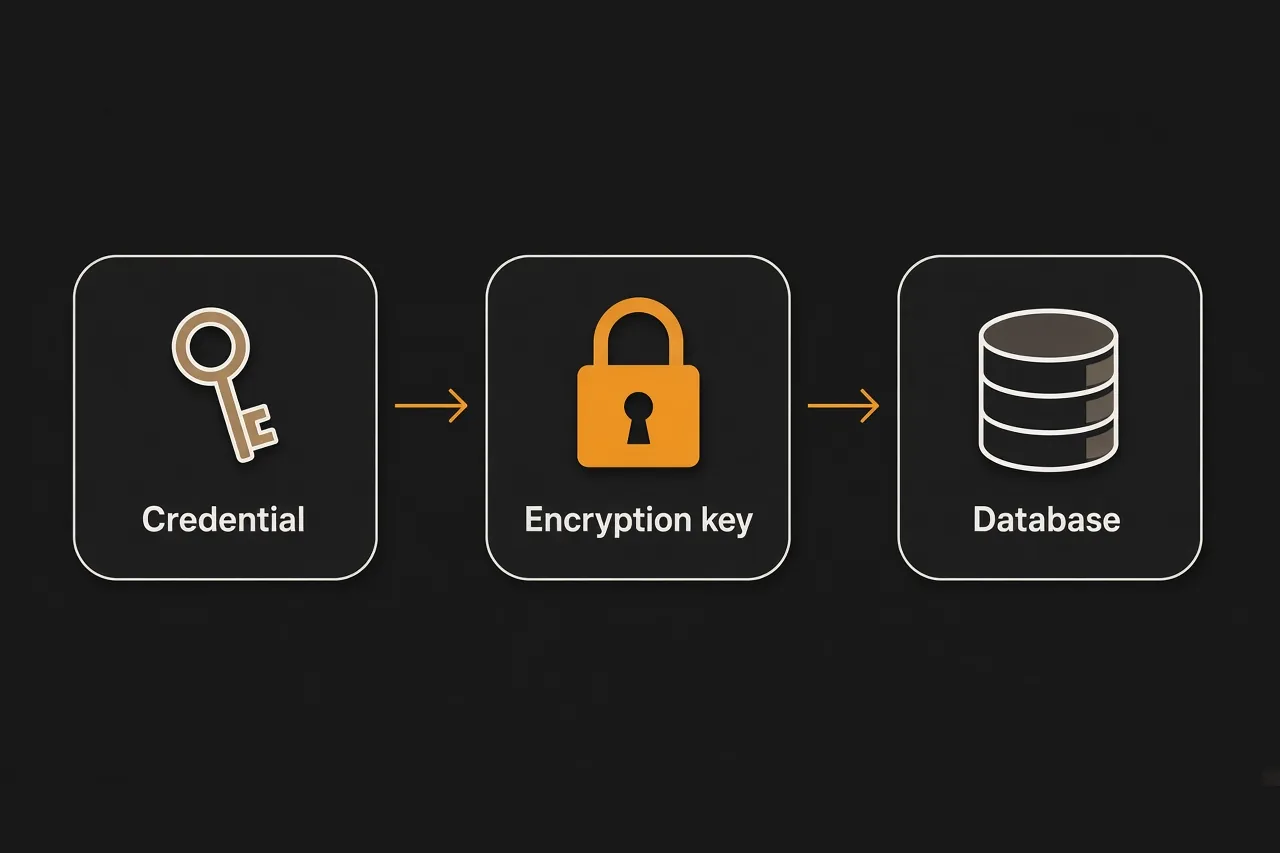
- n8n stores credentials encrypted in its database, so the secret never sits inside the workflow JSON.
- When you export or share a workflow, the nodes carry a reference to the credential, not the key itself.
- You can rotate a key in one place, and every workflow that uses that credential picks up the change.
When you save a credential, n8n tests it to confirm it works. If the test fails, fix it there and then, because a bad credential only gets harder to debug once it's buried in a scheduled workflow.
If terms like API key, endpoint and token are still fuzzy, my plain-English guide to how APIs work is a good five-minute primer before you go further.
Which credential type should you choose?
Start with one question: does n8n have a dedicated node for this service?
If it does, use that node's own credential. n8n calls these predefined credential types and recommends them whenever one exists, because the fields are already laid out for that service. You can even reuse a predefined credential inside the HTTP Request node to call endpoints the dedicated node doesn't cover.
If there's no node, you're in generic territory. Here's how the HTTP Request node's generic options map to what an API's docs usually say:
| The API docs say | Use this n8n credential | What you fill in |
|---|---|---|
| Send Authorization: Bearer YOUR_TOKEN | Bearer Auth | The token only |
| Send an X-API-Key (or similar) header | Header Auth | Header name and value |
| Add ?api_key=... to the URL | Query Auth | Parameter name and value |
| Use HTTP Basic authentication | Basic Auth | Username and password |
| Use Digest authentication | Digest Auth | Username and password |
| Several headers, query params or body fields | Custom Auth | A JSON object |
| Log in with OAuth 2.0 | OAuth2 | Client ID, secret, URLs, scopes |
| Log in with OAuth 1.0a | OAuth1 | Consumer key, secret, URLs |
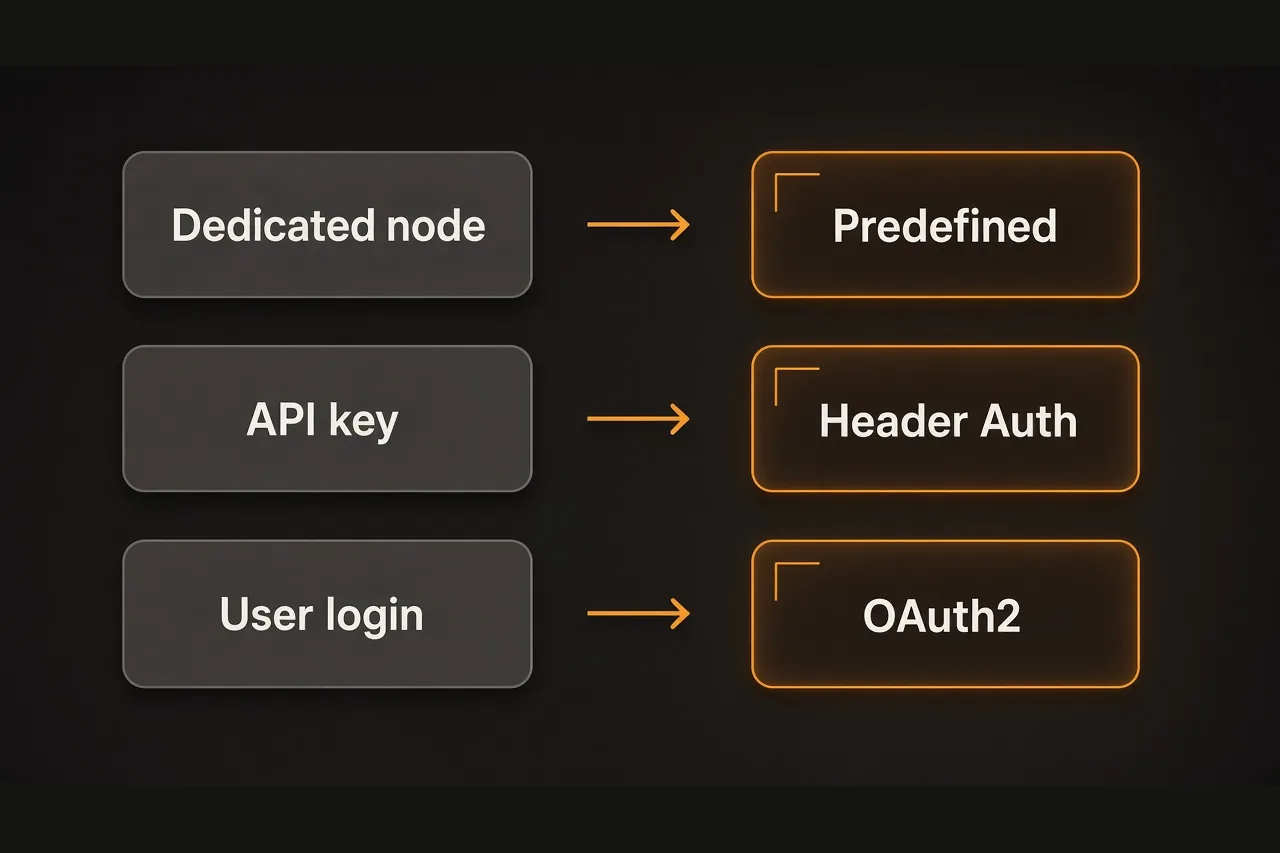
Bearer Auth is just Header Auth with the name preset to Authorization and the value to Bearer plus your token. If a service's docs show a bearer token, either works, but Bearer Auth saves you typing the prefix.
How do you set up an API key credential?
Most modern APIs want a key in a header, so this is the setup you'll do most often.
- Read the API docs and note the exact header name. Common ones are Authorization, X-API-Key and api-key.
- In n8n, open the node, find the credential dropdown and select Create new credential.
- Choose Header Auth, enter the header name in Name and the full value in Value.
- Rename the credential to something you'll recognise later, then save so n8n can test it.
The most common mistake is the value format. If the docs say Authorization: Bearer abc123, the header name is Authorization and the value is Bearer abc123, with the word Bearer and the space. Header Auth sends exactly what you type.
For keys in the URL, use Query Auth instead. It handles one parameter. If an API wants two, say an app ID and a key, use Custom Auth with a JSON body like this:
Custom Auth accepts headers, qs (query string) and body keys, or any mix of them. That's the escape hatch for APIs with unusual login rules.
From n8n 2.35.0 there's also Simplified Custom Auth. It uses the same JSON idea, but you write a template with {{placeholder}} markers, and n8n shows one masked form field per placeholder. The secrets stay out of the template, and you can add a test URL so n8n checks the login when you save it.
The HTTP Request node is where most of these generic credentials end up. My n8n HTTP Request node guide covers the request side: methods, pagination and reading responses.
How does OAuth2 work in n8n?
OAuth2 is for when the API acts on behalf of a user account, like reading someone's Google Sheets or posting to their Slack workspace. Instead of a key, n8n gets a token after you approve access on the service's own consent screen.
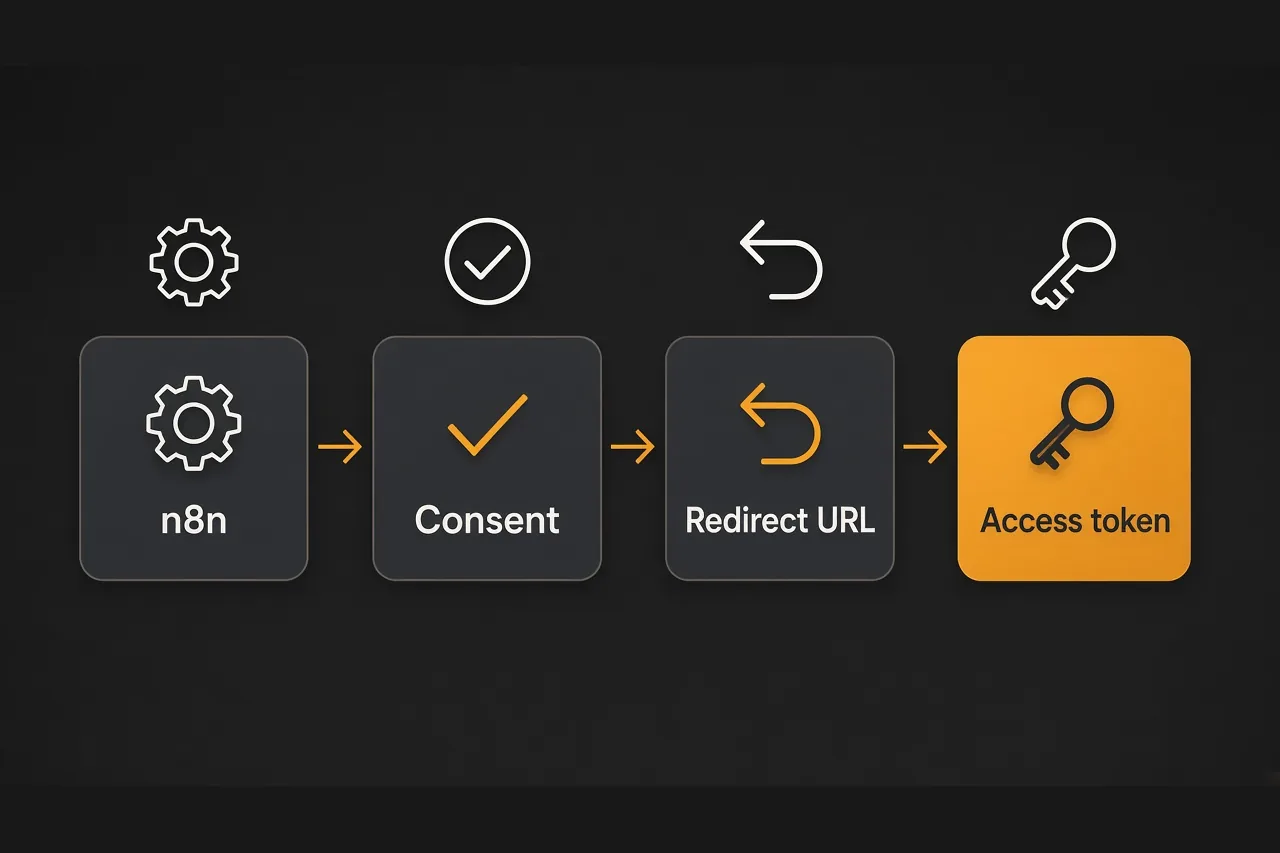
n8n's generic OAuth2 credential supports three grant types:
- Authorization Code: the standard user login. You approve access in a browser and the service redirects back to n8n.
- Client Credentials: an app accessing its own resources, not a user's. No browser step.
- PKCE: Authorization Code with extra protection against intercepted codes.
For Authorization Code you'll need an Authorization URL, an Access Token URL, a Client ID and a Client Secret from the service's developer console. The step people miss is the redirect. n8n shows an OAuth Redirect URL in the credential panel, and you must paste it into the service's app settings exactly, including http or https and the port.
On a local install it looks like http://localhost:5678/rest/oauth2-credential/callback. On a server it should show your real domain. If it shows the wrong address, the service will reject the login with a redirect mismatch error.
One setting deserves more attention than it gets: Scope. n8n's docs say that if you leave scopes empty, the credential requests every scope available to the client. Ask for the smallest set the workflow needs instead. A workflow that only reads a calendar has no business holding write access to it.
What about Google credentials?
Google is the OAuth2 setup that trips people up most, so it's worth its own section.
On n8n Cloud, many Google nodes support Managed OAuth2, including Gmail, Google Sheets, Google Drive, Google Calendar and Google Docs. You click Sign in with Google and you're done.
Self-hosted n8n doesn't get Managed OAuth2. You create your own OAuth client in Google Cloud Console in five steps, per n8n's docs:
- Create a Google Cloud project.
- Enable the API you need, such as the Gmail API. Docs, Sheets and Slides also need the Google Drive API.
- Configure the OAuth consent screen and add your n8n domain under authorized domains.
- Create an OAuth client ID of type Web application and paste n8n's OAuth Redirect URL into Authorized redirect URIs.
- Copy the Client ID and Client Secret into n8n and select Sign in with Google.
Three errors account for most failed Google logins:
| Error | What it means | Fix |
|---|---|---|
| redirect_uri_mismatch | The redirect URI doesn't match Google's list | Paste n8n's OAuth Redirect URL exactly, protocol and port included |
| Access denied or app not verified | The app is in Testing mode and your account isn't a test user | Add your Google account under Test users |
| invalid_client | The Client ID or Secret is wrong | Copy both again and watch for stray spaces |
There's also a quieter failure. Google says an External app left in Testing mode has its consent and tokens expire after seven days. If a Google workflow dies a week after you set it up, that's almost always why. Reconnect the credential, or move the app out of Testing when you're ready.
How do you keep n8n credentials secure?
Encryption is the default, but a few settings decide how far a leaked workflow or a careless teammate can get.
Restrict where a credential can be sent
Many credentials have an Allowed HTTP Request Domains field. It controls which domains the credential can be used against in the HTTP Request node:
- All: any URL.
- Specific Domains: a comma-separated list, such as api.github.com.
- None: blocked from the HTTP Request node entirely.
Set it to Specific Domains for anything sensitive. It stops a credential from being pointed at a URL that isn't the service it belongs to, whether by mistake or on purpose. It has no effect inside the service's own dedicated node.
Protect the encryption key on self-hosted n8n
n8n generates a random encryption key on first launch and saves it in the ~/.n8n folder. Every credential is encrypted with that key before it reaches the database.
That makes the key the one thing you can't lose. If you run n8n in Docker, keep the .n8n folder on a persistent volume, and back it up along with your database. Better still, set the key yourself with an environment variable so it lives in your deployment config:
In queue mode, n8n's docs say every worker must use the same N8N_ENCRYPTION_KEY. A worker with a different key can't read credentials the main instance saved. My guide to self-hosting n8n on a VPS with Docker shows where this variable goes in a Compose file.
Use expressions for keys that change per run
A credential field can hold an expression instead of a fixed value. n8n's own example uses a form where each user submits their own API key, and the credential reads it from the incoming data. It's useful for multi-tenant workflows, but it also means the key travels through your workflow data, so use it only when a fixed credential won't do.
How do you share credentials with a team?
Credential sharing is available on every n8n Cloud plan, and on self-hosted Business and Enterprise. On the free self-hosted Community edition, credentials live in your personal space.
When you share a credential with a user or a project, they get the Can use role. They can run and publish workflows with it, but they can't see or edit the secret itself. That's the point: a teammate can build with your Stripe key without ever reading it.
A few rules from n8n's docs worth knowing:
- You can share credentials you created and own. Only project admins can share credentials owned by a project.
- Instance owners and admins can view and share every credential on the instance.
- In team projects, owners and admins only get your personal credential after you share it with them.
To share, open Credentials, select the credential, go to the Sharing tab, pick a user or project and save. Removing access works the same way, with the trash icon next to the person or project.
On Enterprise plans, OAuth credentials can also be set as End-user credentials, so each person's own account is used when they trigger the workflow, instead of one fixed login for everyone.
What are external secrets in n8n?
External secrets let n8n read credential values from a vault instead of storing them itself. They're available on n8n Cloud Enterprise and self-hosted Enterprise.
Supported providers, per n8n's docs, are 1Password (through Connect Server), AWS Secrets Manager, Azure Key Vault, GCP Secrets Manager, HashiCorp Vault and Infisical. Once a vault is connected under Settings, External Secrets, you reference a secret in a credential field with an expression:
Two limits to know. External secrets only resolve in credential fields, not in other node fields. And n8n only supports plain-text secret values, not JSON objects.
The main reason to bother is environments. If you run separate development and production instances, connect each one to a different vault environment, and the same workflow uses the right keys in each place.
For most solo builders and small teams, this is overkill. Encrypted credentials, a backed-up encryption key and restricted domains cover the realistic risks.
Which credential mistakes break workflows most often?
- A missing Bearer prefix, or an extra one, in a Header Auth value.
- The header name copied with a trailing colon or space.
- Query Auth used for an API that wants the key in a header, or the other way round.
- An OAuth2 redirect URL that doesn't match the service's app settings character for character.
- Empty OAuth scopes, which grant far more access than the workflow needs.
- A Google app left in Testing mode, so tokens expire after seven days.
- A rebuilt Docker container with no persistent .n8n volume, so the original encryption key is gone.
- Queue-mode workers started without the main instance's N8N_ENCRYPTION_KEY.
When a credential fails mid-workflow, you want to hear about it before your users do. My guide to n8n error handling shows how to set up retries, an error workflow and alerts for exactly this.
Frequently asked questions
If you take one habit from this guide, make it this: name every credential clearly, restrict it to the domains it needs, and back up your encryption key the same day you set up n8n. And if you're running n8n yourself, a small KVM VPS from Hostinger is the setup I recommend for it.