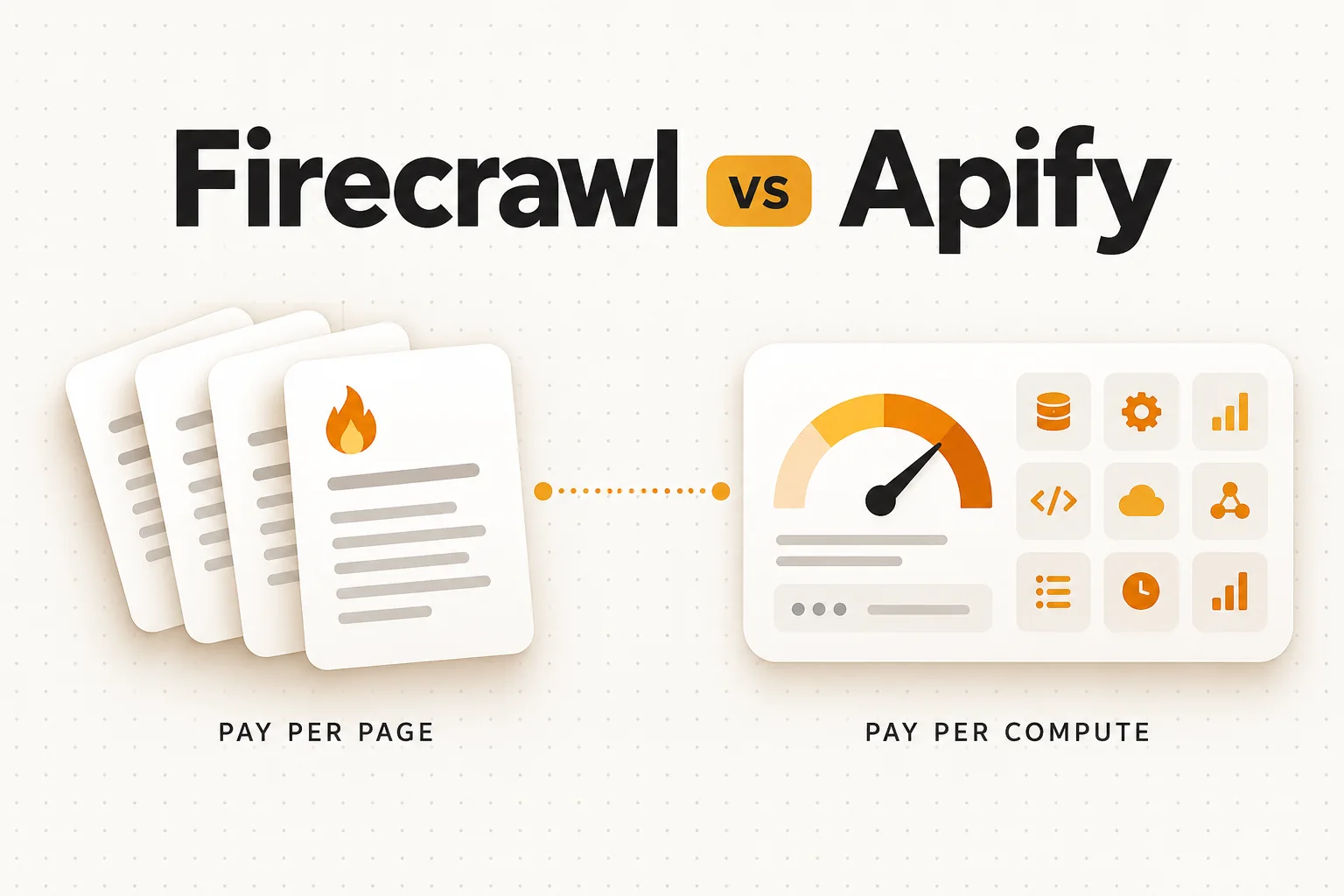
Firecrawl vs Apify looks like a price comparison, because both start at $19 a month. It isn't one.
Firecrawl charges for what it hands back: one credit per page. Apify charges for the work it took to get there, at $0.20 per gigabyte-hour of compute, with proxy bandwidth on top.
That gap cuts both ways. On my worked numbers, the wrong pick can cost more than ten times as much for the same thousand pages. Close to the break-even, the gap is only about 12%.
Which one is cheap hangs on two things you probably haven't measured: how long each page takes to render, and whether the site needs residential IPs.
Every figure comes from the vendors' pricing pages, docs, changelogs, Apify Store listings and GitHub repos. The cost maths is my own arithmetic on those rates, not a side-by-side test.
Some links in this post are affiliate links, and they don't change the verdict.
Firecrawl vs Apify at a glance
| Firecrawl | Apify | |
|---|---|---|
| What it is | An API that turns URLs into clean markdown or JSON | A platform for running scrapers, called Actors, plus a store of them |
| Billing unit | Credits: 1 per page to scrape or crawl, 1 per map call | A prepaid balance drawn down by compute, proxies, storage and data transfer |
| Entry paid plan | Hobby, $19 month to month, 5,000 credits | Starter, $19, with $19 of usage included |
| Free tier | 1,000 credits a month | $5 of usage a month |
| Proxies | Included in the credit, enhanced proxies too | 30 datacenter IPs included on Starter; residential billed separately at $8 per GB |
| Ready-made scrapers | None; you describe the data you want | 72,000+ Actors in the Apify Store |
| Open source | Firecrawl itself, AGPL-3.0 | Crawlee, the crawling library, Apache-2.0 |
| Output | Markdown, HTML, JSON, screenshots and more | Whatever the chosen Actor emits, stored as a dataset |
| AI tooling | Official MCP server, search and agent endpoints | Apify's MCP server plus an MCP category in the Store |
I've covered each billing model on its own in Firecrawl's credits and rate limits and Apify's compute units and proxy costs.
Are Firecrawl and Apify even the same kind of tool?
No. Firecrawl is an API. You send it a URL or a search query, and it sends the page back as clean markdown, HTML or structured JSON. The browsers, retries and proxy rotation behind that are its problem, not yours.
Apify is a platform. You run programs called Actors on its servers, and it supplies the compute, proxies, scheduling and storage around them. You can write your own Actor or pick one from the Apify Store.
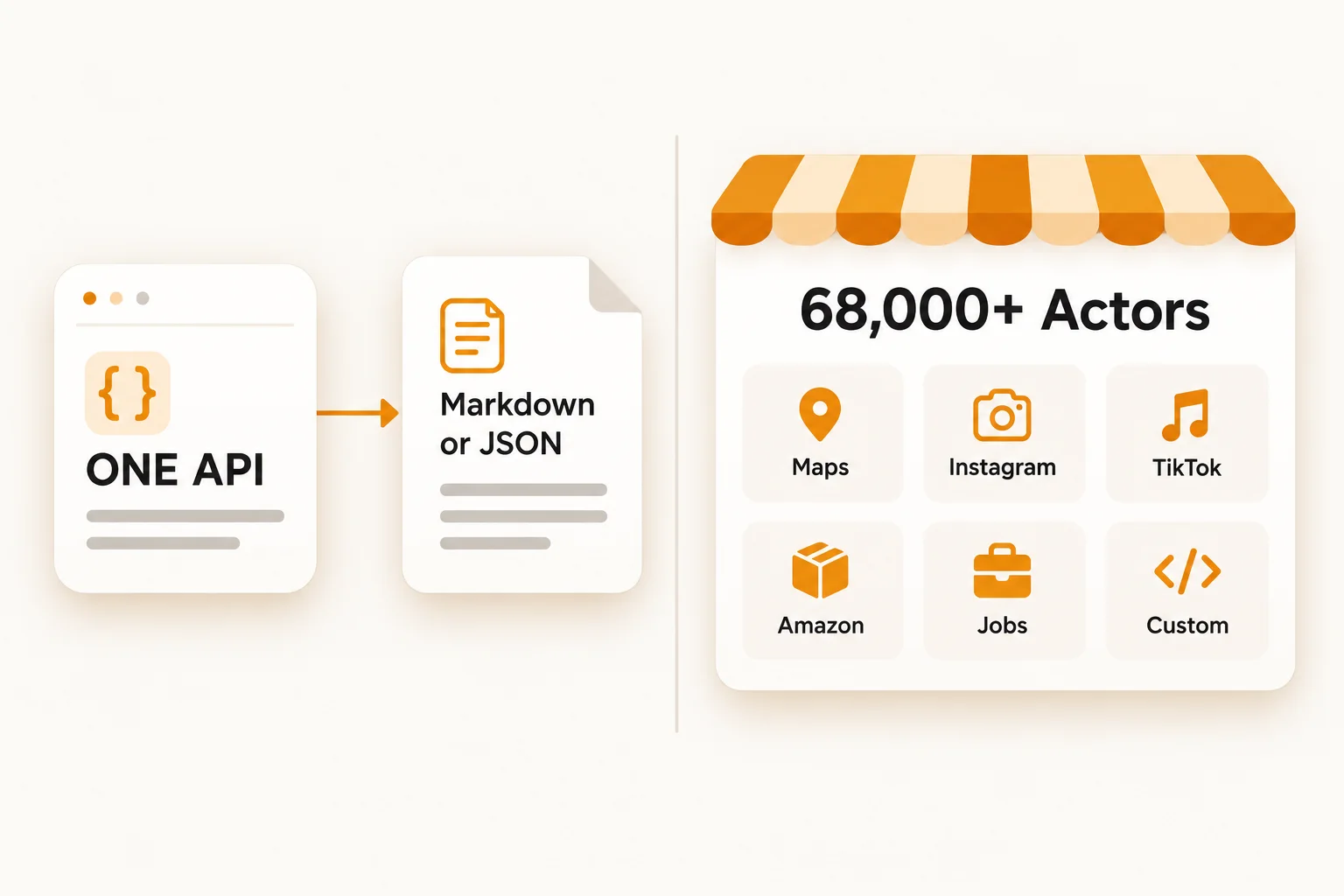
The real difference is who does the work. Firecrawl gives you a narrow, predictable interface and takes most of the control away. Apify gives you full control and a scraper for almost any popular site, but you pick it, configure it and sometimes debug it.
My take: most people here want either clean text from pages they can't predict, or structured records from one well-known site. That want picks the tool before price does.
How does each one bill you?
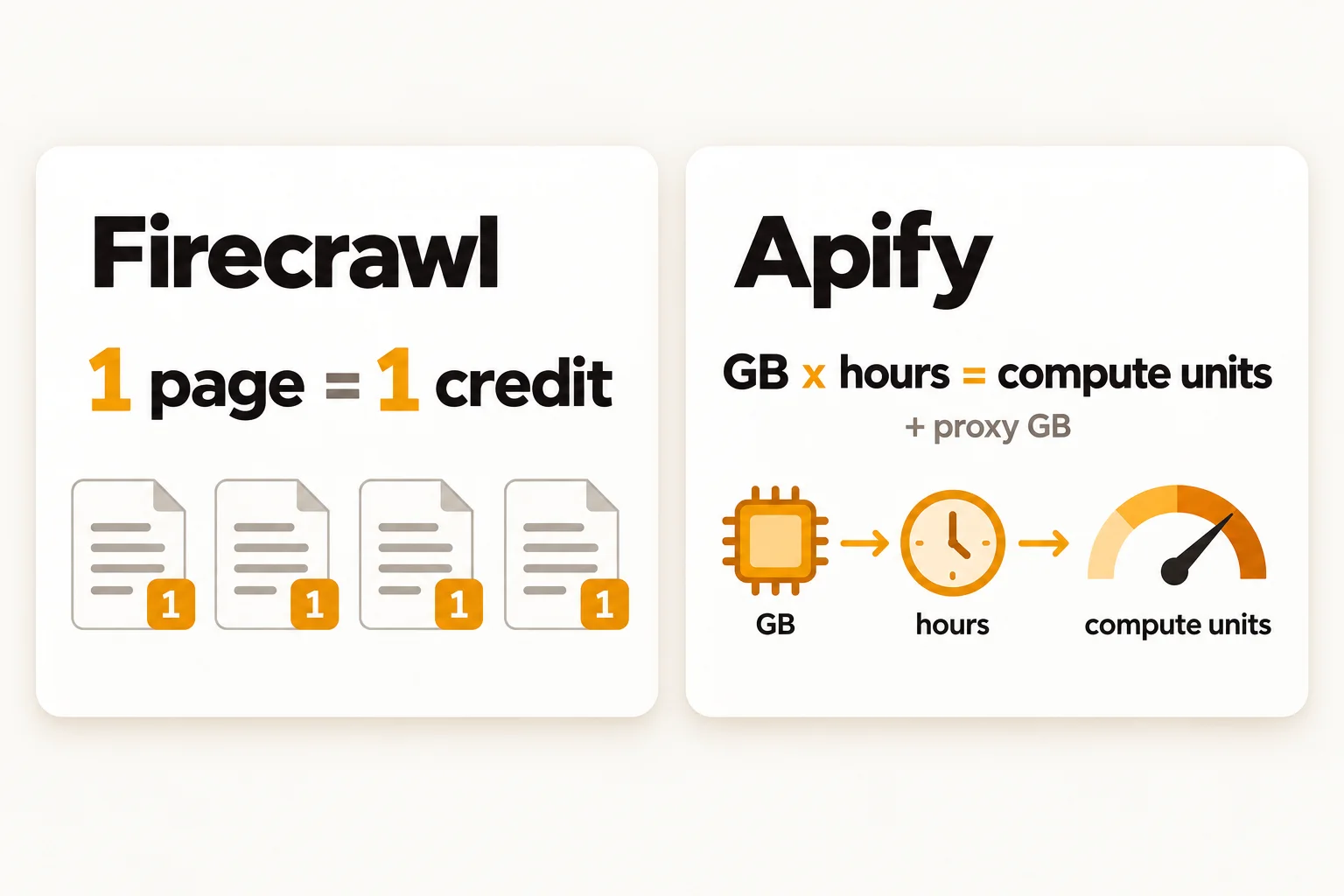
Firecrawl charges by output
As of 21 September 2026, scrape and crawl cost 1 credit per page. Map, which lists a site's URLs without scraping them, costs 1 credit per call in the billing docs. The pricing page's own table still says per page, so check your usage after the first map run.
Search costs 2 credits per 10 results. Structured JSON adds 4 credits per page, so an extraction costs 5 credits where plain markdown costs 1. A few other extras carry the same +4, including PII redaction and the highlights format.
| Firecrawl plan | Month to month | Credits | Cost per 1,000 markdown pages |
|---|---|---|---|
| Hobby | $19 | 5,000 | $3.80 |
| Standard | $99 | 100,000 | $0.99 |
| Growth | $399 | 500,000 | $0.80 |
| Scale | $749 | 1,000,000 | $0.75 |
Paying yearly takes about 17% off Hobby, Standard and Growth, and 20% off Scale.
Not everything bills per page. Interact costs 2 credits per browser minute, or 7 when you drive it with a prompt. Monitor costs 1 credit per page per check, or 7 with its deterministic-extraction engine.
Apify charges by input
One compute unit, or CU, is one gigabyte of memory running for one hour, measured by the second. Each paid plan's fee is prepaid usage, so paying $19 gets you $19 to spend. Annual billing takes 10% off, bringing the three paid plans to $17, $179 and $899 a month.
| Apify plan | Monthly | Included usage | Per compute unit | Residential proxy |
|---|---|---|---|---|
| Starter | $19 | $19 | $0.20 | $8.00 per GB |
| Scale | $199 | $199 | $0.16 | $7.50 per GB |
| Business | $999 | $999 | $0.13 | $7.00 per GB |
Storage operations and data transfer come out of the same balance. On Starter, external data transfer is $0.20 per GB.
Neither model is cheaper in general, but Firecrawl is the predictable one: you can price a job from a page count before you run it. On Apify, the same page count can cost wildly different amounts, which is why comparing the two $19 plans tells you so little.
When does a slow page make Apify the expensive one?
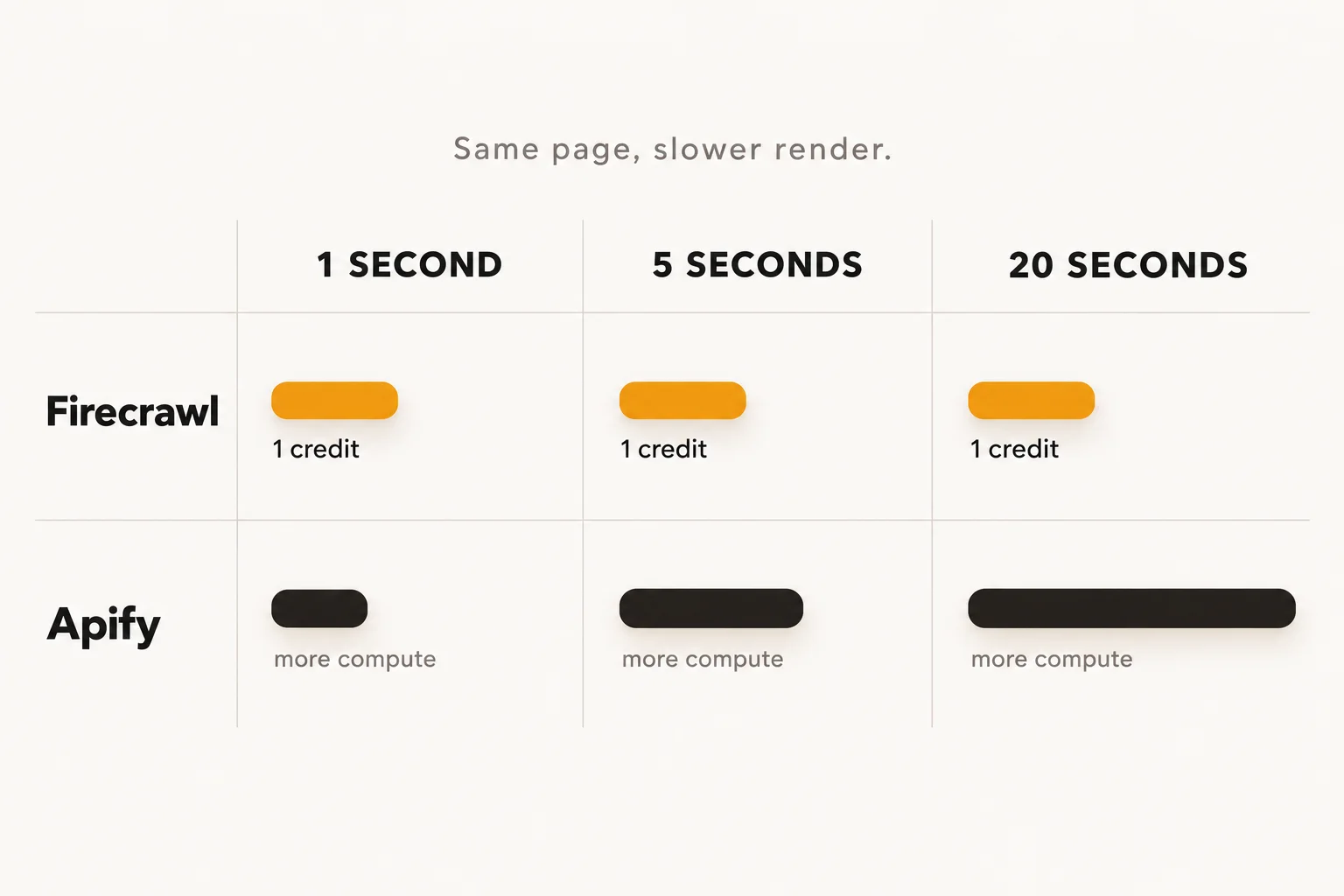
Here's the comparison neither pricing page runs for you. I'll assume one page at a time in a 1 GB browser Actor on Apify Starter, against Firecrawl Standard at the month-to-month rate. Both are simplifications, and I'll say which way reality pushes each.
| What 1,000 pages cost | Firecrawl Standard | Apify Starter |
|---|---|---|
| Fast page, 1-second render, datacenter IPs | $0.99 | About $0.06 in compute |
| Slow page, 20-second render, datacenter IPs | $0.99 | About $1.11 in compute |
| Needs residential proxies, 2 MB per page | $0.99 | About $16 in bandwidth, plus compute |
| Structured JSON output | $4.95 | Set by the Actor you run |
Fast pages cost pennies on Apify
A thousand one-second pages add up to about 0.28 gigabyte-hours, which comes to roughly six cents at $0.20 each. For static, cooperative targets, Firecrawl's flat credit costs nearly 18 times as much on compute alone. It's still around 12 times once Apify's request-queue and dataset writes are counted.
Around 18 seconds a page, the answer flips
Firecrawl Standard's $0.99 per 1,000 pages buys 4.95 gigabyte-hours on Apify Starter. That works out at about 17.8 seconds of 1 GB browser time per page. Slower than that, and Apify's compute alone costs more than Firecrawl's flat credit.
Reality pushes both ways. Real Actors run many pages in parallel inside the same memory, which pulls Apify's number down. But Apify's docs say browser Actors need at least 1 GB, and plenty are given more, which pushes it back up.
The entry plans move the line. Against Firecrawl Hobby's $3.80 per 1,000, the $19-for-$19 matchup, the break-even stretches to about 68 seconds a page. The residential gap in the table narrows to about 4 times.
Proxies outweigh render time
Once a target needs residential IPs, Apify's cost is mostly bandwidth at $8 per GB on Starter, so page weight becomes the number to watch. The 2 MB in the table is illustrative, not measured. Skipping images shrinks it a lot, and some pages are far heavier.
Firecrawl's credit covers its own proxy handling, including the enhanced proxies it uses on hard sites. A changelog update on 17 August 2026 cut enhanced requests from 5 credits to 1, the same as basic, and an automatic retry through the enhanced pool isn't charged separately.
What I would do: if the pages are fast and friendly, run them on Apify and pay pennies. If they're slow, heavy or hostile, and you don't want to tune proxies yourself, Firecrawl's flat credit is the safer bet. Past the break-even, or on targets that need residential IPs, it's the cheaper one too.
Which one is better for LLM and AI work?
This is Firecrawl's home ground.
Firecrawl was built to turn messy pages into text a model can read. Scrape returns clean markdown by default, and around it sit the endpoints a retrieval pipeline needs:
- Map lists the URLs it can find on a domain; the docs promise most links on a site, not every one.
- Search returns titles, URLs and highlights, or full-page markdown if you have it scrape the results, at one extra credit per result.
- Crawl walks a whole site and bills per page.
- Agent gathers data without being handed URLs at all. It's still a research preview, with 5 free runs a day and token-based pricing after that.
There's an official MCP server, so AI assistants can call Firecrawl directly, and the docs have integration guides for n8n, Zapier and Make. For a retrieval pipeline, it's close to plug and play.
Apify's output is whatever your chosen Actor emits, saved to a dataset you can export as JSON, CSV or Excel. That suits structured records: a Google Maps Actor returns businesses as clean rows, with names, ratings and addresses.
For LLM work, Apify's own Website Content Crawler Actor is built for the job. It turns sites into markdown for LLM and RAG pipelines, and it had more than 159,000 users on 21 September 2026. You still pick and configure it for each job, while Firecrawl gives you markdown by default.
I've put side-by-side code for both, plus the cleanup and chunking that come after, in my guide to scraping a website to markdown for LLMs.
Apify also has an MCP server and an MCP category in the Store, but agent tooling sits at the edge of its product, not the centre.
Wiring either one into an automation? Start with my plain-English guide to how APIs work, then my list of workflow automation tools for where the data goes next.
How do they handle anti-bot protection and proxies?
Firecrawl gives you less control and less to manage. Proxies are built in, with basic, enhanced and auto modes. Auto is the default: it tries basic first, then retries once through enhanced if the site blocks it with a 401, 403 or 429.
As of 21 September 2026, the docs mark the proxy setting as deprecated, though you can still pick a country. You never choose IP pools or see bandwidth, and on most sites you won't need to.
Apify gives you every lever instead, priced like this on 21 September 2026:
- Datacenter IPs come with the plan: 30 on Starter and 200 on Scale, then $1 per extra IP a month on Starter.
- Residential proxies are billed by the gigabyte, at $8 on Starter down to $7 on Business.
- A SERP proxy for search engines costs $2.50 per 1,000 queries on Starter.
- An Unblocker for stubborn sites costs $1.50 per 1,000 requests on Starter.
The residential-versus-datacenter choice is where most scraping budgets are won or lost, on either tool. My notes on proxies for scraping and rate limits cover which type survives which target, and my explainer on browser fingerprinting covers why sites spot scrapers at all.
My rule of thumb: start on datacenter IPs and move only the workflows that get blocked. On Apify, that rule saves real money. On Firecrawl, auto mode applies it for you.
Ready-made scrapers, or describe what you want?
This is Apify's home ground.
The Apify Store listed 72,242 Actors on 21 September 2026, and the popular ones are heavily used:
| Store Actor | Users | Rating |
|---|---|---|
| Google Maps Scraper | 611,000+ | 4.7 |
| Instagram Scraper | 400,000+ | 4.7 |
| TikTok Scraper | 289,000+ | 4.8 |
If thousands of other people scrape the same site, someone has already solved the hard parts. On the popular Actors, they keep solving them as the site changes.
Firecrawl has no marketplace. You describe what you want as a JSON schema or a prompt, and its extraction and agent features aim to build it from any page. That's more flexible for one-off or unusual sites, but less dependable on large, hostile platforms, where a dedicated, maintained scraper usually beats a general one.
The catch with the Store is uneven quality. The list runs from those popular scrapers down to a LinkedIn profile scraper rated 3.6 out of 5. Check the rating, user count and last update before you build on one.
Store pricing changed in 2026. Apify set 1 October 2026 as the date rental Actors, which charged a flat monthly fee, are fully retired. Any Actor whose developer hadn't moved it to pay per event by then switches to pay per usage automatically.
On Actors whose developers opt into Apify's discount tiers, a higher plan cuts Store fees as well as the compute rate. The Instagram Scraper, for example, charged $2.70 per 1,000 results on Free, $2.30 on Starter, $1.90 on Scale and $1.50 on Business on 21 September 2026. Not every Actor offers these discounts.
Can you self-host Firecrawl or Apify?
Both have an open-source path, but under very different licences.
Firecrawl: popular, but AGPL
Firecrawl's core is open source under AGPL-3.0, and it's enormously popular: 182,736 GitHub stars on 21 September 2026. Its SDKs and some UI components are MIT-licensed.
AGPL has a network clause: modify Firecrawl and run it as a service for other people, and you must offer those users the source code of your modified version. For internal use that rarely matters, but for a product built on a patched Firecrawl it matters a great deal.
Self-hosted Firecrawl also isn't the cloud product. According to its own self-hosting guide, the default stack:
- has no screenshots or page actions
- leaves out Fire-engine, where the serious anti-bot handling lives
- drops the agent, browser and interact features
- makes you run PostgreSQL, Redis, RabbitMQ, Playwright and workers yourself, with no TLS or high availability out of the box
Apify: a permissive library, not the platform
Apify's open-source path is Crawlee, the crawling library its platform is built around. It's licensed Apache-2.0, which is permissive, with no duty to share your changes. It drives Playwright, Puppeteer, Cheerio or plain HTTP, and on 21 September 2026 it had 25,860 GitHub stars for the JavaScript version and 9,542 for Python.
Self-hosting Crawlee gives you a crawling library, not the Apify platform, the Store or its proxies. Apify lists no self-hosted version of the platform.
If a permissive licence is a hard requirement, that settles it before anything else here does.
The limits that bite before price does
Price rarely stops a project. These do.
| Limit | Firecrawl | Apify |
|---|---|---|
| Throughput on the entry paid plan | 100 scrapes and 20 crawls a minute on Hobby | 32 concurrent runs on Starter |
| Parallel work | 5 concurrent browsers on Hobby, 25 on Standard | 32 GB per run and 64 GB in total on Starter |
| Unused allowance | Resets monthly; Scale rolls over one month (docs say annual only) | Resets monthly; annual plans can spend it any time in the year |
| Running out | HTTP 402, unless pay-as-you-go is on and under its cap | Runs stop at your usage limit until you raise it |
| Time limits | Queued jobs time out after 48 hours | Unnamed storage kept 31 days by default on paid plans (adjustable in billing settings) |
Firecrawl's limits are about rate: requests per minute and browsers at once. Work beyond your browser limit waits in a queue, but going over the per-minute limit returns a 429 error. Apify's limits are about resources: memory per run, memory in total and runs at once.
What happens when you run out? On Firecrawl, pay-as-you-go, formerly auto-recharge, tops you up to a monthly cap you set. While it's on, you also get overage headroom, such as 30,000 credits on Standard, before requests fail.
Apify makes overage opt-in. By default your usage limit equals your plan's prepaid amount, so runs stop rather than run up a bill. You can raise it yourself, to at most $100 on Starter, $1,000 on Scale or $5,000 on Business.
Firecrawl or Apify: which should you pick?
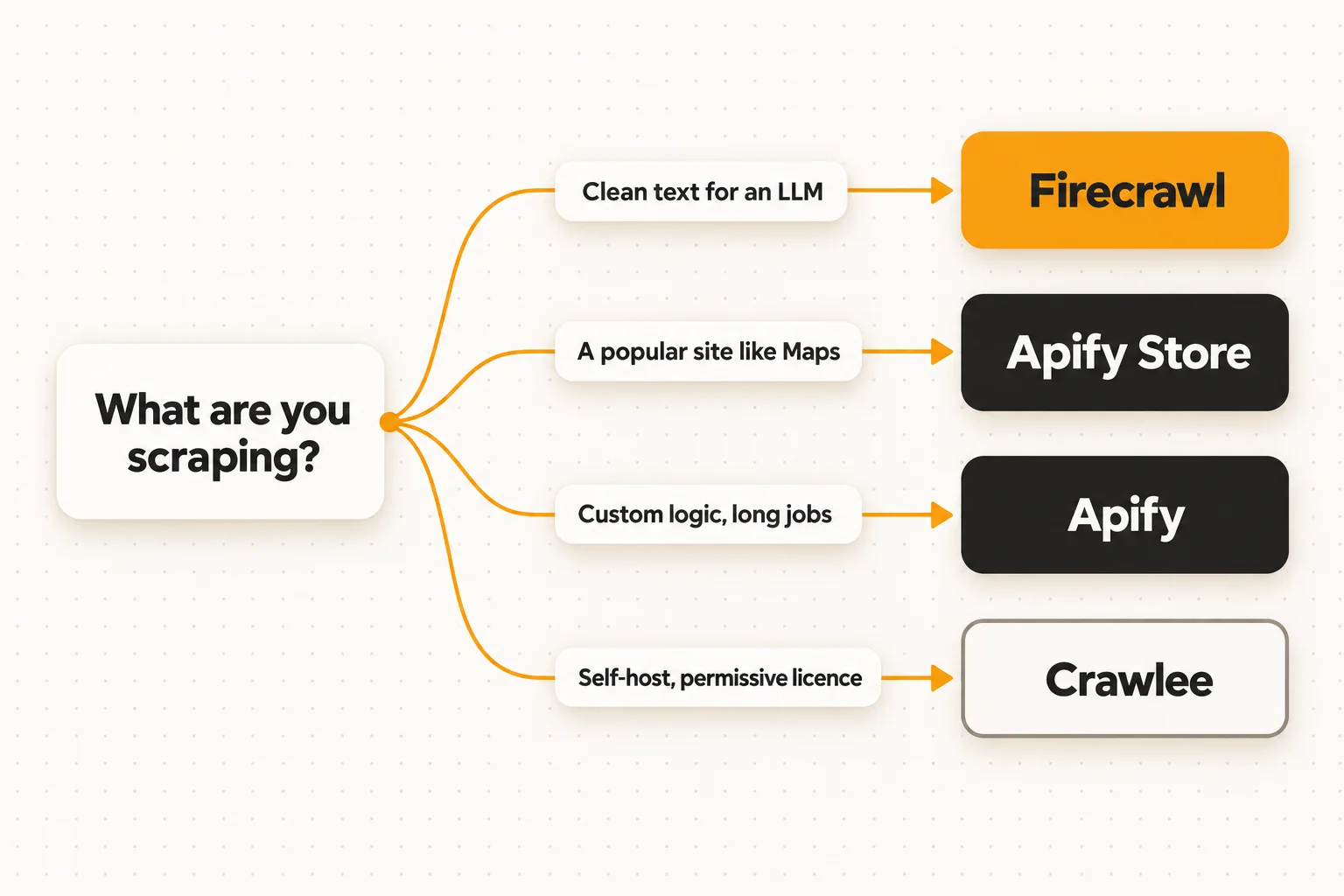
There's no single winner, so I'd split it by job.
Pick Firecrawl if you're feeding text to a model
You're building retrieval, summaries or research agents, and you want clean markdown from arbitrary pages without running anything yourself. Pick it too for pages that need residential IPs or render slower than the break-even, or when you'd rather pay a flat credit than tune proxies and memory. It's the better tool if you want scraping to be one API call and nothing more.
Pick Apify if a good Actor already does your job
You need structured data from a specific, popular site, and a well-rated Actor already exists for it. Pick it for long-running or scheduled jobs with custom logic per site, for fast pages where compute costs pennies, and whenever you need precise control over proxies. It's the better platform if you want to own the scraping rather than rent an abstraction.
Writing your own Actors? Look at Apify's Creator plan before Starter. As of 21 September 2026 it's $1 a month with $500 of platform usage for the first six months, though it limits Store Actors and caps proxy use.
Use both if your pipeline has both jobs
An Apify Actor pulls structured listings from a big platform, and Firecrawl turns the linked articles into clean text for a model. Each tool does the part it's built for.
Use neither if you scrape one or two stable sites
A short script with an HTTP client and a parser has no per-page cost and no platform to learn. Crawlee is a permissively licensed place to start.
Where each one falls short
Where Firecrawl falls short
Structured extraction is expensive and under-signposted. If your pipeline needs structured output, budget 5 credits a page, not the 1 credit the headline rate suggests.
The pricing page opens on annual billing, so the first figure you see, Standard at $83 a month, is a rate you can't get month to month.
Extra credits cost more than plan credits. Pay-as-you-go spends $5 at a time, which buys 1,000 credits on Hobby, 2,000 on Standard, 2,500 on Growth and 5,000 on Scale. That's 1.3 to 2.5 times the month-to-month in-plan rate, or 1.6 to 3 times the annual one.
Blocked pages still cost you. On the pricing page as of 21 September 2026, a scrape that returns no document is free. A page that answers with a 403 or 404 error, though, still comes back and costs 1 credit.
Skip Firecrawl if your targets are fast and friendly and you need volume. You'd be paying dollars for work Apify does for cents.
Where Apify falls short
The bill is hard to read while you're spending it. Compute, proxies, storage, data transfer and Actor fees all draw down one balance, and working out which line drained it takes too much digging.
Compute pricing also punishes bad memory sizing. An Actor given 8 GB that only uses 2 GB bills four times over, because Apify charges for the memory you allocate, not the memory you use.
The Store carries marketplace risk: uneven quality, abandoned Actors and the 2026 move away from rentals. And the free tier's $5 is enough to confirm an Actor runs, but not enough to size a real job.
Skip Apify if you'd rather not think about memory, proxies or Actor quality at all.
Frequently asked questions
Before you pick, work out what makes your pages expensive. Render time and proxy needs will decide your bill far more than the $19 on either pricing page.
Then test fifty of your own pages on both free tiers. They'll tell you more than any comparison table, this one included.
Some links here are affiliate links. If you buy through one, I may earn a commission at no extra cost to you, and it doesn't change the verdict above. Prices, limits and repository figures are as of 21 September 2026.