curl returns a shell. View Source is empty. Your selector finds nothing. The page looks fine in Chrome.
That is the classic JavaScript-heavy scrape failure. The HTML your HTTP client got is a bootstrap document. The product list, price and reviews only appear after the browser runs React, Vue or Next.js and waits for a follow-up API call.
So how do you scrape JavaScript-heavy websites without burning hours on flaky sleeps?
Below is the decision path I use from the docs: prove whether you need a browser at all, wait on the right signal, then choose a render API like Firecrawl, an Apify actor, or self-hosted Playwright. Pair it with robots.txt etiquette for scrapers before you scale.
Some links are affiliate links; they don't change your price.
Why do JavaScript-heavy pages break naive scrapers?
Because the first response is often not the page you see.
A naive scraper does one GET, parses the bytes, and looks for CSS selectors. On a server-rendered blog that works. On a client-rendered app, those bytes are a nearly empty root div, a script tag and a spinner.
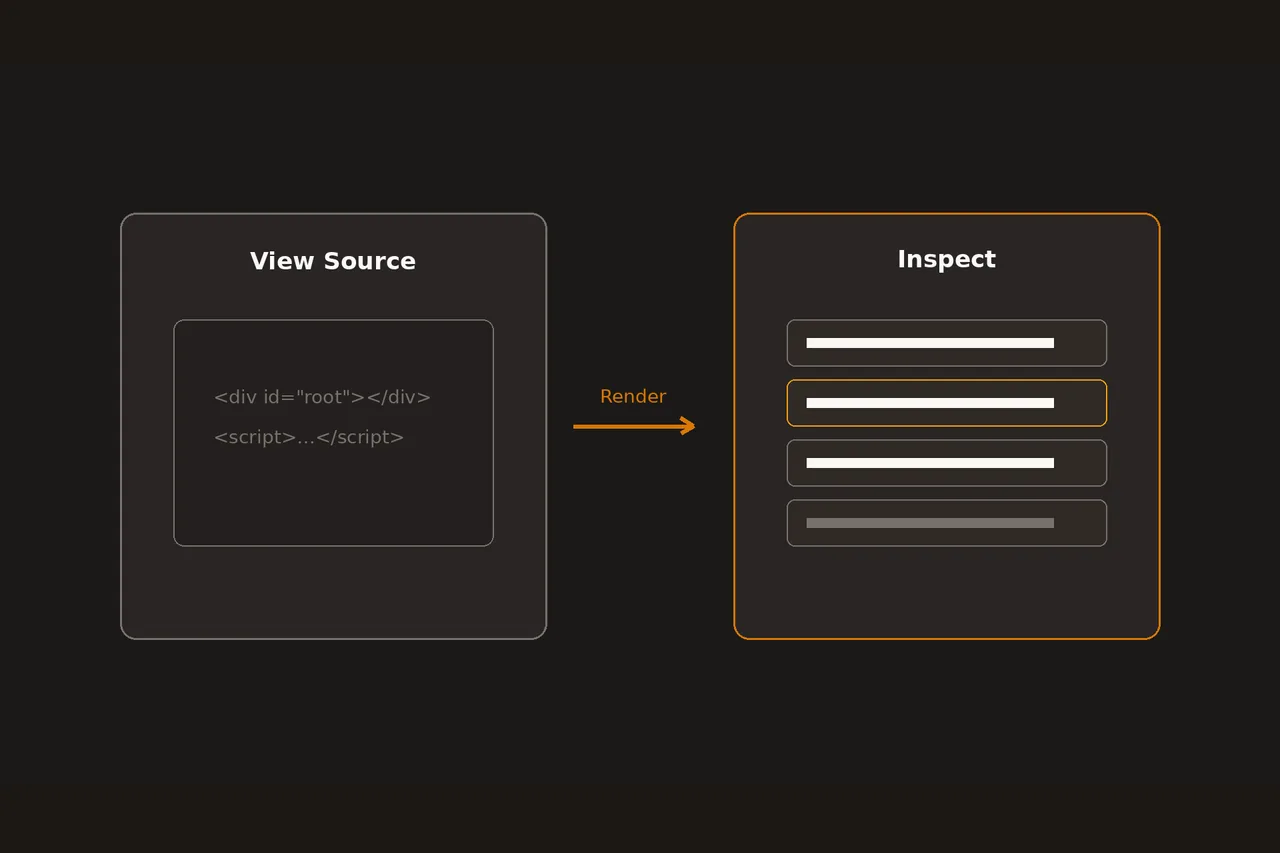
Crawlee's own guide shows the trap clearly: View Page Source is the original HTML before JavaScript. Inspect is the live DOM after it. Cheerio and plain HTTP see the first. Playwright and Puppeteer see the second.
That is why "my scraper returned blank" is usually not a selector bug. It is a rendering bug. You asked for the package, and the warehouse only shipped the box.
My take: treat every modern marketing site and SaaS app as guilty until View Source or a Network XHR proves the data was already there.
How can you tell if a page needs a browser?
Run three checks before you open Chromium.
1. View Source vs Inspect
Right-click → View Page Source and search for a unique string from the UI (a product title, a price, a heading). Then open DevTools → Elements and search again.
- Present in View Source: HTTP + Cheerio (or any HTML parser) is enough.
- Missing in View Source, present in Elements: something has to execute JavaScript.
2. Disable JavaScript
Apify's academy recommends checking whether the site still shows the data with JavaScript off. If it does, you do not need a browser for that page. If it collapses into a blank shell, you do.
3. Look at the Network tab
Filter XHR/fetch. Often the UI is just a client for a JSON endpoint that already returns the fields you want. If you can replay that request with the right headers and cookies, skip the browser entirely. That path is cheaper, faster and less fragile than driving a headless tab.
Decision table
| What you find | Lightest tool that fits |
|---|---|
| Fields in raw HTML | HTTP client + Cheerio / Beautiful Soup |
| Stable JSON/XHR API | Direct API scrape (still check ToS) |
| Needs JS, no clicks | Render API (Firecrawl) or headless browser |
| Needs login, zip, Load more, infinite scroll | Browser with actions (Firecrawl actions or Playwright) |
| Heavy volume, mixed static + dynamic | Apify hybrid: Cheerio for most, Playwright for the rest |
Skip it if: you only need a public RSS feed, sitemap or documented API. Scraping the SPA is the slow path.
Headless browser vs render API: which should you use?
A headless browser is Chromium (or Firefox/WebKit) you control. You own waits, clicks, cookies, proxies and failure modes. Playwright is the usual pick today. Puppeteer still works; Crawlee suggests Playwright if you know neither, because it auto-waits more cleanly.
A render API is someone else's Chromium farm wrapped in an HTTP call. You send a URL (and optional actions). You get markdown, HTML or structured JSON back.
Firecrawl is the one I point people at when the job is "turn this URL into clean markdown for an LLM or pipeline" and they do not want to operate browsers. Details on when each product wins live in my Firecrawl vs Apify comparison.
| Need | Prefer |
|---|---|
| One-off or low volume, markdown out | Firecrawl scrape |
| Custom Actor, queues, scheduling, mixed sites | Apify |
| Full control, local debug, special fingerprinting | Self-hosted Playwright |
| Mostly static HTML at scale | Cheerio / HTTP on Apify |
Firecrawl's docs state every scrape already runs in real Chromium, so React, Vue and Next.js pages do not need a special "enable JS" flag. You pay for that convenience in credits and less low-level control. Self-hosted Playwright costs you RAM, ops and your own retry logic.
For turning pages into LLM-ready markdown after you can render them, use the companion guide on scraping a website to markdown for LLMs.
What wait conditions actually work?
Wrong waits are why scrapers flake.
Playwright's own docs mark networkidle as discouraged. It means "no network connections for about 500 ms", not "the content I care about is ready".
Pages with websockets, analytics beacons or long-poll never go idle, so the wait times out. Other pages go quiet between the shell and the real fetch, so networkidle returns too early with an empty list.
Fixed sleeps (waitForTimeout style delays) are for debugging. Too short and you race. Too long and you pay for every page.
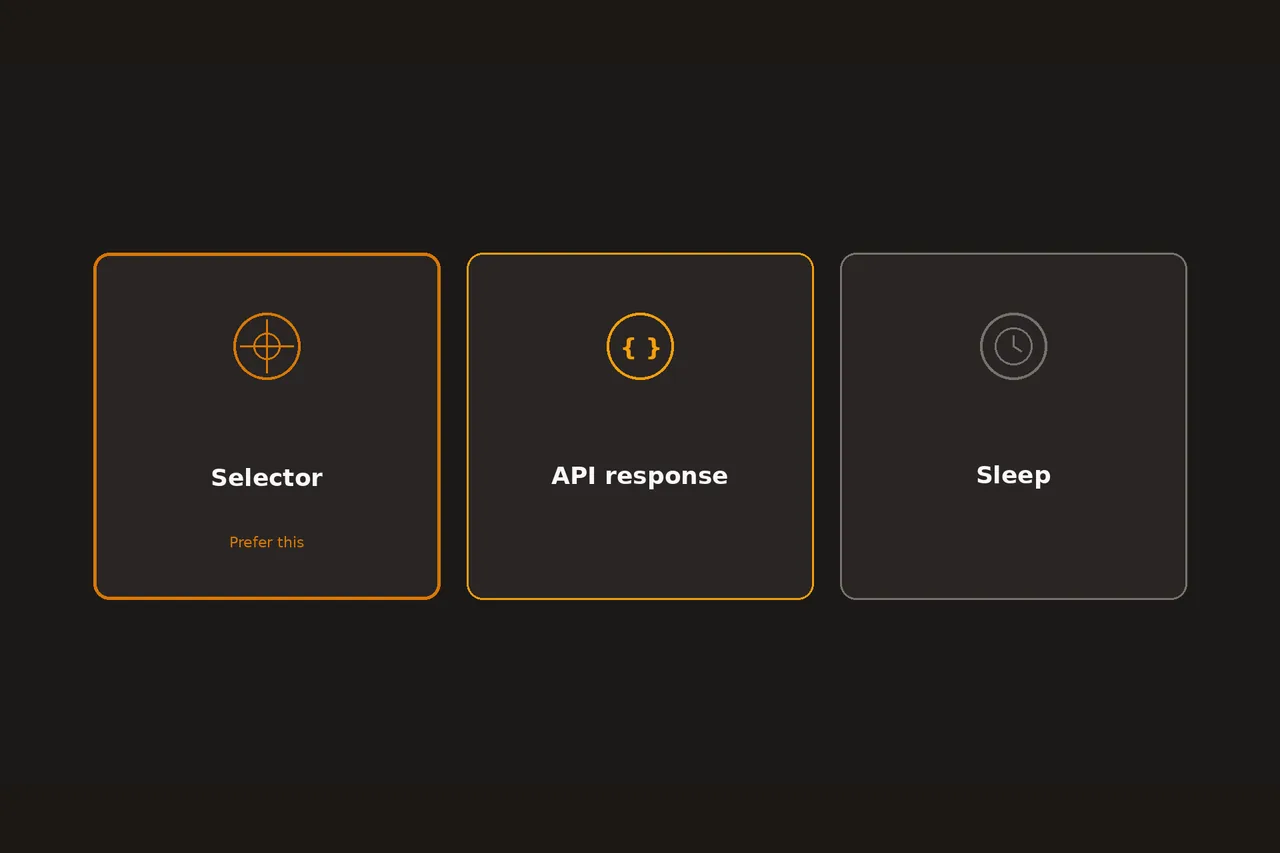
Wait on the signal you need
| Signal | Use | Fails when |
|---|---|---|
| Required element visible | locator.wait_for / Firecrawl wait with selector | Selector never appears (blocked page, A/B, renamed class) |
| Specific API response | page.expect_response before the trigger | Endpoint URL changed or is batched differently |
| Bounded JS predicate | page.wait_for_function | Predicate too loose or never true |
| Extra settle time (API) | Firecrawl waitFor in ms | Used as a default instead of a selector |
| Network quiet | networkidle (discouraged) | Beacons never stop, or quiet gap before data fetch |
| Fixed sleep | Debug only | Always |
Firecrawl splits this into two knobs:
- waitFor: extra milliseconds on top of its smart-wait (default 0). Docs say use sparingly.
- Actions wait: either milliseconds or selector (one, not both). Selector waits time out after 30 seconds. Combined waits across actions plus waitFor must stay under 60 seconds, with at most 50 actions per request.
My rule: wait for the product card, the price node, or the JSON response that fills them. Never wait for "the page" in the abstract.
How do you scrape JS pages with Firecrawl?
Start with a plain scrape. Firecrawl already renders JavaScript.
That pattern matches Firecrawl's advanced scraping guide (as of 6 November 2026). waitFor is an integer in milliseconds. timeout defaults to 60 seconds. onlyMainContent defaults to true so nav and footer noise is stripped before markdown.
When the data needs a click or scroll
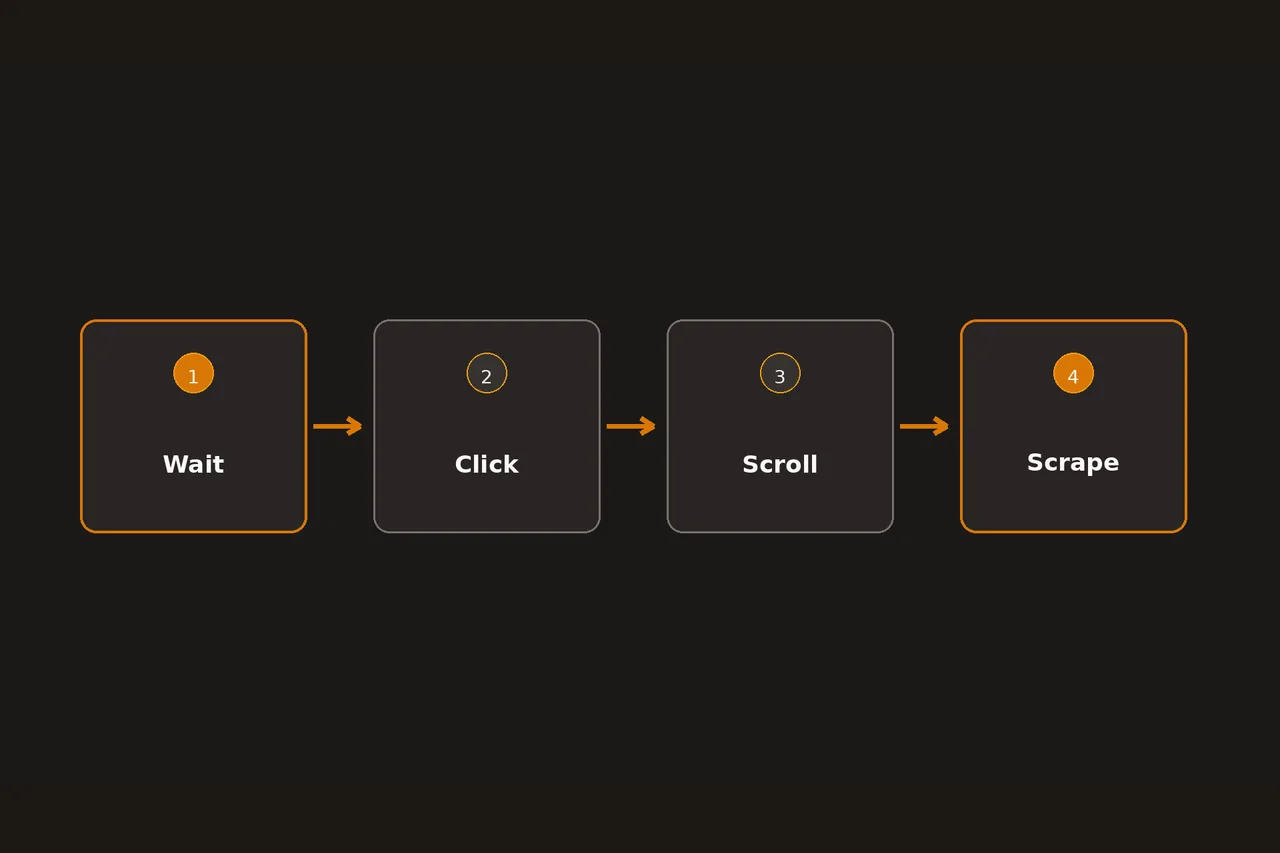
Use actions before the final capture. Example shape from the same docs: accept a banner, scroll, click Load more, then wait for a selector.
Notes that bite people:
- write only works after a click that focuses the field.
- executeJavascript can pull embedded state (for example a Next.js __NEXT_DATA__ script); return values land in actions.javascriptReturns.
- Actions are not supported when the URL is a PDF.
- Set maxAge to 0 when you need a fresh render instead of a cached copy (default cache window is two days).
For more request shapes, see Firecrawl API examples and the Next.js Firecrawl tutorial.
How do you scrape JS pages with Apify?
Apify's decision is blunt in their academy: prefer plain HTTP when the HTML or XHR already has the data. Reach for a browser when the page is dynamic, blocked by fingerprinting, or needs real interaction.
CheerioCrawler when the HTML is enough
Cheerio parses the response like jQuery on a string. No browser, no images, no layout.
Apify's own migration story reports roughly 10x faster runs and much higher safe concurrency when the target was actually static. Typical concurrency for HTTP scrapers sits in the 10–50 range. Browser crawlers often stay around 1–5 tabs unless you throw serious RAM at them.
PlaywrightCrawler when JavaScript must run
Use Playwright on Apify when:
- View Source is empty for the fields you need
- You must click, type, log in or pick a location
- The site expects a real browser fingerprint and blocks bare HTTP
Keep extraction logic modular so you can run Cheerio on most routes and Playwright on the stubborn ones. That hybrid pattern is what Apify recommends when only a subset of pages is dynamic.
Notice the wait: a locator for the first product card, not networkidle. That matches current Playwright guidance.
When should you self-host Playwright on a VPS?
Use a VPS when you need long-running browsers, custom proxy routing, sticky sessions, or you want to keep traffic and cookies off a third-party render farm.
Headless Chromium is memory-hungry. Plan for at least 4 GB RAM for a small worker.
On Hostinger's KVM line (as of 6 November 2026), KVM 1 is about $6.49/mo on the promo term (1 vCPU / 4 GB / 50 GB NVMe) and KVM 2 is about $8.79/mo (2 vCPU / 8 GB). Renewal prices are higher — read the term before you commit.
I recommend Hostinger KVM when you want a cheap dedicated box for Playwright or a small Apify-like worker you control.
Self-host when you already know Playwright and the bottleneck is control. Stay on Firecrawl or Apify when the bottleneck is time-to-first-successful-scrape.
What usually goes wrong on JS-heavy sites?
Empty results with a 200 status
The HTTP status is fine. The body is the shell. Fix the wait or switch to a browser/render path.
networkidle hangs forever
Something on the page keeps a connection open. Switch to a selector or expect_response.
Selector works in DevTools, fails in headless
Class names are hashed or A/B tested. Prefer stable attributes (data-testid, role, text) and keep a fallback. Screenshot on failure so you see the blocked or cookie-wall state.
Infinite scroll returns one viewport
You scraped before the scroll handler ran. Scroll in a loop, wait for the item count to grow, and stop when it stalls. Firecrawl's scroll action plus a selector wait covers many "Load more" buttons without a custom browser script.
For every pattern side by side (page numbers, Next links, cursors, Load more and scroll loops) plus the stop rules that keep a crawl from running forever, see my guide to handling pagination and infinite scroll when scraping.
Blocked after a few dozen pages
Fingerprints, datacenter IPs and bursty concurrency get you challenged. Slow down, respect Retry-After, and read how to avoid proxy bans and CAPTCHAs ethically. Pair that with robots.txt etiquette for scrapers.
You scraped something you should not have
Public HTML is not a free pass. Check robots.txt, the site's terms, and whether the data is personal or login-gated. For the legal framing, start with is web scraping legal — this post is technical, not legal advice.
Which tool should you pick for your next JS scrape?
Use this as the short decision rule:
- Data already in HTML or a JSON API → HTTP / Cheerio. Do not open a browser.
- Need a rendered page as markdown, low ops → Firecrawl with waitFor or actions.
- Need queues, scheduling, hybrid static+dynamic at scale → Apify Cheerio + Playwright.
- Need full control, custom proxies, long workers → Playwright on a Hostinger KVM VPS.
The goal is the lightest tool that still returns the fields you need. Heavier is not more professional. It is just more expensive to run and harder to debug.
Frequently asked questions
If your next scrape is a single JS-heavy URL you need as clean markdown, start with Firecrawl and a selector wait. If you are building a queue of mixed sites, start with Apify and keep Playwright off the static routes. Either way, prove the data is missing from View Source before you pay for a browser.