You turn on your VPN, search Google, and get a page that says "Our systems have detected unusual traffic from your computer network", with a CAPTCHA under it. Turn the VPN off and the page goes away.
The cause is rarely you. A VPN puts you on an IP address you share with other people, and if any of them send automated searches, Google can't tell your searches apart from theirs. Everything on this page comes from Google's own help docs and policies. There's no trick for getting past the check here, just what causes it and the fixes that work.
If you're still picking a VPN, my guide to the best VPNs for bloggers, creators and remote workers compares seven of them.
Some links here are affiliate links. They don't change your price or my verdict.
What is Google's "unusual traffic" page?
It's Google Search's block page for traffic that looks automated. Google's help page on the unusual traffic message says you may see it when "a network you use, including VPN networks, seems to be sending automated traffic to Google Search".
There's a second version. It says "We're sorry, but your computer or network may be sending automated queries. To protect our users, we can't process your request right now." Google's reCAPTCHA help treats it as the same problem and points back to the unusual traffic page.
Most of the time the page shows a reCAPTCHA. Google says that once you solve it, the message goes away and you can search again. If no reCAPTCHA appears, Google's advice is to check that your browser supports reCAPTCHA and that JavaScript is turned on.
Why does a VPN trigger Google CAPTCHAs?
Because Google judges the network, not the person. The message says "your computer network" for a reason.
Shared IP addresses
On most VPNs, many customers leave the VPN server through the same public IP address. To Google, all of them look like one very busy user.
Google spells this out. You could get the message "if others that use the same Virtual Private Network (VPN) you use are sending automated searches to Google". One person running a scraper on your server is enough to put everyone behind that address in front of a CAPTCHA.
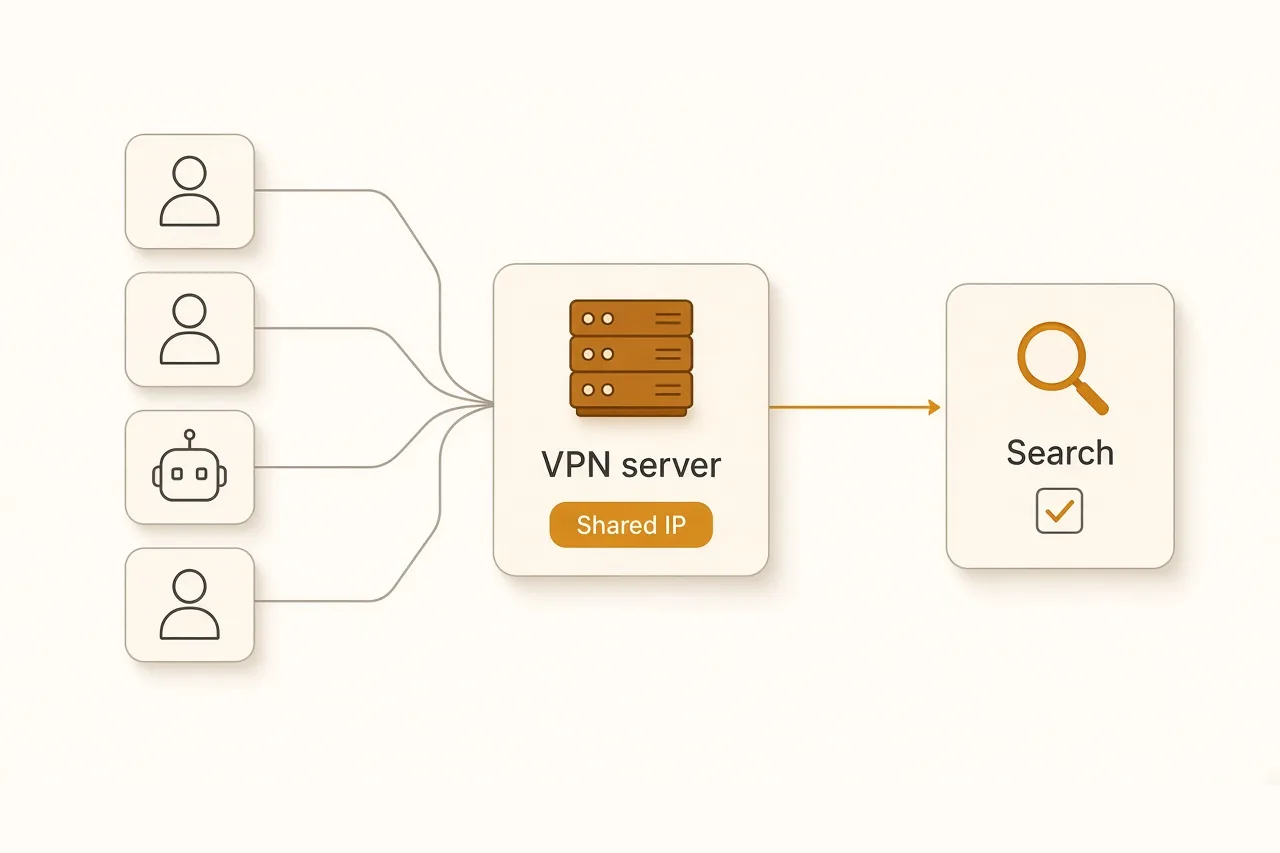
Some VPN networks get blocked as a whole
The bluntest line in Google's help page is this one: "Some VPNs and tunnel services cause all traffic to be blocked because they make it impossible for Google to tell the difference between abusive and non-abusive traffic." It says the same can happen with IPv6 tunnel services.
So it isn't always one bad neighbour. If abuse from a network keeps coming back, every user on it can end up challenged.
The address's history
People call this IP reputation. Google doesn't publish a reputation score for Search, so treat that phrase as shorthand. What Google does say is that it acts on the automated traffic it sees from a network. An address that has carried a lot of it recently is more likely to be challenged, whoever is using it today.
Google has also been fighting residential proxy networks, which route other people's traffic through home connections. In its July 2026 report on disrupting malicious residential proxy networks, Google noted that people on those networks "can have their legitimate traffic flagged as suspicious". Shared and proxied addresses are exactly where Google looks harder.
What counts as automated traffic to Google?
Google's help page lists searches sent from:
- Robots
- Computer programs
- Automated services
- Search scrapers
- Software that sends searches to Google to see how a website or page ranks
That last one matters for bloggers. Google's spam policies are blunter still. They call this "machine-generated traffic", including "scraping results for rank-checking purposes", and say it violates both the spam policies and the Google Terms of Service.
So if a rank-checking app or browser extension on your laptop sends searches in the background, you may be causing the CAPTCHA yourself, VPN or not. Malware can do the same thing, which is why Google's first suggestion for a message that won't go away is to scan for it.
How do you stop Google's CAPTCHAs on a VPN?
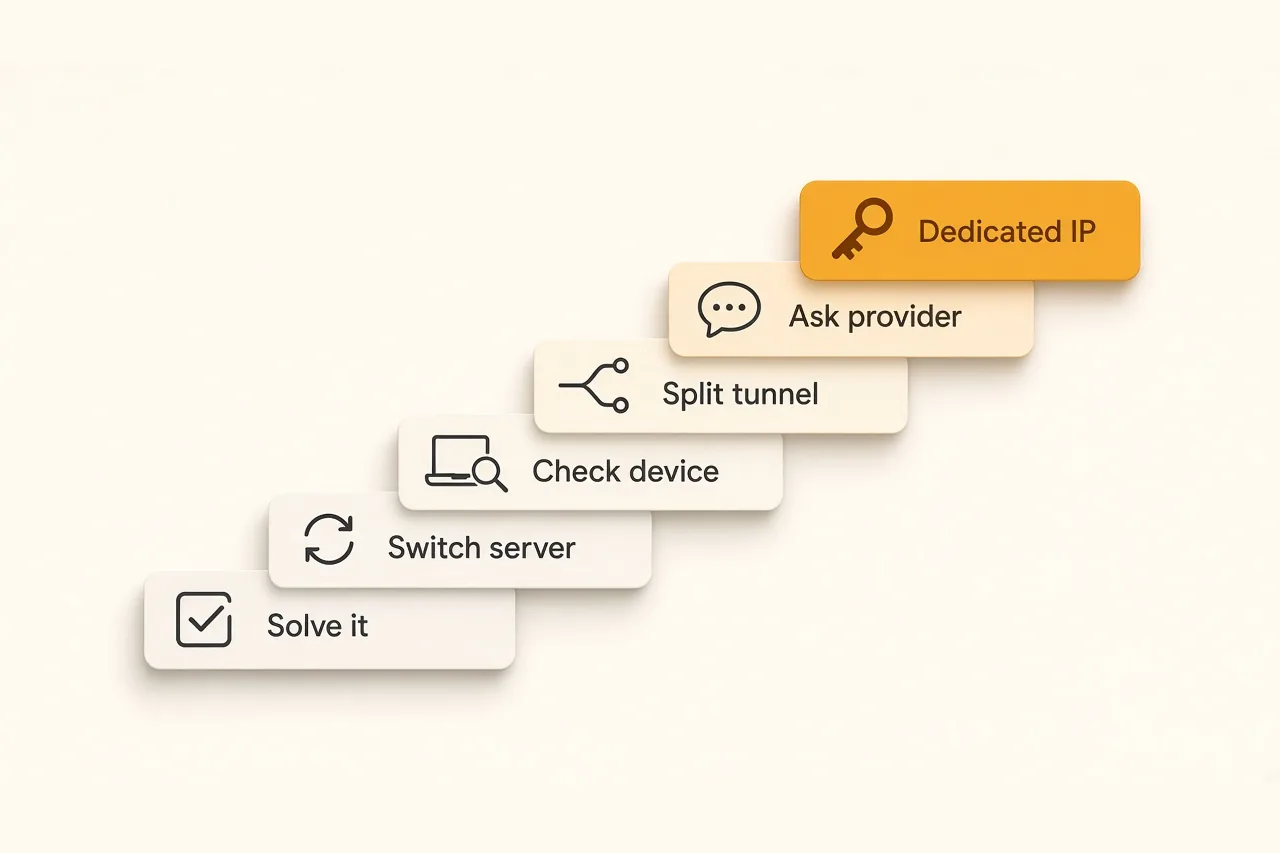
Work down this list in order. The first steps are free and take seconds.
- Solve the reCAPTCHA. It's the fix Google gives first, and it works for one-off flags.
- Reconnect or switch servers. A new server usually means a new exit IP, so you leave the busy address behind. If one country's servers keep failing, try a nearby one.
- Check your own machine. Remove browser extensions or apps that check rankings or query Google automatically, and run a malware scan.
- Pause the VPN for Google, or use split tunnelling. Google's own advice for a message that won't go away is to uninstall the VPN or contact the provider. Many VPN apps let you exclude a site or app instead, but then Google sees your real IP for those searches, so only do it if you're fine with that.
- Contact your VPN provider. Google asks VPN providers to find and block the automated traffic on their networks. Tell support which server keeps failing so they can look.
- Get a dedicated IP. It's an address only you use, so other people's traffic can't get it flagged.
| Fix | Why it can help | The trade-off |
|---|---|---|
| Solve the reCAPTCHA | Google lifts the message once you pass | It can come back on a busy server |
| Switch servers | New exit IP, new neighbours | No guarantee the new address is clean |
| Remove rank-checking tools and malware | Stops automated searches from your device | Takes a few minutes |
| Exclude Google from the VPN | Google sees your normal connection | Google sees your real IP again |
| Report the server to your VPN | The provider can block the abuse at source | You wait for support |
| Dedicated IP | No shared neighbours on that address | Costs extra, and it's linkable to you |
Does signing in to Google stop the CAPTCHA?
Not reliably, and Google doesn't list it as a fix. The block is about the network, so a signed-in user on a flagged network can still be challenged.
Signing in also changes what Google knows. Your account ties those searches to you, whatever IP address the VPN gives you. Google's location help says it also watches for unusual account activity, such as signing in from a new city. Sign in if you were going to anyway, but don't treat it as the fix.
Is a dedicated IP worth it to avoid Google CAPTCHAs?
It's the most direct fix, because nobody else's traffic comes from your address. ExpressVPN says on its dedicated IP page that one helps "minimize annoying CAPTCHAs", and Surfshark sells its dedicated IP on the same promise. Those are the providers' own claims, not my test results.
There are two downsides. A dedicated IP costs extra on top of the subscription, and it makes you less anonymous, because only you use that address.
For a blogger who also wants a fixed IP to allowlist in WordPress security plugins or client firewalls, it's often worth it anyway. NordVPN, Surfshark and ExpressVPN all sell one as an add-on, and my VPN comparison covers their prices and audits.
How do you check Google rankings without getting blocked?
Don't use your VPN as a rank checker. Searching the same keywords over and over from a shared IP is the pattern Google is looking for, and rank-checking scrapers break its policies.
Use Google's own data instead:
- Search Console: the Performance report shows clicks, impressions and average position for your site, and you can filter by country. It's real data from Google, not one person's search.
- Google Ads Ad preview and diagnosis: the Ad preview tool lets you set a location, language and device for a keyword and preview that results page. Google recommends it over searching google.com yourself.
- Custom Search JSON API: this used to be the official API for search results, but it's closed to new customers, and existing customers have until 1 January 2027 to move off it.
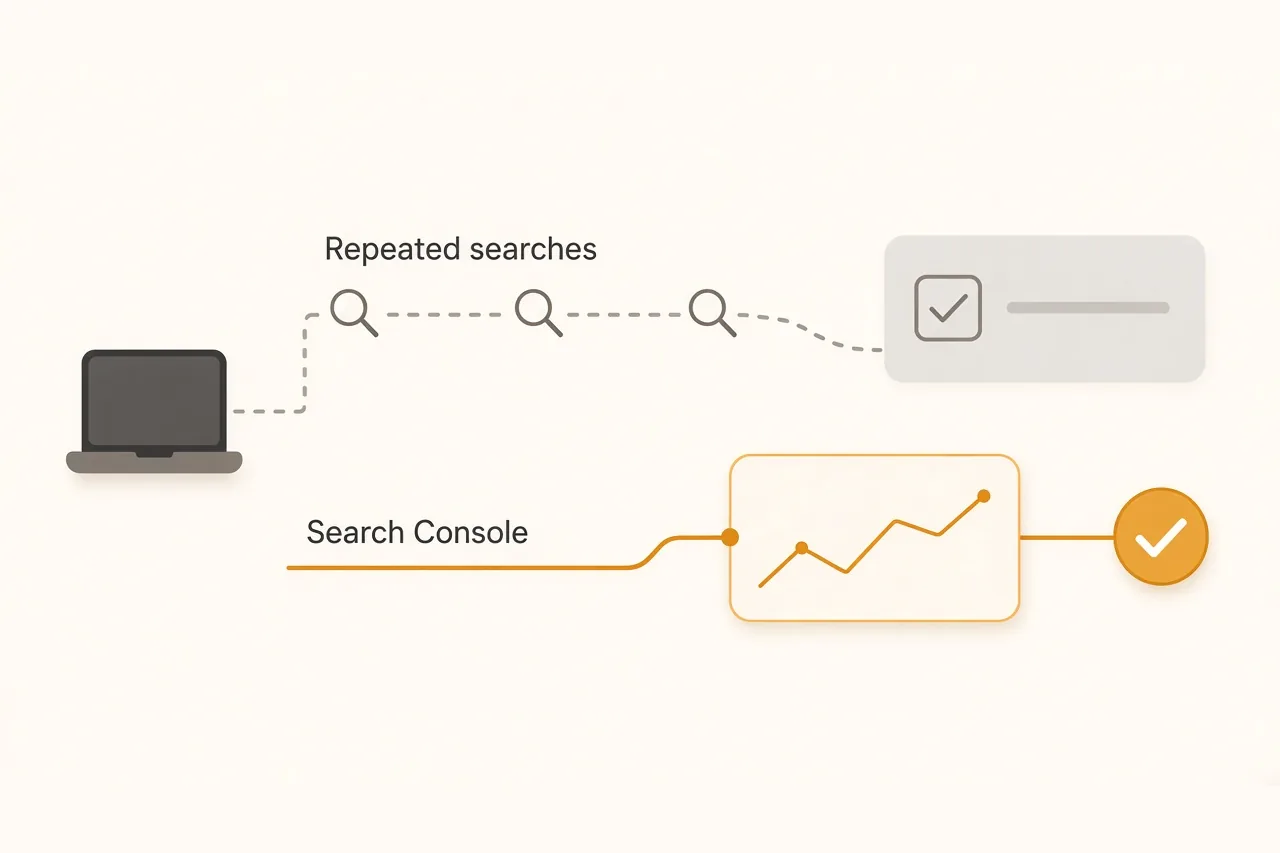
A VPN can't show you a country's results reliably anyway. Google estimates your location from your device, saved places and past activity as well as your IP address, as I explained in the VPN guide. Changing the IP changes only one of those signals.
What if Google shows CAPTCHAs without a VPN?
Then the VPN isn't the cause, and the same logic points somewhere else. Google's help page says you can get the message if others on your school or office network send automated searches, or if others using the same internet provider do.
Some home and mobile providers put many customers behind one public IP address, so you can inherit a neighbour's traffic without any VPN at all. If the message follows you across networks, check your own devices first. If it only happens on one network, ask that network's admin or your internet provider.
What shouldn't you do?
Don't buy a CAPTCHA-solving service or route a scraper through rotating proxies to get past the check. Google's Terms of Service forbid "bypassing our systems or protective measures", and you'd be adding to the traffic that gets VPN addresses blocked.
If you do need proxies for legitimate data work, check how they're sourced first. My comparison of residential proxy providers covers sourcing and KYC for seven of them.
My guide to proxy vs VPN explains the difference. If you're running several accounts, the IP address is only part of what sites check. Your browser fingerprint matters too, which is what anti-detect browsers are built for.
Frequently asked questions
Tired of solving CAPTCHAs on a shared server? A dedicated IP is the clean fix. Compare which VPNs offer one in my roundup.