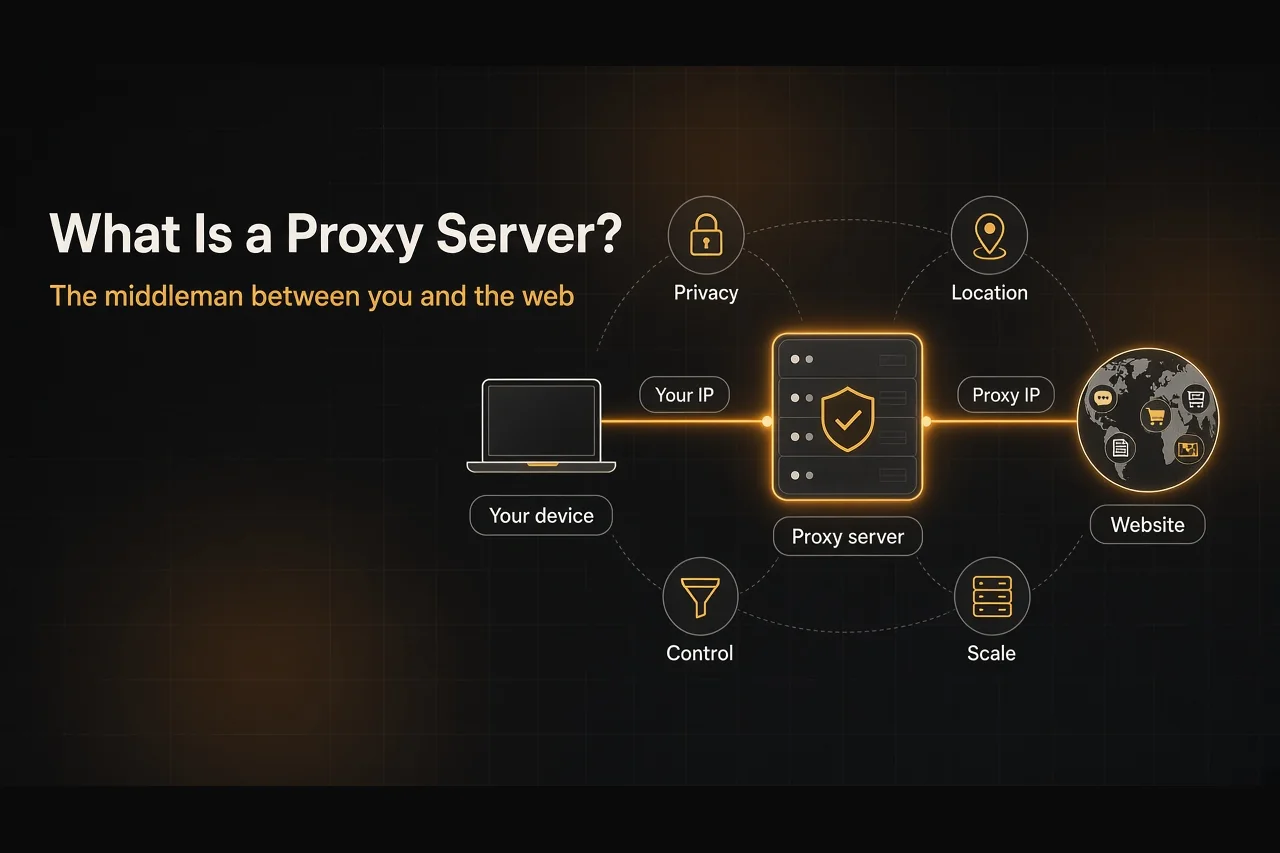
Your script logs in, loads two pages, then lands back on the login screen. The cookies are fine. Your proxy gave you a new IP between requests, and the site treated it as a stolen session. That one bug is the whole rotating vs sticky proxies question.
A rotating proxy sends every request from a fresh IP. A sticky session holds one IP for a while, 10 minutes by default at Oxylabs and Decodo, and up to 7 days at IPRoyal.
Here's the catch. A sticky IP is still somebody's home device, so "up to 7 days" is a ceiling, not a promise. And on residential plans you pay per GB either way.
I haven't run these providers for this post. Every limit and price below comes from their own docs and pricing pages, as of 18 October 2026. If proxies are new to you, read how a residential proxy works first.
Some links here are affiliate links. They don't change your price or what I recommend.
What is the difference between rotating and sticky proxies?
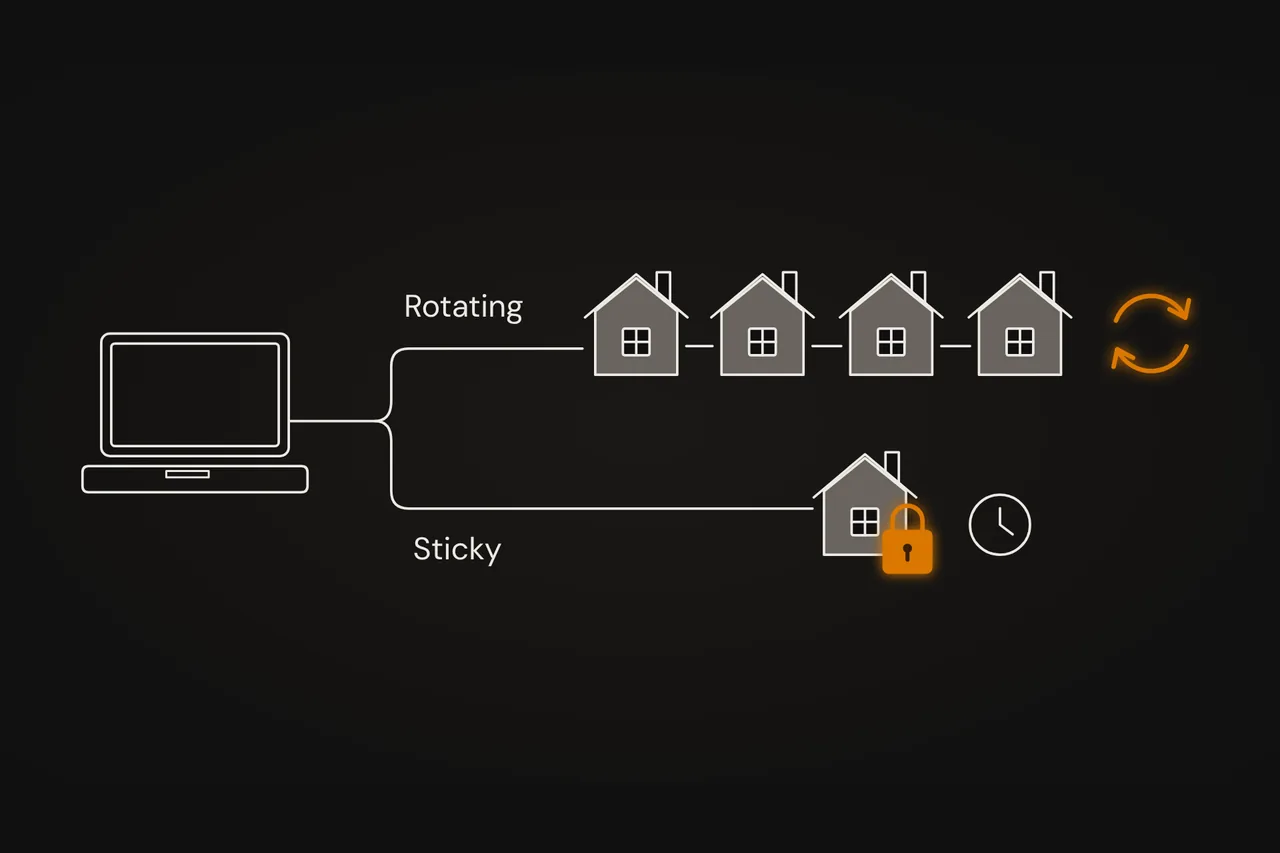
A rotating proxy gives you a new exit IP on every request. A sticky proxy session keeps the same exit IP across many requests until a timer runs out, you go idle too long, or the device behind the IP drops offline.
Think of it like phoning a call centre. Rotating means a different agent picks up every time. Sticky means you ask for the same agent so you don't have to explain your problem again.
Both modes usually come from the same residential pool and the same plan. You don't buy "a sticky proxy". You ask the gateway for stickiness, almost always by adding a session ID to your proxy username.
That's why the choice is cheap to change and expensive to get wrong. Pick the wrong mode and you either burn one IP until it's blocked, or you break every login you try.
How does a rotating proxy give you a new IP on every request?
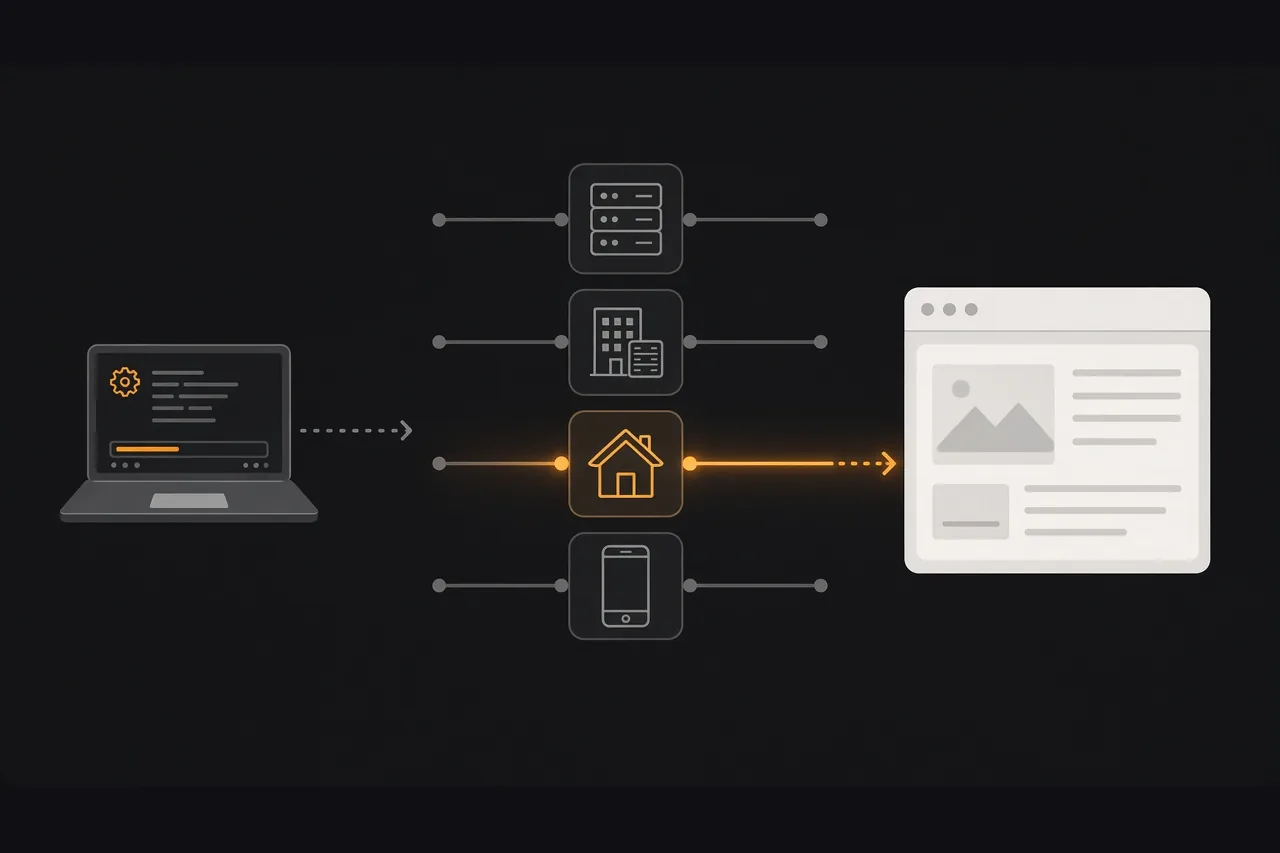
You connect to one gateway address. With no session ID in your username, the gateway picks an online home device for each request and forwards your traffic through it.
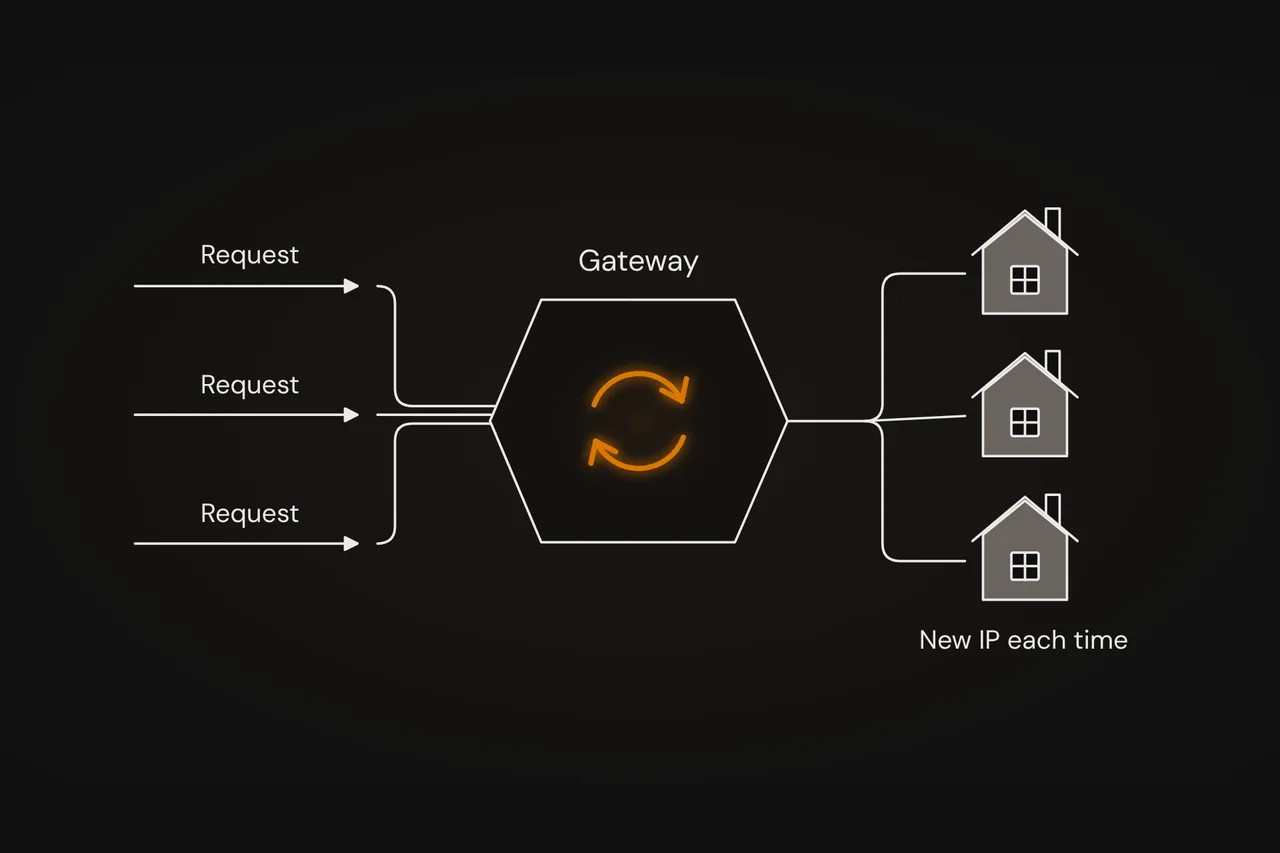
This is the default almost everywhere. Oxylabs says its residential proxies "rotate automatically with every request by default". SOAX says that without a session parameter "every request gets a new node". IPRoyal calls the same mode Randomize.
Rotation is good at one thing: spreading load. If you fetch 10,000 product pages, no single IP sends enough of them to hit a rate limit.
But "new IP every time" isn't a guarantee of a unique IP. Bright Data's docs warn that high request rates or many parallel callers "may result in reuse of the same proxy IPs". A big pool makes repeats rare, not impossible.
Rotation also can't clean up a bad reputation. IPs that other customers abused arrive already flagged, the same reason VPN users see so many Google CAPTCHAs.
Some providers also offer a middle mode: timed rotation. SOAX lets you keep a node and swap it every N seconds (10 seconds to one week) or every N requests (up to 1,000,000). IPRoyal's dashboard has an auto-rotate option every 1, 10 or 30 minutes.
Timed rotation suits slow crawls where you want a few requests per IP, not one. For most scraping, per-request rotation is still the simpler default.
How does a sticky session keep the same IP?
You add a session ID of your choice to the username. Every request that carries the same ID goes through the same exit IP, as long as the session is alive and the device is online.
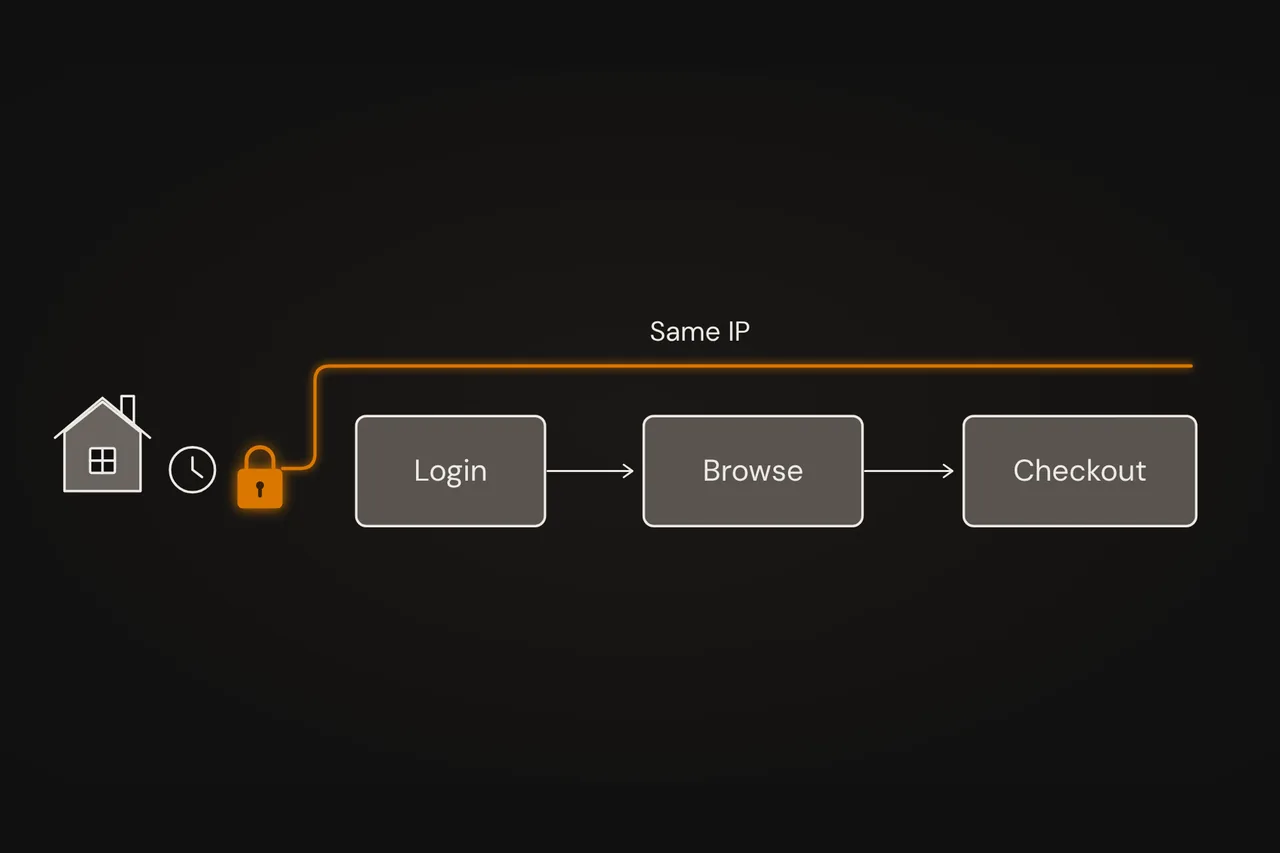
Three things end a sticky session early, and most guides only mention the first:
- The timer. Oxylabs and Decodo default to 10 minutes. You can raise it with a duration parameter.
- Going idle. Oxylabs' default session ends after 60 seconds with no requests, SOAX's after 60 seconds, and Bright Data's after 5 minutes.
- The device leaving. Decodo puts it plainly: the longer the session, the more chances the IP rotates early "due to the residential device at the end going offline".
So what happens when the device drops? By default, nearly every provider quietly gives you a new IP under the same session ID. Your script keeps running and never knows the IP changed.
That's convenient for scraping and dangerous for logins. Which is why each provider also has a strict mode that fails loudly instead.
How long can a sticky session last, provider by provider?
The ceilings differ a lot, and so do the parameter names. Here's what each provider's documentation says, as of 18 October 2026.
| Provider | Sticky parameter | Default length | Maximum length | Idle timeout | Strict mode (no silent swap) |
|---|---|---|---|---|---|
| Oxylabs | sessid in username | 10 minutes | 24 hours with sesstime | 60 seconds (default session) | sessid_oneip, fails with HTTP 502 |
| Decodo | session in username | 10 minutes | 24 hours with sessionduration | Not stated | session_iplock, won't rotate if the node drops |
| SOAX | session in username | Held while active | Use rotate-timed, 10 s to 1 week | 60 seconds | bind-node, requests fail instead of replacing |
| IPRoyal | _session (8 characters) in password | Set by _lifetime | 7 days with _lifetime | Not stated | _killswitch-1, returns HTTP 410 |
| Bright Data | -session in username | Held while active | Not stated | 5 minutes | -const, returns HTTP 502 |
Two details from the table are worth a second look.
IPRoyal puts its session options in the password field, not the username. Its session ID must also be exactly 8 alphanumeric characters. Copy a Decodo-style config and nothing sticks.
Decodo's own pages disagree with each other. Its pricing FAQ still says you can keep an IP "for up to 30 min", while its docs say sessionduration accepts 1 to 1,440 minutes. I'd trust the docs, then test with a short session before you rely on a long one.
None of the maximums is guaranteed. Oxylabs, Decodo and IPRoyal all say a residential IP can disappear before the timer ends.
Should you rotate or stick? A decision guide
Ask one question: does the site need to remember you between requests? If no, rotate. If yes, stick.
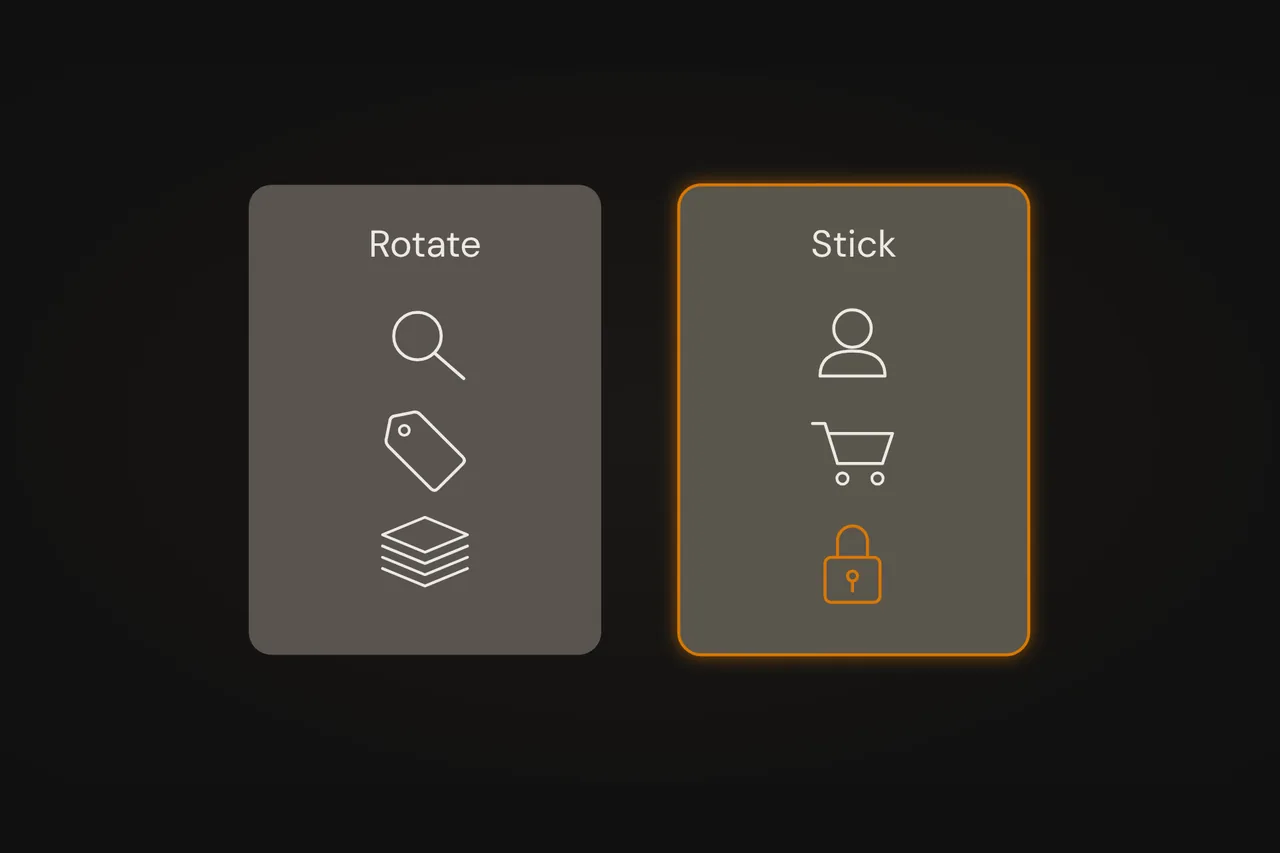
Rotate per request if:
- Each request stands alone, like product pages, search results or public listings
- You're checking prices or ads from many locations
- You want to spread a large crawl so no single IP sends much traffic
- You don't log in and don't carry cookies between pages
Use a sticky session if:
- You log in, then browse as that user
- The flow has steps: cart to checkout, page one to page five of a form, a search followed by its results pages
- The site sets a session cookie or token you reuse on later requests
- You paginate through results that the site ties to one visitor
Use a static ISP IP instead if one identity has to stay put for days or weeks, such as a long-running account. A sticky residential session can drop at any time. An ISP proxy keeps the same IP for as long as you pay, which is why I cover them separately in my guide to the best ISP proxy providers.
My take: most real jobs mix both. Scrape public pages on rotation, and give each logged-in account its own sticky session or static IP. Never share one session ID between two accounts.
Automations follow the same rule. An n8n workflow that pulls public pages can rotate, while one that logs into a dashboard needs to stick. My post on the best proxies for n8n workflows shows where each proxy type fits.
Do sticky sessions cost more than rotating ones?
No, not on residential plans. You pay per gigabyte of traffic, and rotating and sticky sessions come out of the same balance at the same rate. None of the pricing pages I checked lists a surcharge for sticky sessions.
Decodo lists "rotating and sticky session options" in every residential plan. Oxylabs lists sticky sessions and flexible rotation as standard features. SOAX charges "one rate across residential and mobile", priced by the exit country's tier.
Here are the published residential rates, as of 18 October 2026 (USD, before VAT):
| Provider | Entry rate | Rate at volume | Billing notes |
|---|---|---|---|
| Decodo | $4/GB pay as you go, $3.75/GB on 3 GB | $2.75/GB on 100 GB, $2/GB at 1 TB | Monthly GB plans or a wallet, 3-day trial |
| Oxylabs | $6/GB (Starter, $30/month) | $4/GB on $500/month, $2.50/GB at 1,000+ GB | One subscription covers all products |
| SOAX | $5/GB US traffic (Sandbox) | $3/GB US on the $200/month Builder plan | Credits roll over for 60 days |
| IPRoyal | $7.35/GB for 1 GB pay as you go | $5.51/GB on 10 GB, $1.75/GB from 10 TB | Bought traffic never expires, subscription 5% off |
So 10 GB on Decodo's monthly plan costs $35 whether you rotate every request or hold one IP for an hour.
The real price split is between product types. Static ISP IPs are billed per IP, not per GB. Decodo's dedicated ISP plan is $3.33 per IP for 3 IPs ($9.99 a month) and $2.80 per IP for 20 IPs.
That gives you a clean comparison for account work. 20 accounts on 20 dedicated Decodo ISP IPs is $56 a month, and those IPs don't vanish when someone switches off their router.
Sticky sessions can still raise your bill indirectly. SOAX counts traffic "in both directions, including partial responses, retries, and interrupted connections". A sticky IP that keeps failing, plus a script that retries forever, burns GB on pages you never get.
If you're starting small, Decodo has the lowest-commitment entry of the four, while SOAX and Oxylabs get cheaper at higher volumes. IPRoyal suits stop-start projects because its traffic doesn't expire.
What does a rotating vs sticky proxy config look like?
Below are format examples taken from each provider's documentation. USERNAME, PASSWORD and the session IDs are placeholders, so swap in your own credentials from the dashboard.
The pattern is the same everywhere. Remove the session part to rotate. Add it to stick. Change the session ID when you want a new IP on purpose.
To check stickiness, run the same command twice against the provider's IP-check URL. Same IP twice means the session is holding.
What mistakes break sticky sessions?
Most "random" logouts trace back to one of these, and the docs explain every one.
- Changing other settings mid-session. Bright Data drops the session if the country, city or any other parameter differs between requests. SOAX rejects it outright with a 409 SESSION_PARAMS_MISMATCH error. Decodo goes the other way and keeps the old IP even if you change the country, so changing location means changing the session ID too.
- Going quiet too long. A 60-second idle limit (Oxylabs' default, SOAX) ends the session while your script waits on a slow step. Send requests steadily, or plan for a fresh session.
- Moving your own servers. Bright Data keeps a session only while your calls come from the same global region, so a job split between a US and a European server gets two different IPs.
- Trusting silent replacement on logins. The default swap keeps scraping alive but moves a logged-in account to a new IP mid-flow. For account work, use the strict flag and handle the 502 or 410 by starting a clean session.
- Reusing cookies across IPs. When the IP changes, start a new cookie jar and log in again. Old cookies on a new IP look like a stolen session.
- Asking for 24 hours when you need 10 minutes. Longer sessions drop more often. Match the duration to the task.
- Expecting the IP to fix everything. A stable IP with an identical browser fingerprint across many accounts still links them, as I explain in what browser fingerprinting is.
Frequently asked questions
So, rotate or stick? Rotate when every request stands alone. Stick when the site has to remember you, and turn on strict mode for logins. Reach for a static ISP IP when one identity must last for days.
Whichever you pick, the provider matters less than the session settings. When you're ready to choose one, my comparison ranks the best residential proxy providers on price, pool and sourcing.